
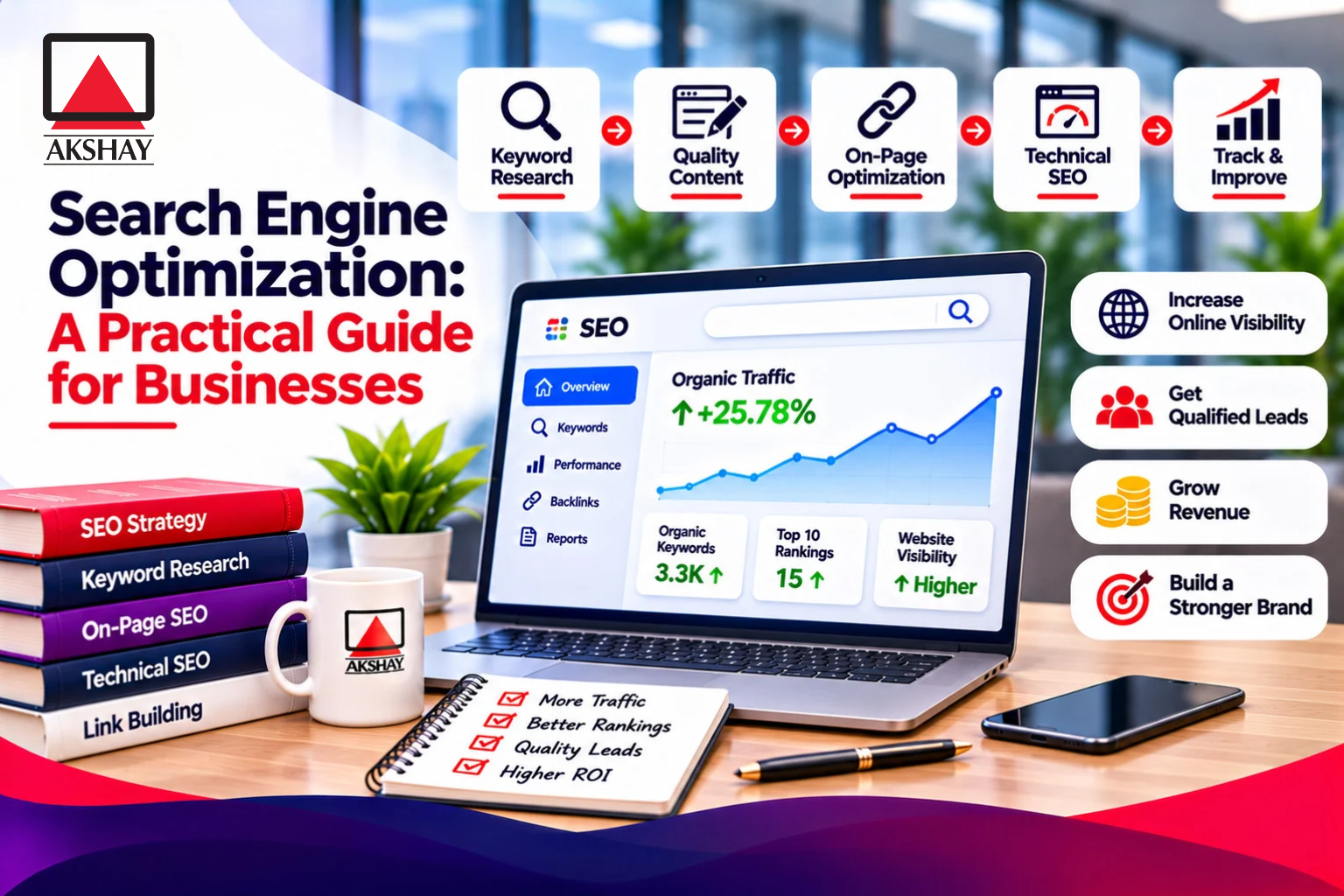
A customer who needs your product or service may still struggle to find your website, even when your search engine optimization work is sound. For a small or midsize business in India, that can mean fewer useful visits, enquiries, and sales. The good news is that you can make important pages easier to find and judge whether your work helps.
This beginner-friendly guide is for local firms, online stores, and service businesses. It focuses on practical steps you can take with your website, content, and marketing. There is no guaranteed first-place result. Visibility grows through useful pages, accessible site features, and steady measurement. The aim is to reach people who need what you offer, not to chase every search.
You can start with the pages most likely to help a customer make a decision. A clear starting point is to make the best answer to a real customer need easy to discover.
Key Takeaways
- Make useful pages that answer real customer needs.
- Help search engines reach and understand important pages.
- Use clear page titles and helpful descriptions.
- Connect related pages with useful links.
- Measure enquiries, orders, or sign-ups, not rankings alone.
- Expect progress to take time, with no guaranteed place in results.
What Does Search Engine Optimization Mean?
Search engine optimization helps search engines understand a page and helps the right people decide whether to visit it. Search engine optimization meaning is the work of improving a site’s content, structure, and discoverability so relevant people can find it in unpaid results. The goal is useful visibility, not a long list of rankings.
Google and Bing are search engines. They sort pages into search results when a user enters a query, then show links that may answer it. Organic search results are unpaid listings. Ads are paid placements, and SEO does not control where those ads appear.
These notes on search engine optimization give you three basics. First, search engines must be able to discover a page. Second, the page should match the user’s need. Third, its content should help the visitor take a useful next step.
Google’s Search Essentials can make a site more likely to appear in Google Search, but they do not guarantee that Google will index it. A new website may need time and links before people can find it. The useful measure is whether a result reaches someone whose need the page can genuinely meet.
How Do Search Engines Discover and Rank Pages?
A page can appear in search only after a search engine discovers and evaluates it. Crawling is the automated process search engines use to discover pages by following links and other accessible paths. A crawl does not guarantee indexing or a ranking.
Search engines move through three broad steps:
- Crawling: a crawler follows links or other paths to find a page.
- Indexing: the search engine may store the page in its index, its collection of discovered pages.
- Ranking: the search engine chooses and orders possible results for a particular search.
Google crawlers explore the web and add most pages to results automatically. You can provide an XML sitemap, a file that lists important URLs, to help Google understand your site. A sitemap is optional, and it does not force Google to index every listed page.
Search engines may skip pages they cannot access or do not find useful enough to include. Google Search Essentials make a site more likely to appear, but do not promise that any particular page will enter the index. Check whether important pages are accessible and linked before assuming a sitemap alone will solve discovery.
Why Does SEO Matter to an Indian Business?
A local accountant and an online saree shop both need to reach people already looking for what they offer. SEO improves a website’s chance of appearing in relevant organic search results. Qualified discovery matters because it can lead to enquiries, purchases, bookings, or readership.
The most common goal is to bring likely customers to a page that helps them act. An accountant in Jaipur might attract a business owner seeking help with tax filing. A saree shop might reach someone comparing handloom styles before buying.
Google Search and Bing give customers ways to discover businesses. Organic listings do not require payment for each placement. Google Ads listings are paid placements, which can help a business seek visibility through a different route.
Neither route suits every business in every situation. An ad can bring paid traffic while it runs, and organic visibility can grow through useful pages over time. Your marketing choice should fit your budget, timing, and audience. Judge SEO by relevant visits and useful business outcomes, not by impressions alone.
How Do You Choose Keywords Around Customer Intent?
A sound search engine optimization strategy starts with what customers want to do, not with the biggest search volume. Customer intent changes the page a person needs. Give each important need one clear page to answer it.
Match topics to what customers need
Someone comparing two water purifiers needs a different page from someone ready to book installation. Informational intent means learning, such as how often to change a purifier filter. Navigational intent means finding a known brand or business, such as searching for a purifier shop’s website.
Commercial intent means comparing options, such as checking purifier models and service plans. Transactional intent means taking action, such as buying a filter or booking installation. Customer vocabulary may differ from your technical terms, so listen to the words people use in calls and messages.
Prioritize opportunities before writing
Google Keyword Planner and Google Search Console can help you spot customer language and search patterns. Use a simple process to turn questions into a manageable page plan:
- Collect questions from calls, emails, reviews, and sales chats.
- Group questions that ask for the same kind of help.
- Check whether an existing page already answers each need.
- Prioritize topics tied to your business and customer goals.
- Assign one main page to each distinct topic.
Do not create a page for every small wording change. A purifier shop can cover filter types on one useful guide, then link to specific products. Give each important customer need one page that answers it better than a generic service overview.
What Should You Optimize on Each Page?
A page title should tell a searcher exactly what the page offers. Clear page elements help both readers and search engines understand the page. Make each title distinct, accurate, and tied to the page’s main purpose.
Use a clear heading hierarchy, with one main heading followed by useful subheadings. Start the page with a short introduction that names the reader’s need. Use relevant terms naturally in the text, rather than forcing the same keyword into every paragraph.
A concise meta description can sum up the page and give a reader a reason to visit. It should match the page, not promise a deal or service the page does not offer. Many content management systems, or CMSs, let you set the HTML title element without editing code.
Google can build a title link from the HTML title element and page headings. A search snippet usually comes from page content, though Google may sometimes use the meta description. Google can rewrite a title link or select different snippet text, so these elements guide presentation without guaranteeing exact display.
Check how the page appears on a phone as well as a computer. A long title may lose its key detail when shown in search results. Review the title and snippet as a promise the page itself must keep.
Which Technical Basics Help Search Engines Access Your Site?
A polished page cannot help customers if crawlers cannot reach its important text and resources. Start with access to the pages people need most. Fix barriers that hide content before adding more pages.
Use this six-point check on a few high-value pages:
- Check that the page works and reads well on a mobile phone.
- Use HTTPS so the site connection is secure.
- Fix internal links that lead to missing or incorrect pages.
- Allow search engines to access needed CSS and JavaScript resources.
- Use descriptive URL words that explain the page topic.
- Keep navigation and page groups logical for your site size.
Descriptive URLs can help search engines form breadcrumbs in search results. Folders that group similar topics can help sites with thousands of URLs. A small brochure site may need only a few simple sections, while a large store needs a more deliberate structure.
Duplicate content is not, by itself, a Google spam-policy violation. Duplicate URLs can waste crawling resources, and Google may choose a canonical URL, the preferred version among duplicates. A redirect or canonical link can point search engines toward the version you want indexed.
For a deeper technical checklist, review technical SEO basics for B2B sites. Inspect a few high-value pages on mobile and confirm their preferred URLs load without errors.
How Do You Create Content People Can Trust?
A page earns a reader’s attention by answering the question that brought them there. Useful content should be readable, original, current, and written for people. Do not make a page just to repeat search terms.
Answer the reader’s real question
A local clinic could answer, “What should I bring to my first appointment?” in plain language. It can list a prior prescription or test report when relevant, without making a diagnosis or medical claim. Direct answers help people decide what to do next.
Use clear headings and short paragraphs so readers can scan the page. Add details drawn from your real work, then check names, dates, prices, and claims before publishing. A direct answer with clear attribution can help people and answer tools identify a useful passage, but no placement or AI citation is assured.
Keep important pages clear and current
Update a page when its hours, prices, rules, or product details change. Remove or revise information that could lead a customer to make a poor choice. Original examples from your own work can make a page more useful than a broad, generic overview.
Place sharp, relevant images near the text they support. Write concise alt text that describes the image’s purpose in relation to the page. For a page centered on a video, add related text and a descriptive video title and description.
Do not add image descriptions just to stuff in keywords. A photo of a plumber fixing a leaking tap may need alt text that says what it shows, not a string of nearby service terms. Update or remove an old page when its information no longer helps people make a sound decision.
How Can Links and Promotion Help People Find You?
A strong page is easier to discover when other useful pages point readers toward it. Useful links can guide visitors around your site and help search engines find new pages. Write anchor text that tells people what the linked page contains.
Make useful internal connections
Link related pages where a reader may need more detail. A page about home water filters could link to care instructions and compatible products. Clear anchor text is better than vague wording such as “read more.”
Google finds many new pages through links. Links also help a reader move from a broad answer to a useful next page. Keep the link relevant, and check that it still works after you change your site.
Earn relevant attention beyond your website
Share useful work where the right people already spend time. Practical routes include:
- Link related articles and service pages within your website.
- Take part in local or trade communities with useful answers.
- Send a permission-based newsletter to people who chose to receive it.
- Share helpful pages on social media without flooding followers.
An outside reference can support a claim or help readers check details. Earned links should come from genuine interest in your work, not purchased promises. Add nofollow or a similar annotation to untrusted links added by users.
Promotion can become noise if every post asks for a sale. Share a guide when it answers a real question for that group, then let people choose whether to read it. Promote a genuinely helpful resource where its intended audience already gathers.
How Does Local SEO Work for Indian Businesses?
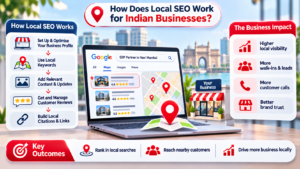
A customer in Pune needs to know whether a plumber actually serves their neighborhood before making a call. Clear local details help nearby customers decide whether your business can help. Show the places you really serve and keep your contact details accurate.
Make your location and service area clear
A useful local page can name the city, locality, and service area your business covers. A home-repair business in Pune might list Kothrud, Aundh, and Baner if its staff truly serve those areas. Add real local details, such as service hours or the kinds of jobs available.
Avoid making near-identical pages for every neighborhood. A page with only a changed locality name gives little help to a customer. Google Business Profile is a tool for managing a business’s presence on Google.
Keep business details consistent
Use the same business name, address, phone number, and opening details on your website and listings. A mismatch can confuse a customer who wants to call or visit. If your business has no customer-facing address, represent its service area appropriately instead of listing a private home as a public storefront.
For example, a Pune plumber could list a business phone number and the localities served, then state when emergency calls are accepted. Do not claim to cover a place where you cannot send a worker. Keep every published location detail accurate enough that a customer could act on it.
Which SEO Shortcuts Should You Avoid?
Repeating a phrase unnaturally can make a page harder to read without creating durable value. Risky shortcuts can damage trust and may violate search engine rules. No tactic guarantees a first-place result.
Avoid manipulation that harms trust
Watch for these five warning signs:
- Keyword stuffing, or repeating terms far beyond natural use.
- Hidden text or links that visitors cannot see.
- Cloaking, which shows search engines different content from visitors.
- Doorway pages made to funnel searches to another page.
- Paid links intended to manipulate rankings.
Google Search does not use the meta keywords tag. Excessive repetition of search terms counts as keyword stuffing and violates Google’s spam policies. Copied content is a poor substitute for original work, though duplicate URLs alone are not automatically a spam violation.
Choose durable alternatives
Build a page that answers a customer’s question, then link it from relevant parts of your site. Use transparent redirects when pages move, and earn references through work that others find worth sharing.
Do not hire a provider who promises guaranteed rankings or hides what they will do. A clear guide to choosing an SEO company can help you check case studies, reporting, and contract terms. If a tactic depends on showing search engines something different from what visitors see, reject it.
How Do You Measure Whether SEO Is Working?
A higher ranking matters only if the right visitors can take a useful next step. Business outcomes tell you more than rank alone. Choose a baseline and compare the same kind of time period after changes.
Organic traffic, qualified enquiries, completed orders, and subscriptions measure different results. Pick the outcome that fits your business, then track a supporting sign that helps explain it. A visit count alone does not show whether a customer found what they needed.
| Business type | Outcome to count | Supporting indicator |
|---|---|---|
| Local service business | Qualified calls or forms | Relevant landing-page visits |
| Online store | Orders or revenue | Product-page visits |
| Publisher | Subscriptions or sign-ups | Engaged article visits |
Use Google Analytics 4 (GA4) to review site activity and actions you have set up to track. Compare like-for-like periods, such as one month with the same month in another year when seasonal demand matters. Record major site changes beside the data so you can connect shifts with real events.
A useful analytics goal-setting guide recommends defining goals and measures before collecting data. Its instructions serve U.S. federal agencies, but the planning idea also helps an Indian business. Choose one business outcome and record its current baseline before changing the site.
How Can Google Search Console Help You Improve Search Visibility?
Search Console is the first free check for whether Google can find and show your site. Google Search Console helps you monitor, maintain, and troubleshoot your Google Search presence. Its reports cover Google Search, not Bing, DuckDuckGo, or other engines.
The tool is free for a site you own or can access through an invitation. Its Performance report shows clicks, impressions, click-through rate, and average position. You can break down data by query, page, country, device, and search appearance.
Read the Performance report with care
Compare queries and pages to see which searches lead people to your site. Anonymized queries do not appear in report tables, but they count in chart totals unless you apply a query filter. The chart total can therefore be higher than the visible query rows.
The interface and spreadsheet export have a 1,000-row maximum. The Search Analytics API and Looker Studio connector can export up to 50,000 rows per day, per site, and search type. The API starts with 1,000 rows by default, and pagination can retrieve rows 1-25,000 and 25,001-50,000.
More rows do not mean every query becomes visible, because anonymized queries stay hidden. Search Console keeps Performance data for 16 months before deletion. Treat average position with care, especially for pages or queries with few impressions.
Check indexing and request a recrawl
Search Console can check crawling, help troubleshoot indexing, and let you request re-indexing after a page change. A request does not guarantee that Google will index the page. Use it after you fix a real issue or make a meaningful update.
Results can vary by location and personalization, so a low-impression average position may not reflect a steady business result. Pair a position trend with clicks and business outcomes before deciding a page has improved.
Which SEO Tools Should a Beginner Use?
Start with the free tool that answers your immediate question instead of buying an all-in-one platform. Google Search Console is the best free baseline for your Google visibility. Pay for a tool only when its added data or workflow solves a recurring task.
Listed starting prices in 2026 vary by plan and task. The comparison below focuses on five tools a beginner may consider.
| Tool | 2026 listed starting price | Best-fit task | Useful distinction |
|---|---|---|---|
| Google Search Console | Free | Google visibility checks | Only sites you own or can access |
| Screaming Frog SEO Spider | Free; paid from $279/year | Technical crawling | Checks site URLs and page details |
| Ahrefs | $29/month or $129/month | Gap and competitor research | Content Gap tool; listed prices reflect different plans |
| Semrush | $117/month | Rank tracking and dashboards | Customizable modular dashboards |
| Mangools | $37.70/month | Keyword research | Beginner-oriented tools |
Search Console gives the clearest free view of Google Search for a site you can access. Screaming Frog suits technical crawling, while Ahrefs supports gap and competitor research. Semrush offers rank tracking and dashboards, and Mangools gives beginners a simpler set of research tools.
Other listed options include SEOptimer at $29/month for audits, Clearscope at $129/month for content optimization, and SE Ranking at $129/month for local SEO. Surfer starts at $49/month for content work and search-results insights. Semrush One is listed at $199/month for SEO and generative engine optimization tools.
Tool prices and included features depend on the selected plan. Ahrefs has listings at both $29/month and $129/month, which do not describe the same plan. Check current plan details before subscribing, and start with the free tools already available to your business.
For a look at AI tools used in B2B marketing, see this overview of Surfer SEO and related tools. Pay only when a tool’s added data or workflow solves a recurring task you cannot handle efficiently by hand.
What Does Website Analytics Cost?
A small business can start measuring site activity in GA4 standard without a monthly traffic charge. GA4 standard costs $0 and has no traffic-based fee. Optional data exports and server-side tagging can add costs.
Standard properties allow 30 key events and 100 audiences. Exploration data retention is 14 months, and daily BigQuery export has a limit of 1 million events. Sampling can occur above 10 million events in one exploration query.
| Option | Listed price and limit | When it matters |
|---|---|---|
| GA4 standard | $0; 30 key events; 100 audiences | Basic site tracking without a traffic fee |
| GA4 360 | No published price; reseller suggests $50,000/year for 25 million events/month | Large enterprise analytics needs |
| BigQuery or server-side services | $0.05/GB streaming; about $45/server/month for Cloud Run | Custom exports or server-side tagging |
GA4 classifies properties processing fewer than 25 billion events over 31 days as Normal. Properties above that level become Large or XL, with only two months of retention. The suggested GA4 360 price is reseller-reported, not a published Google price.
BigQuery streaming export costs $0.05 per gigabyte, which covers about 600,000 events. Storage and query charges cost extra. Server-side tagging on Google Cloud Run costs about $45 per server each month, with at least two servers recommended.
Standard GA4 has no monthly event allowance that triggers a bill. BigQuery streaming and server-side tagging are optional services, not required fees for basic tracking. Estimate storage, query, and tagging needs before enabling add-ons.
Set up only the events you need to measure useful actions, such as a submitted enquiry form. Keep access limited to people who manage the site or its data. Check the cost of exports and tagging separately before sending event data to paid services.
How Much Does SEO Cost in India?
A small local business in India may find basic SEO retainers around ₹8,000-₹15,000 a month. Basic local work can suit a firm targeting nearby customers. The right budget depends on the work your site and market need.
Common monthly ranges in India in 2026 are:
| Typical engagement | Common monthly range | Likely scope |
|---|---|---|
| Basic local | ₹8,000-₹15,000 | Local visibility and core site updates |
| Growth-oriented | ₹15,000-₹40,000 | More content and ongoing site work |
| Competitive or national | ₹40,000-₹1,50,000+ | Broader campaigns in tougher markets |
Hourly SEO consulting commonly costs ₹800-₹3,000 in 2026. The cheapest SEO is usually a narrowly scoped basic local engagement, not a full national campaign. Competition, site size and health, industry, target geography, scope, and provider experience affect the fee.
A local clinic with a few service pages may need less work than a large online store with many product URLs. Ask what the fee covers, who owns the work, and what access you keep. Compare deliverables, reporting, and contract terms rather than choosing solely by the lowest fee.
Professional support can cover technical work, local visibility, and content planning, depending on the engagement. A guide to SEO services and business growth can help you connect goals with work and reporting. Compare the work and reporting included in each proposal before comparing its monthly total.
Can You Do SEO Yourself, and How Long Does It Take?
You can do the first SEO improvements yourself if you can edit your site and set aside time to learn. Free tools can help you start with useful checks. Changes may take hours or several months to affect search results.
Handle the foundations yourself
Use this five-step starter plan:
- Connect Google Search Console to your website.
- Inspect key pages on a phone and a computer.
- Fix clear access problems, broken links, or missing text.
- Publish one useful answer to a customer question.
- Record a baseline for a business outcome you want to improve.
ChatGPT can help brainstorm topics, organize a draft, or explain a report. You still need to check facts, add real experience, and make sure the result fits your customers. Do not publish a confident answer just because a tool wrote it fluently.
Know when specialist help is worthwhile
A site migration, a large online store, or a small team with little spare time may need specialist support. Ask what the person will change, how they will report results, and who will own the work. These agency selection checks can help you assess communication and past work.
Search changes may affect results within a few hours or take several months. Google recommends waiting a few weeks before assessing a change, and some edits produce no noticeable impact. A specialist can help with complex work, but no one can promise a ranking.
Record the change and its date, then give search results a few weeks before judging its effect.
Conclusion
Sustainable visibility starts with one useful page and a clear reason for the right customer to find it. Useful work and sound measurement give your business a stronger base than a ranking promise. Start with a page tied to a real customer need.
Check that the page loads, reads clearly, and gives the visitor a helpful next step. Pick one business outcome to monitor, such as a qualified call or completed order. A small improvement is easier to understand when you record what changed and when.
Choose that page today, make one improvement you can verify, and note the date.