
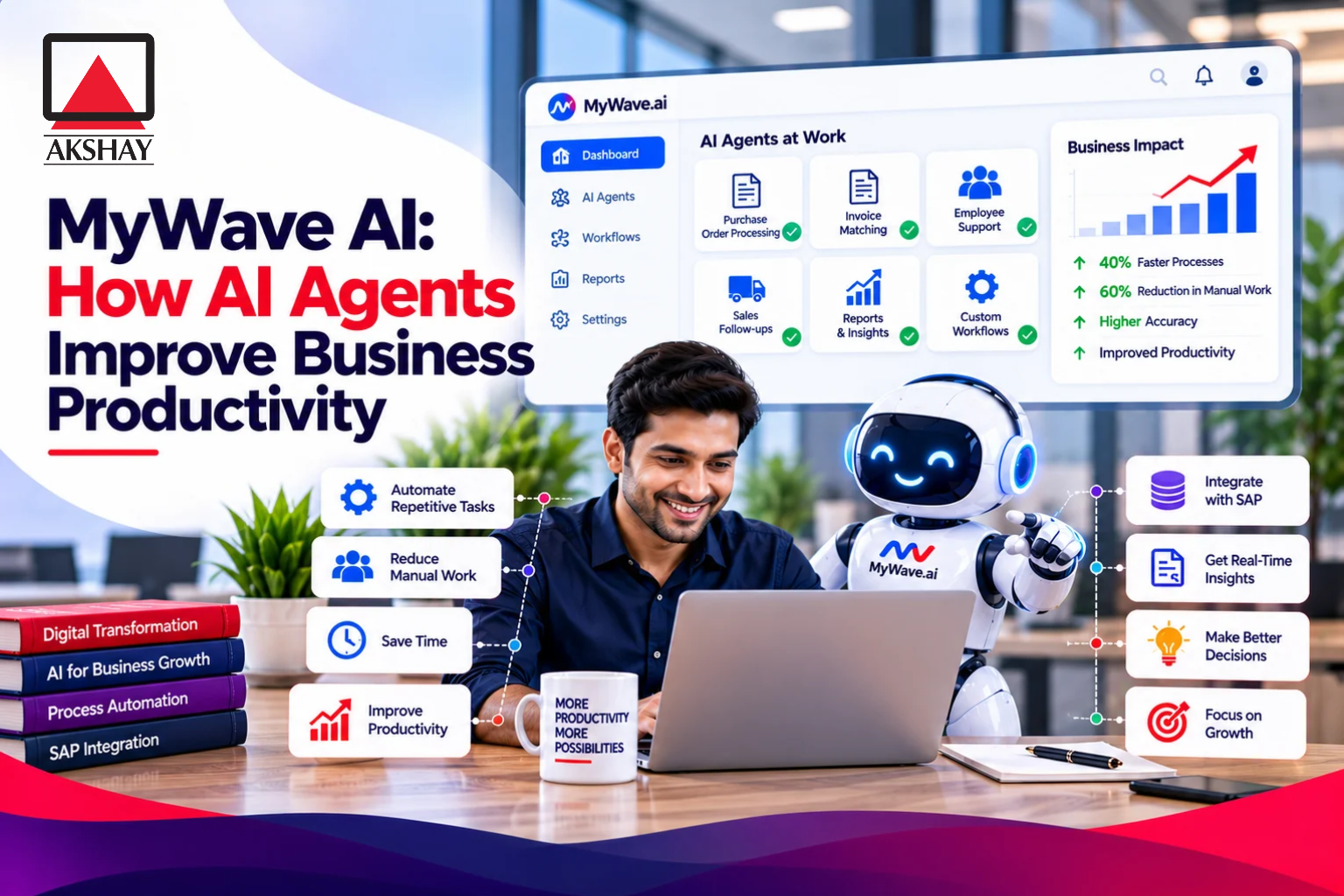
Repetitive data entry and disconnected workflows can consume staff time that could go to customer and operational priorities. MyWave AI is designed to help businesses automate that routine work while keeping business systems and human judgment involved.
Agentic AI is software that can interpret a goal, choose steps, and take actions in connected systems instead of only returning text or recommendations. An AI agent can carry out a task, while a chatbot may only suggest what a person could do next.
That difference matters when teams spend hours moving details between emails, forms, and business software. The service focuses on repeatable processes, where staff can spend less time on manual work and more time on customer needs and operations. A person still sets the rules, reviews exceptions, and decides where an agent may act.
Productivity gains depend on the process, the systems involved, and the checks around each action. The practical question is whether a governed agent can complete a specific process safely inside the systems your team already uses.
Key Takeaways
- Agentic AI can take action in connected business systems, not just offer suggestions.
- MyWave is designed to automate repeatable work across business processes.
- Innovation Hub 3.0 supports agent creation, adaptation, and deployment.
- SAP Business One users can assess transaction tasks and review points.
- Role permissions, policy checks, and human approval shape agent access.
- Start with one process that has clear rules and exception handling.
What Is MyWave AI and How Does It Work?
MyWave AI is an enterprise agent platform designed to carry out business work in connected systems, not just recommend what a person should do. Its agents can act on a process, such as updating a record, when their skills and access allow that action. The key difference is execution: an agent can do work, while a chatbot mainly returns answers.
That does not mean every agent should act without review. A business can set up work that needs human approval, or allow an agent to complete a defined task on its own. The right choice depends on the task and the risk of an error.
In this setting, a skill is a role-specific ability that guides an agent through work. One agent might handle tasks for a sales role, while another supports a finance or service role. Each skill gives the agent a clear job within the larger business process.
This design helps teams think about agents in terms of the work they need done. A sales agent might prepare a quote, while a finance agent might check a claim. The platform is meant to support those business services across connected systems, rather than serve only as a place to ask questions.
MyWave’s agent-building and deployment workspace is called Innovation Hub 3.0. It supports creating, adapting, and deploying AI agents. Teams can use the workspace to shape an agent around a process and prepare it for testing and use.
That process still needs a business owner. Staff must define what a good result looks like, which records matter, and when a person should step in. A well-written goal helps, but it does not replace review of the agent’s actions.
When you assess the platform, trace one business task from its starting point to its final system update. Check what the agent reads, what it changes, and what happens when it meets an unclear request. This gives decision-makers a practical way to compare the platform with tools that only suggest next steps.
Judge the platform by the business action it completes and the controls that apply to that action.
How Do Agents Execute Transactions in SAP Business One?
In SAP Business One, a MyWave agent can post, match, or reconcile a transaction instead of stopping at a recommendation. That write-back can let staff avoid re-entering details, while SAP remains the system where the business record lives. Keep the transaction in SAP, rather than relying on a separate copy of the data.
An agent can read a purchase order from a PDF or email, then check the details against SAP records. It can compare the customer, item, quantity, and other required fields. A mismatch or unusual quantity can pause the workflow for an employee.
SAP Business One as the system of record
SAP Business One is the ERP, or enterprise resource planning system, that holds core business records. A governed transaction changes the SAP record itself, rather than leaving staff with a recommendation to enter later. MyWave describes a certified SAP BTP extension, SAP BTP-EXT-GenAI, for governed transactions in the SAP core.
That distinction matters for business workflows. A parallel store may hold a copy, but it does not by itself update the ERP record. Ask which system receives the final change and how staff can review its status.
Transaction execution and exception review
Consider a purchase order sent as a PDF. The agent can extract its details, check the corresponding customer and item records, and pause when it finds an unmatched item. An employee can review the exception before the order continues.
An informal email needs a different path. It may describe a request in everyday terms, so the agent can identify the likely items and quantities, then prepare a sales quote for confirmation. A mobile inventory inquiry can return availability, pricing, and alternatives to a sales representative.
| Scenario | SAP task | Decision or review point |
|---|---|---|
| PDF purchase order | Extract order details and check corresponding SAP records | Pause for an unmatched item or unusual quantity |
| Unstructured email request | Identify requested items and quantities and prepare a sales quote | Confirm the interpretation before creating the document |
| Mobile inventory inquiry | Return availability, pricing, and alternatives for a sales representative | Check low-stock alternatives before preparing a quote |
These examples show why SAP Business One automation needs clear exception rules. Before deployment, define which fields the agent can change and which cases must wait for an employee. Keep SAP as the system of record and define exactly which exceptions require an employee’s review.
How Does MyWave Govern Agent Access and Responses?
MyWave’s governance model combines role-based access with a fixed policy check on every response. The controls work at different points: identity determines who the agent acts as, and role permissions limit what it can see and do. Every response passes through the Supervisor, a policy checker that uses fixed rules outside the AI model.
Agents inherit existing authentication, identity, and access management, without requiring new credentials. Role-based access means an agent can only see and do what its assigned role allows. A business can also choose autonomous work or human review for each skill and role.
Existing identity and role permissions
Using existing identity controls can make agent access easier to map to current staff roles. It does not remove the need to check the access assigned to each role. A sales role should not gain access to finance records unless the business has authorized that access.
The choice between independent action and human review can vary by skill. A low-risk task may run without approval, while a sensitive action may stop for a person. The right setting should follow the business impact of an error.
Policy checks and authorized changes
The Supervisor checks each response against plain-language policy. Its fixed rules sit outside the AI model, giving the business a separate check before an action proceeds. The policy document used to configure an agent is also the document auditors read.
Only authorized people can change or adapt an agent, including its prompts. That limit helps keep changes within the right team, though the business still needs a clear way to track approvals. Gartner’s April 2026 forecast put the average large enterprise at more than 150,000 AI agents by 2028, up from fewer than 15 in 2025. Gartner also reported that just 13% of companies felt confident governing the agents they already ran.
An August 2026 SAP News Center statement said fewer than half of companies could list the agents they ran. These figures describe a wider governance challenge, not MyWave’s performance. A business should know which agents are active and who owns each one.
- Confirm which identity system the agent will use.
- Map each skill to an authorized role.
- Choose where human approval is required.
- Restrict who can change prompts.
- Align the active policy document with the audit document.
Before enabling a skill, confirm the responsible role, its permitted actions, and the point at which a person must approve an exception.
Which Business Processes Can AI Agents Automate?
Strong automation candidates are repeated processes with recognizable inputs, clear business rules, and a useful exception path. Start with work that repeats: a process with steady volume can make manual effort easier to measure. An agent needs a clear way to pause when the input or rule does not fit.
Examples described for MyWave include claims processing, SAP automation, and trade finance. In claims work, a document may need review against set fields. In trade finance, the steps may involve checking records and documents before staff approve a result.
Structured documents and ERP tasks
A purchase order received as a PDF has a known shape, even when the layout varies. An agent can extract the details and check them against SAP records. It can flag an item that has no match or a quantity that looks unusual.
An informal email is less structured. The agent must work out what the sender wants before it can prepare a quote or update a record. A person may need to confirm the meaning before the workflow moves ahead.
Possible SAP Business One tasks include service-call creation, expense-claim processing, catalogue updates, and approval requests. Each task has a different risk, so teams should define its review point. A described setup also uses a unified dashboard to monitor multiple SAP Business One instances, though that may not be available in every configuration.
MyWave agents can also support work across SAP and non-SAP ERP systems. A CloudWars report on the SAP “ROI NOW” program describes agents for cloud ERP migration and workflow automation. Reported benefits in that account are company claims, not independently verified results.
Unstructured requests and service work
Service teams may receive requests in different formats, such as email, forms, or calls. An agent can help sort information and prepare a response or record, while a person handles unclear cases. That is different from a basic chatbot, which may only answer a question.
Marketing work also includes repeatable tasks, though it may need different tools and measures. For example, AI-powered marketing automation can support audience segments, tailored content, ad-spend choices, chatbot support, and performance checks. Those workflows can complement ERP automation, but they do not prove that one agent platform fits every task.
Choose a task with enough volume to matter, but avoid starting with a process whose rules change every day. Track how often the agent completes work, how often it pauses, and what staff must fix. Start with one high-volume task that has a clear handoff when the agent cannot confidently complete it.
How Are Agents Created in Innovation Hub?
A team can begin creating an agent by describing the business process in ordinary language. MyWave Create uses that description and industry context to generate an agent. The generated version is a starting point for review, not a promise of a ready-to-run process.
MyWave Create draws on 27 industry ontologies when generating an agent from a plain-language process description. An ontology is a structured set of terms and relationships that gives the system context about an industry. MyWave says agent generation starts at over 80% complete using its industry knowledge.
Creating an agent from a process description
A process description should explain what starts the work, what result staff need, and which systems hold the needed records. The team can then review the generated steps against real examples. A broad request such as “handle customer service” needs more detail than a defined task, such as creating a service call from an approved form.
MyWave says customers have built working agents in a single hands-on workshop session. A typical engagement has a first agent running in test within weeks. Those timelines describe a typical path, not a fixed delivery promise for every process.
Teams can change an agent through conversation rather than filing a change request. That can help business users explain a change in familiar terms, but the team still needs to test the new behavior. A small wording change can affect how the agent reads a request or handles an exception.
Adapting, testing, and reusing Waves
A Wave is a reusable process-specific automation model. “MyWave Waves” refers to these models, which teams can build or adapt for a particular business process. The MyWave technical guide describes Waves as process interactions and explains how users construct and deploy them.
Building or adapting a Wave is separate from approving its deployment. The process owner should test normal cases and exceptions, then confirm that the right role can use it. Only after that review should the team decide whether the Wave is ready for live work.
The described X18 package includes 18 prebuilt Waves, five user licenses, and five custom Waves. Requirements-documentation services are separate. These are described package details, not a guaranteed current subscription offer.
A person can use MyWave Create to generate an agent from a plain-language process description, but that does not establish free access. No free MyWave plan is stated here. Treat the first generated version as a starting point for role-specific review and testing, not as approval for live transactions.
How Does MyWave Connect SAP With Other Systems?
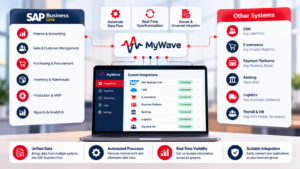
MyWave’s stated connection model keeps SAP actions and other-system connections behind one policy gate. That shared gate applies to connections through the Model Context Protocol (MCP), agent-to-agent communication (A2A), and webhooks. A connection method does not by itself grant permission to perform an action.
SAP core transactions use a certified SAP BTP extension called SAP BTP-EXT-GenAI. MyWave says governed transactions execute in the SAP core. For other systems, the platform uses MCP, A2A, and webhooks through the same policy gate used for SAP connections.
SAP core transactions and certified extension
The distinction is useful when mapping a workflow. The SAP extension is the named route for SAP core transactions, while MCP, A2A, and webhooks describe routes to other systems. Each route still needs an approved action and an allowed set of data.
A connection may let an agent reach a system, but the business must decide what the agent can do there. Read access and write access are different permissions. A process that only checks a status should not automatically receive permission to change a record.
| Connection type | Named route | Governance path |
|---|---|---|
| SAP core | Certified SAP BTP extension SAP BTP-EXT-GenAI | Governed transactions execute in the SAP core |
| Other-system connection | MCP | Same MyWave policy gate |
| Other-system connection | A2A or webhook | Same MyWave policy gate |
Connections beyond SAP
Teams may need agents to pass information between ERP, customer service, or other business systems. MyWave’s MCP, A2A, and webhook options can support those links, subject to the policy gate. The design should name the data each system sends and receives.
The MyWave technical guide also describes InfoPlugins as bridges to third-party systems, including API connections that can be chained together. Those details can help a technical team map a workflow, but they do not replace access rules or process testing.
For each route, check which system holds the final record and which team owns the connection. Ask what happens when a connected system is unavailable or returns unexpected data. For every connection, verify which data and actions its role is allowed to access.
Which Industries and Teams Are a Fit for MyWave?
MyWave’s industry knowledge is most relevant when a team’s recurring process matches a covered industry and can be described clearly. Industry context helps shape an agent, but it does not prove the agent fits a company’s own rules. Check local process steps and exceptions before using an agent in live work.
MyWave’s 27 industry ontologies cover manufacturing, life sciences, retail, consumer packaged goods, banking, financial services and insurance, energy, oil and gas, and mining. This range may help teams whose work fits those categories. The ontology gives process and industry context for generation, not automatic approval of a local workflow.
Industry process knowledge
A manufacturer might have repeatable steps for purchase orders, catalogue data, or service calls. A financial services team may handle forms and approvals. Those examples show how process shape matters more than a broad industry label.
For Indian businesses, the same industry can include different company rules, regional workflows, and system setups. The ontology does not establish local regulatory coverage or a specific deployment option. Teams should assess their own requirements directly.
Role and workflow fit
Start by naming a process owner who can explain the work and approve its rules. Stable source systems make it easier to know where the agent should get facts. Clear exceptions give staff a safe way to handle unusual cases.
A role authorized to review outcomes is also needed. That person should know when to accept a result, correct it, or stop the workflow. Without an owner, a defined process can still lack a clear decision-maker.
Check whether the process happens often enough to justify setup and review. Then compare the agent’s expected tasks with the systems staff already use. Validate the agent against your own process variations and approval rules before expanding it across teams.
How Does MyWave Compare With Other AI Agent Tools?
The clearest distinction is whether a team needs governed SAP transaction execution, a flexible visual or code-based builder, or enterprise testing and analytics. MyWave’s focus is SAP execution and role-specific controls, while other tools suit different ways of building agents. Compare the tools against the same workflow, not a feature checklist alone.
Gumloop offers a natural-language builder with MCP support and access through Slack by tagging an agent. Its free plan has no usage limit stated here. The Pro plan costs $37 per month, includes 20k+ monthly credits, and comes with a 14-day free trial.
| Tool | Building approach | Notable capability | Buyer consideration |
|---|---|---|---|
| MyWave | Process-described agent creation with industry ontologies | Governed SAP transactions and policy-gated connections | Assess fit for SAP execution and role-specific controls |
| Gumloop | Natural-language builder with MCP support | Slack access by tagging an agent | Free-plan allowance unspecified; Pro is $37 monthly with 20k+ credits and a 14-day trial |
| n8n | Node-based builder | Technical flexibility | Maintenance can be difficult for nontechnical teams |
| CrewAI | Python-based | Developer-oriented agent building | No native enterprise user interface |
| Salesforce Agentforce | Enterprise agent builder | Predeployment testing center and postdeployment analytics and session data | Check whether its testing and monitoring fit the team’s workflow |
Gumloop’s Pro plan details give buyers a stated monthly price and credit count for comparison. The free plan has no usage limit stated here, so do not assume a particular allowance.
n8n uses nodes and offers technical flexibility, but nontechnical teams may find it hard to maintain. CrewAI is Python-based and has no native enterprise user interface. These options may suit teams with developers who can own the build and upkeep.
Salesforce Agentforce has a testing center for creating test cases and checking responses before deployment. After deployment, analytics and session data can support monitoring and debugging. That focus may matter to teams already building within the Salesforce environment.
These tools are not interchangeable. Compare build approach, ERP execution, governance, and maintenance needs against the same task. Compare each platform against the same workflow and approval requirements rather than feature counts alone.
What Should Indian Businesses Check Before Deployment?
Before deployment, confirm the target process, its system access, its approval path, and the technical prerequisites. Start with a controlled scope so the team can see how the agent handles real work. Measure quality, exception handling, latency, and cost before widening access.
For the described SAP Business One setup, Web Client 2305 or later is recommended. External access requires an SSL certificate, and programmatic access requires an SAP Business One indirect license. These details apply to that setup, so check current compatibility and licensing for your environment.
- Choose one process with a measurable result.
- Identify the data and systems the process touches.
- Define human approval and exception handling.
- Confirm current SAP Business One compatibility and licensing.
- Ask what security attestation and data-location arrangements apply to your deployment.
Security status matters when a business reviews a service. MyWave’s independent SOC 2 security attestation is underway, not complete. Ask what attestation and data-location arrangements apply to the specific deployment, without assuming a local hosting or compliance promise.
Agent systems can also create operating costs that are easy to miss in a small test. Multiple model calls can add latency and cost, especially when one task triggers several steps. Known agent-system risks also include infinite loops, where an agent keeps repeating actions instead of finishing.
Set a limit for how long an agent can run and define who can stop it. Test typical requests, unusual inputs, and system errors. A narrow pilot can show whether the process works before more staff rely on it.
For broader business automation, review the process measures and privacy needs alongside the agent’s technical results. A comparison of AI tools for B2B marketing discusses tools for content, sales insights, and customer engagement. Marketing support is a separate use case, so judge it by its own workflow and measures.
Run a controlled test that measures completion quality, exception handling, latency, and cost before widening access.
Conclusion
MyWave is worth evaluating when a business wants an agent to complete transactions, not just suggest what an employee should do. Its value depends on the process, system access, and review rules your team can define.
The best starting point is one well-defined workflow with an accountable owner and clear exception rules. Bring that process to a MyWave product demonstration and assess whether the agent can complete it under your company’s required controls.
Choose one repetitive process and request a MyWave demo to test its fit against your systems, roles, and approval needs.