
A caller who wants to reschedule an appointment should not have to wait in a queue just to hear the next available time. AI voice agent automation can check available times and offer a clear next step. It can also help with an order update or another routine request.
A useful system must understand the request, take an allowed action, and know when to hand off. Turn detection is the process of identifying when a caller has finished speaking so the system can respond or let the caller interrupt. Automation supports your service team; it does not make every call suitable for automation.
Your team still handles exceptions, sensitive concerns, and requests the system cannot safely complete. A narrow first workflow also makes it easier to test accuracy and improve the customer experience. The right starting point is one repetitive call type with a clear outcome and a safe fallback.
Key Takeaways
- Start with a routine call that has a clear outcome.
- Allow only the actions the workflow needs.
- Use a human agent when a request falls outside the rules.
- Test full calls, including system updates and transfers.
- Review customer experience before expanding automation.
What Can AI Voice Agent Automation Handle?
Appointment confirmation, basic order status, and lead qualification are strong early candidates because each has a clear next action. Routine calls often need a lookup, a simple update, or a transfer. Choose a task with a clear result and a safe exception path.
A voice agent can handle inbound and outbound calls for scheduling, lead qualification, and customer support. The exact action depends on the tools and permissions connected to it. Google Calendar can support appointment scheduling, while HubSpot can receive qualified lead details.
- For an appointment, the agent can check open times and request a booking. A calendar conflict may need a human agent.
- For a routine FAQ, it can answer from approved service information. A policy exception needs review.
- For an order update, it can retrieve a status from a connected system. A missing or delayed record may need support.
- For lead qualification, it can ask set questions and send details to HubSpot. A prospect with unusual needs may need a salesperson.
- For call routing, it can identify the caller’s goal and send the call to the right team. A vague request may need clarification.
These lead-generation voice workflows can ask qualification questions and pass useful details to a sales team. Teams can also use AI for routine customer questions, while people handle harder work, as described in this example of customer-support automation.
Start with a call type where the caller’s goal and the permitted outcome are both easy to define.
How Does a Voice Agent Handle a Call?
A caller says, “I need to move my appointment,” and the system has to hear, interpret, check availability, and respond in real time. In a typical call, audio moves through speech-to-text (STT), a language model, and text-to-speech (TTS). The agent should stop when the task is complete or a safe handoff is needed.
First, the system captures the caller’s audio and turns speech into text. It then uses the caller’s words and available context to understand the intent. The response may be spoken information or an action through an approved tool.
For example, the agent may check a calendar, find an open slot, and ask whether the caller wants it. After the caller confirms, the system can submit the booking and speak the result. If a tool fails, the system should not claim that the change succeeded.
Turn detection helps identify when a caller has finished speaking. Interruption handling lets a caller speak over the agent, but systems vary in how well they manage both. A pause, background noise, or a caller changing their mind can affect the exchange.
Can AI agents be automated? Yes. Agents can automate bounded, repetitive call tasks when each task has a defined goal, approved tools, and a stopping condition. They are not free to act without limits.
The bounded loop works like this: the agent receives a goal, uses allowed tools, checks the result, and stops when done. A handoff condition also ends the loop. A useful agent stops when it has completed the allowed task or reached a condition it cannot safely resolve.
What Makes a Voice Agent Different From a Bot?
A bot that only reads a fixed menu is not doing the same job as a system that checks an account and updates a booking. The key difference is whether a system can select tools and take actions. An agent’s actions must stay within its permissions.
A basic bot follows set rules, such as sending callers to billing after they press a number. A large language model (LLM) interprets and generates language. It can help a system understand natural language, but producing text alone does not make it an agent.
An assistant presents capabilities to a user, such as answering questions or helping write a message. An agent can work toward a goal by choosing tools and using context. For voice work, that could mean checking an account before giving a status update.
Is ChatGPT an agent or LLM? ChatGPT is an AI assistant built around LLM technology. A tool-using mode can act agentically when it takes actions beyond generating text. That does not mean every chatbot or assistant is an agent.
The words model, assistant, and agent describe different parts or roles in a system. A model can reason over a request, while an assistant gives people a way to interact with it. An agent may also use memory or tools, if the system gives it those capabilities.
Ask what the system can actually access and change, not whether its product label includes “agent.”
Which Types of AI Agents Matter for Voice Workflows?
Different answers to “how many types” usually reflect different classification schemes, not a disagreement about one official count. For voice work, the five classic types describe how an agent makes decisions. There is no single canonical list of six or seven types, and “big 4” is not a standard taxonomy.
The familiar five-type list classifies decision-making behavior. Other lists group systems by how they interact or how many agents they use. Those schemes can be useful, but they answer different questions.
Five Classic Decision-Making Types
A simple reflex agent follows a fixed rule, such as routing calls about payments to billing. A model-based reflex agent tracks details of the current situation, such as whether the caller already confirmed an appointment.
A goal-based agent works toward a stated result, such as completing a booking. A utility-based agent compares possible outcomes and picks the one that best meets its rules. A learning agent uses past results to adjust its future choices.
These labels describe decision styles, not a promise that a system can handle every call. A voice workflow may use fixed rules for routing and goal-based steps for booking. Its tools and permissions still set the boundary.
Other Ways to Classify Agents
Interactive agents respond to people in real time. Background agents work without a live conversation, such as reviewing a queue or preparing call records. A system may combine both styles.
A single-agent system uses one agent to carry out the workflow. A multi-agent system assigns work to several agents, such as one for identity checks and another for scheduling. More agents can add coordination needs and extra failure points.
There is no official set of seven types or standard “big four” list. The five classic types are one established way to classify reasoning and decision behavior. For a first voice workflow, choose the simplest agent type that can complete the task reliably.
How Do You Create an AI Voice Agent?
Choose one call outcome, such as confirming an appointment, before choosing a platform or writing a prompt. A narrow goal makes the workflow easier to build and test. Set the permitted actions and human fallback before launch.
A first agent can use a no-code builder or a developer platform. A no-code route may suit a simple workflow, while a developer route offers more control over tools and integrations. Your call needs and team skills should guide that choice.
Set the Call Goal and Guardrails
Define what success means in a way you can check. For a booking call, success might mean a time is saved in the calendar and confirmed to the caller. List the data the agent may read and each action it may take.
Write handoff conditions in plain terms. These could include an uncertain identity, a failed calendar update, or a request beyond the approved task. Keep the goal small enough that the agent can tell when it has finished.
Build, Connect, and Test the Workflow
Select a platform or developer route, then connect the speech and telephony parts. Connect only the APIs the workflow needs, such as a calendar or CRM. Test how the agent responds to different caller wording, silence, and interruptions.
- Choose one call type and name its intended result.
- List the approved data, tools, and actions.
- Write the handoff rules and test cases.
- Connect speech, telephony, and required APIs.
- Run a limited pilot with human review.
Include callers who correct themselves or ask an unexpected question. A system that handles only one scripted sentence may fail on a natural call. Review the call and the connected system record together.
Teams exploring sales workflows can review voice-agent lead qualification and follow-up as one practical application. Test the complete call from greeting through the final system update, not just the agent’s spoken reply.
Which Voice Agent Architecture Should You Choose?
Choose a modular pipeline when you want to inspect or swap its speech and reasoning components separately. That approach uses STT, an agent or LLM, and TTS as distinct stages. Speech-to-speech is another common choice, but it does not suit every system.
The modular design lets a team review transcripts and change one component without replacing the full system. It can also make it clearer where a call failed. The tradeoff is that the team must connect and manage each stage.
Speech-to-Text, Agent, and Text-to-Speech
STT turns audio into text for the agent to interpret. The agent uses that text and context to select a reply or tool action. TTS then speaks the response to the caller.
In a streaming setup, audio can start transcribing as it arrives. The system can also begin speech synthesis while response text is still being generated. WebSockets, which keep a live connection open, can carry audio and text between these parts.
Speech-to-Speech With a Multimodal Model
A multimodal model can take audio as input and produce audio as output. It may reduce the number of separate parts to connect. Teams may have less control over component choice or fewer ways to inspect each step.
A sandwich-shop demo using selected STT and TTS providers reached sub-700ms latency. That was a demo result, not a promise for other systems or phone networks. Real calls also include telephony delays and varied caller speech.
Pick the architecture that supports your needs for control, observability, and infrastructure. A modular design may help with detailed review, while direct audio processing may fit another workflow. Test end-to-end latency with real callers, because a demo timing does not promise the same result on a phone system.
What Systems Should a Voice Agent Connect To?
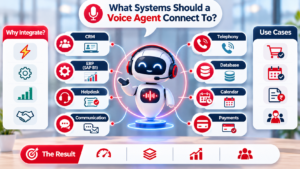
A voice agent can book a time only if it can check an actual calendar and submit the booking through an authorized connection. APIs let software share information and request actions. Give each connection access only to the data and actions its task needs.
| System | What the agent reads | Allowed action | Example task |
|---|---|---|---|
| Telephony/SIP | Caller number and call state | Transfer to a team | Route a billing call |
| CRM | Salesforce contact and status | Add a call note | Record a lead call |
| Calendar | Open appointment slots | Book one approved time | Schedule a visit |
| Ticketing or order system | Ticket number and order status | Update ticket status | Mark a delivery issue |
Telephony can connect the call to an agent or transfer it through SIP, a standard way to route voice calls. A CRM can provide customer details, while a ticketing system can show an open issue. The workflow should name the exact information and action needed.
Authentication proves that the system has permission to connect. An API permission then limits what it can read or change. If a booking tool is unavailable, the agent should explain the problem or transfer the call, not claim success.
An integration should not receive broad write access just because a workflow needs one narrow update. For example, adding a call note does not require permission to change every customer field. Give each integration the narrowest access that still lets its assigned task succeed.
How Can You Tell Whether a Voice Agent Works?
A call that ends without a human is not necessarily a call that solved the customer’s problem. Judge the result by resolution, customer experience, and the cost of completing the task. Containment alone does not prove success.
Resolution rate tracks calls where the customer’s need was met. Automation rate tracks calls handled without a human agent, even when the customer’s issue remains unresolved. Cost per resolution counts the cost of calls that actually solve the problem.
Measure Outcomes, Not Just Call Volume
Customer satisfaction (CSAT) shows how callers rate their experience. Escalation quality shows whether a transfer gave the human agent enough context to help. Use several measures together instead of treating fewer transfers as the only goal.
| Measure | What it reveals | How to check |
|---|---|---|
| Resolution rate | Problems solved | Review closed call outcomes |
| Automation rate | Calls handled without a person | Compare automated call records |
| Escalation quality | Useful context at handoff | Review transferred calls |
| CSAT | Caller’s reported experience | Collect post-call ratings |
Test Speech and Handoffs
Test different accents, background noise, interruptions, and long pauses. Include callers who correct a name or date, repeat a question, or change their request. Check whether tool failures cause a clear response rather than a false claim.
- Call from a noisy room and test speech recognition.
- Interrupt the agent while it is speaking.
- Pause for several seconds before answering.
- Change an appointment detail during the call.
- Make a test API fail and inspect the response.
A September 9, 2026 benchmark ran 82 scripted calls three times per platform. It reported reliability of 75.6% for Retell, 70.7% for LiveKit, 69.5% for ElevenLabs, 68.3% for Telnyx, 63.4% for Pipecat, and 59.8% for Vapi. These scripted-call reliability figures do not guarantee production performance or form a general platform ranking.
NIST’s draft TEVV-Athlon assessment framework offers a way to design tests around an organization’s goals. Review failed and transferred calls alongside successful ones before changing the agent’s instructions.
Which AI Voice Agent Platform Fits Your Team?
A small team seeking a guided launch and an engineering group building custom call flows need different platform capabilities. For a beginner, a managed voice platform is often the simplest start. Choose by fit with your telephony, CRM, and need for control.
Managed services bundle more of the voice workflow and may reduce setup work. A CCaaS platform, or contact-center platform, may fit a team already using its call tools. Developer platforms give engineers more choice, with more integration work to own.
| Option | Best fit | Example | Main consideration |
|---|---|---|---|
| Managed voice | Guided setup for a small team | Retell AI | Less control over components |
| Existing contact-center ecosystem | Teams using a CCaaS platform | Genesys Cloud | Fit with current call setup |
| Developer build | Custom call flows and control | Vapi | More integration work |
| India-focused needs | Regional languages or finance calls | Gnani.ai, CarmaOne | Check language and sector fit |
In India, CarmaOne focuses on financial-services calling, while Skit.ai works on contact-center automation. Gnani.ai supports speech processing in over 12 Indian languages, including mixed-language speech such as Hinglish. Bolna.ai offers voice-agent orchestration with CRM and telephony integrations.
A managed setup can suit a beginner who wants a guided launch and fewer components to connect. An engineering team that wants control may prefer a developer platform. An implementation agency can help design and connect the system, but it does not replace clear scope, data review, or acceptance testing.
Match the platform to your existing telephony and CRM before comparing feature lists.
How Much Does an AI Voice Agent Cost?
Compare the full cost of a completed call, not just the platform’s headline per-minute fee. In 2026, managed all-in-one platforms typically cost $0.25-$0.50 per minute, while infrastructure-layer providers can start at $0.05-$0.15. Extra speech, model, and phone charges can raise the total.
| Plan or service | Listed price | Included | Separate or additional charges |
|---|---|---|---|
| Managed per-minute range | $0.25-$0.50/minute | Typically bundled service | Plan-specific add-ons |
| Infrastructure-layer range | $0.05-$0.15/minute | Infrastructure layer | Speech, model, and phone parts |
| Bland AI | $0.14/minute | LLM, STT, TTS, telephony | Transfers and SMS |
| Telnyx | $0.05/minute | STT and selected TTS | LLM and SIP trunking |
| HighLevel Growth | $50/month per enabled location | 100 Voice AI minutes; 1,000 Conversation AI agent responses | Phone, text, and call charges |
Pay-as-you-go rates in 2026 are $0.49 per minute up to 2,500 minutes and $0.39 above that volume. Setup and onboarding can cost $500-$2,000, while custom integration work can add $1,000-$5,000. An all-in-one pricing example helps show why a listed minute rate does not include every cost.
Retell lists $0.07 per minute, billed per second. JustCall AI Voice Agent Lite lists at $99 per month for 100 minutes, with $0.99-per-minute overages. HighLevel AI Employee Unlimited costs $97 per month per enabled location, with unlimited usage subject to fair use.
In August 2026, Retell lists at $0.07-$0.31 per minute, based on model, voice, telephony, and add-ons. Vapi hosting costs $0.05 per minute, with STT, LLM, TTS, and telephony separate or customer-supplied. Twilio ConversationRelay costs $0.07 per minute, with Twilio Voice and model costs billed separately.
The total also changes with call length, monthly volume, transfers, integrations, and how many components the plan includes. A low platform fee is not the same as an all-in call cost. Estimate minutes, telephony, model, speech, integrations, and onboarding separately before approving a budget.
Can You Build a Free AI Voice Agent?
A free tier can be enough to test a short call flow, but it may not cover every service used to place and answer calls. For a small proof of concept, free minutes can help test the agent’s basic steps. A free minute allowance is not the same as a complete free phone service.
In 2026, freemium voice-agent tiers typically include 100-500 minutes per month. Those minutes may cover platform use, while telephony, model inference, or add-ons cost extra. Check which parts of the workflow the allowance includes.
In August 2026, ElevenLabs lists a free tier with 15 minutes. Paid plans start at $6 per month, and extra minutes cost $0.08. Language-model and telephony costs are additional.
LiveKit lists a $0 tier with 1,000 agent minutes in August 2026. Inference, telephony, and observability are charged separately. That can help a developer test the agent, but it does not make each phone call free.
A no-code builder is easier when you want to try a short workflow without much coding. A free developer tier can suit a technical prototype that needs custom tools or call logic. Both routes still need tests with realistic speech and system responses.
Free plans may also limit call minutes, features, or the number of integrations. Real customer calls can create costs even when the agent itself has a free allowance. Check the allowance and excluded components before using a free tier for real customer calls.
Which Open-Source Voice Agent Tools Can Developers Use?
Open-source frameworks are most useful when a development team wants control over the call pipeline and can own its operation. LiveKit Agents is built around WebRTC and SIP infrastructure, while Pipecat lets developers assemble stages. Both need a team to manage the systems around the code.
In 2026, LiveKit Agents is listed under the Apache-2.0 license, and Pipecat uses BSD-2-Clause. Vision Agents is another open-source, self-hostable voice-agent framework. Review each project’s license and operating needs before choosing.
LiveKit Agents for WebRTC and SIP Infrastructure
LiveKit Agents is a higher-level framework built on LiveKit’s real-time WebRTC infrastructure. It also supports SIP, which helps connect phone systems. The framework can suit teams that want those foundations as part of their voice system.
A team still needs to plan telephony, hosting, and call monitoring. The framework does not remove the work of testing a workflow or keeping its services available. It gives developers a base for building.
Pipecat for a Stage-by-Stage Pipeline
Pipecat is transport-agnostic, so developers can connect it to different ways of moving audio. Its stage-by-stage design lets a team assemble the processing pipeline. That can help when the system needs custom tools or a specific component at each stage.
Self-hosting can bring more control, but it also brings upkeep. A team must handle updates, logs, deployment, and failures across its chosen components. Check whether the group has time and skills for that work.
Review licenses, hosting, telephony, observability, and maintenance needs alongside framework features. Confirm the license and operational work fit your team before committing to a self-hosted build.
What Voice Data Rules Apply in India?
If a voice recording or transcript identifies a caller, treat it as personal data and design the workflow accordingly. In 2026, India’s Digital Personal Data Protection Act treats linked recordings, transcripts, and voiceprints as personal data. Tell callers what the AI collects and why.
A broad “this call may be recorded” notice may not explain that the caller is speaking with an AI agent. Explain what information the system collects, why it needs it, and how the information will be used. Give clear ways to make access, correction, and deletion requests.
Tell Callers What the AI Collects and Why
Use a clear notice before collecting voice data. Explain when a recording or transcript supports service or quality checks. Quality-assurance data generally should not be reused for marketing or model training without fresh consent.
Make consent and data-rights steps practical. Callers should know how to ask for access, correct information, or request deletion. A clear notice also helps the service team answer questions about the call.
Protect, Retain, and Delete Voice Data
Where possible, use encrypted mathematical voiceprint representations instead of raw audio. Offer another way to verify identity, since a voice check should not be the only route. Set retention limits and automatic deletion rules for recordings and transcripts.
Use AES-256 or equivalent encryption at rest and TLS for API calls. Limit staff access by role. Redact card numbers, Aadhaar digits, and health identifiers from transcripts before human review.
Account for Sector Rules and Vendor Access
Check where audio is processed and which third parties receive it. Speech-to-text, text-to-speech, and LLM services may each handle call data. Vendor contracts should cover data ownership, deletion timelines, audit rights, and breach liability.
India deployments must account for RBI guidance for BFSI voice bots and TRAI consent and spam-call frameworks for telecom-linked voice AI. Debt-collection systems also face RBI Fair Practices Code requirements on calling hours, language, and borrower privacy.
The India voice-data rules and safeguards depend on the service, sector, and deployment. Confirm legal duties with qualified counsel or the relevant authority. Map where audio is processed, not only where stored, before approving a vendor deployment.
How Should You Launch and Improve a Voice Agent?
Begin with a small live-call scope that your team can monitor and reverse. A limited pilot lets the team observe real interactions without handing over every call. Name the owner, approved actions, and rollback condition before launch.
Pick a call group and time window the team can review. Set the actions the agent may take and define what will stop the pilot. A named owner should track issues and decide when to pause service.
Pilot With Clear Limits
Make the pilot small enough for people to inspect calls and system updates. Keep a rollback path that returns calls to the usual service process. Do not expand the workflow just because the first few calls went well.
- Confirm the pilot’s call scope and start date.
- Name the owner for monitoring and decisions.
- Set the approved tool actions and limits.
- Write the condition that pauses or reverses the pilot.
- Confirm the team can restore the earlier call process.
Inspect, Interrupt, and Update Safely
Action logs show which tools the agent used and what happened. Human interruptibility lets a person stop a malfunctioning loop. Runtime policy controls can limit actions as a call unfolds.
The OWASP Agent Control Standard was published on September 1, 2026, and became part of the OWASP GenAI Security Project. It defines middleware hooks for runtime safety policies and portable controls. That is a governance concept, not a substitute for testing or legal review for a specific deployment.
Review caller feedback and failed actions before changing prompts or permissions. Use human approval for consequential actions, such as a major account change. Keep a named human owner responsible for approving changes to the agent’s permissions and call behavior.
When Should a Human Take Over?
Transfer the call when the next safe action is unclear, not only after the caller has become frustrated. Early escalation can prevent repeated errors and protect customer experience. Do not let an agent repeat a failed step without a clear way forward.
A human agent should take over when the request needs judgment, the system cannot confirm key details, or the next action is outside its permissions. The goal is not to transfer every difficult sentence. It is to stop before an uncertain action causes harm.
- Identity remains uncertain after the approved check.
- The agent misunderstands the request more than once.
- The caller asks for an action outside the available tools.
- A sensitive complaint needs empathy or careful review.
- A high-impact decision needs human judgment.
A human handoff should carry the transcript, a short summary, the detected intent, and actions already attempted. That context helps the human agent continue the conversation without making the caller repeat the whole story.
For example, the note can say that the caller wants to move a booking, two calendar slots were checked, and the update failed. The human agent can then see both the request and the system’s last action.
Disputes that need empathy and decisions with serious effects should not become endless automated loops. Escalation gives the human agent space to explain options and use judgment. Make the handoff preserve the caller’s context and give the human agent a clear reason for the transfer.
Conclusion
A useful first voice agent does one clearly bounded job and knows when it is time to stop. Start small, then judge the result by whether the caller’s need was met. A human fallback keeps the service team available for exceptions.
Document one repetitive call, the information the agent may use, and the actions it may take. Write the exact point where a person takes over. Choose one recurring call, write its success and handoff rules, and test it with your team before expanding its reach.