
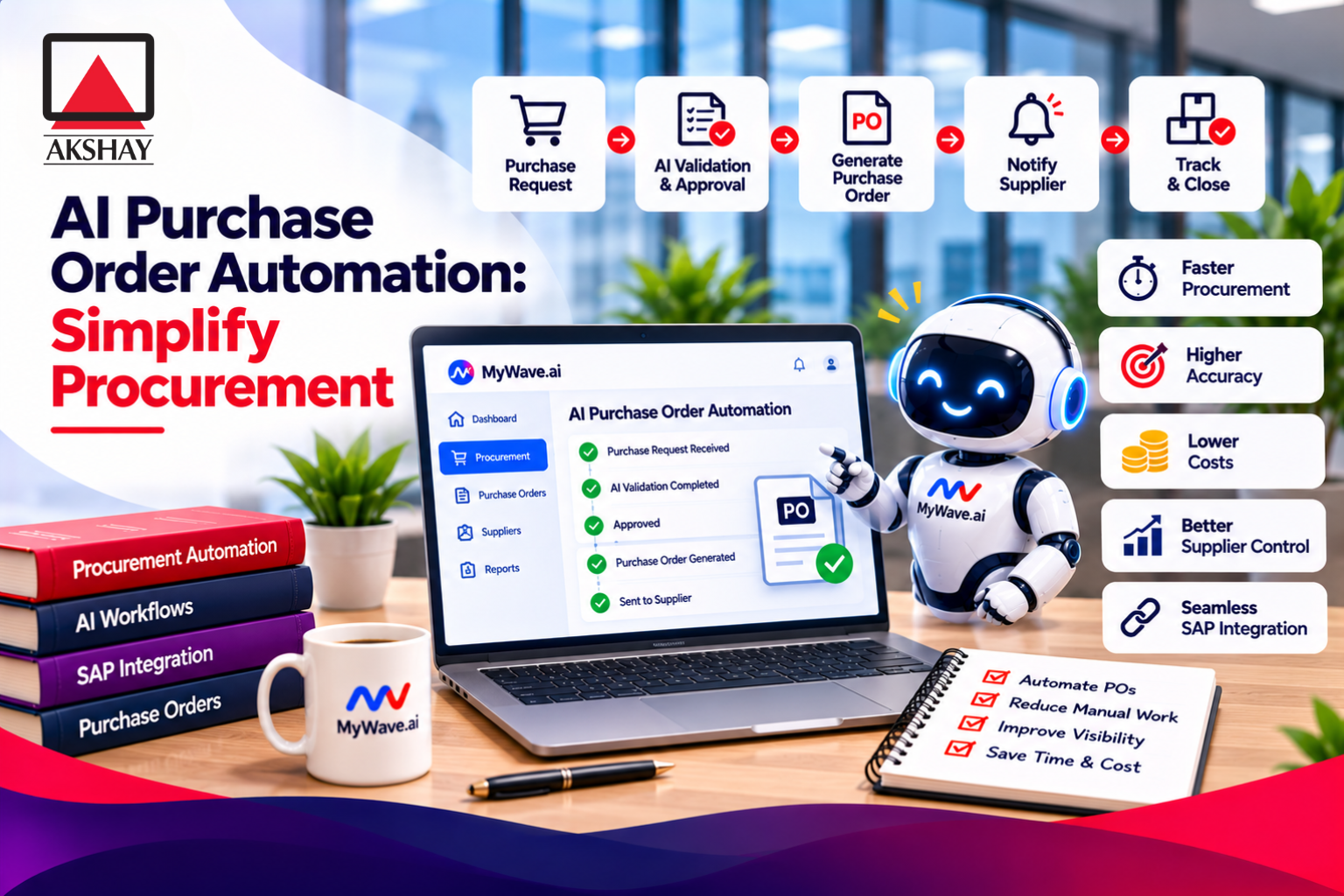
A routine purchase can become a trail of emails, repeated data entry, and unanswered approval requests. An employee emails a request, a manager misses it, and a buyer asks for the same details again. Staff then rekey the information into procurement systems, where small errors can slow the business down. AI purchase order automation can reduce this manual work while keeping approval decisions clear. This guide covers workflow design, AI capabilities, controls, rollout, measurement, and Indian requirements. The strongest workflow removes repetitive handling while keeping people responsible for exceptions and high-risk decisions.
Key Takeaways
- Keep purchase requests, approvals, orders, receipts, and invoices connected.
- Use AI to capture data, but send uncertain details for review.
- Set clear approval and matching rules before automating routine purchases.
- Begin with one purchase type and compare results against a baseline.
- Check India-specific tax, public buying, and data rules for each transaction.
What Is a Purchase Order and What Does It Control?
A purchase order turns an approved buying decision into a documented commitment between buyer and seller. A purchase requisition is an internal request for approval to buy goods or services before a purchase order is issued. The PO gives the vendor clear terms and helps the buyer control spending.
A PO becomes a binding contract when the seller accepts it. Its header names the buyer and seller, while line items state what the buyer wants. Each item can list its description, quantity, price, delivery details, and payment terms.
The purchase order process has seven stages. First, a worker submits a requisition; then the right people approve it. Next, the buyer selects a vendor and issues the PO. The vendor acknowledges the order, and the buyer tracks delivery. Staff record the goods received, compare the receipt and invoice with the PO, then process the invoice and payment.
Four common purchase orders suit different levels of certainty. A standard PO covers a known, one-time need. Planned, blanket, and contract POs support future needs, repeat orders, or set terms.
| Type | Known when issued | Quantity or timing flexibility | Typical use |
|---|---|---|---|
| Standard | Items, quantity, price, and delivery | Low | One-time equipment order |
| Planned | Items and expected terms | Delivery dates set later | Known need with flexible delivery |
| Blanket | Items and overall terms | Release amounts and dates vary | Repeat office supplies |
| Contract | Agreed terms and pricing basis | Orders placed as needs arise | Long-term service agreement |
Choose the PO type that reflects what you know at the time of approval. Check that the PO records the approved item, quantity, price, delivery details, and payment terms before it is sent.
How Does AI Purchase Order Automation Work?
AI begins by turning request details scattered across forms, email, quotes, or catalogs into structured purchasing data. Purchase order automation can then check those details, create a draft, and track its status. AI can recommend or perform routine actions, but policy-required human decisions remain with people.
From request capture to PO creation
A workflow can start when a department sends a requisition or inventory falls below a set threshold. Optical character recognition, or OCR, reads text in scanned files and images. Machine learning helps identify fields such as vendor names, prices, quantities, and delivery terms.
The system can take requests from requisitions, emails, quotes, catalogs, or invoices. It can suggest a vendor based on approved vendor records or past purchases. A buyer can review the suggestion before the workflow creates a PO in the ERP, the business system that manages core records.
Clear data helps the system build a useful draft. A quote might show a different delivery date from the requisition, so the system should flag the conflict instead of choosing one silently.
From validation to fulfillment tracking
Before routing a PO, the workflow can check budgets, contracts, policy rules, and vendor data. It can send the request to the right approver, then create the PO after required approval. These workflows can also send the order to a supplier and record its acknowledgment.
Status tracking gives staff a view of open orders, late acknowledgments, and expected deliveries. The system can alert a buyer when a vendor has not confirmed an order. It can also flag a change in price or quantity for review.
Automation works best when each task has a clear owner. Some routine checks can run without a person, while high-risk requests may need approval at every step. Keep a named human owner for exceptions that the system cannot confidently resolve.
What Can Automation Improve and What Do the Numbers Show?
The clearest potential gains are fewer repetitive touches, shorter waits, and fewer errors, but reported benchmarks differ substantially. One comparison reports $527 and 5-7 days for manual processing, versus $105 and 2-4 hours for automated processing. Those numbers describe estimates, not a promise for your team.
Manual PO work often means copying details between documents and systems. Fewer handoffs can cut wait time, while less rekeying can reduce avoidable errors. Better status data can also show which approvals or vendors are holding up orders.
| Metric | Manual processing | Automated processing |
|---|---|---|
| Cost per order | $527 | $105 |
| Processing time | 5-7 days | 2-4 hours |
| Error rate | 15%-25% | 1%-2% |
Other estimates use different methods and measures. Manual PO processing has been estimated at $50-$150 per order, with another estimate at $506.62 per PO. Some reports put processing at 2-3 days manually and a few hours with automation.
Potential ordering-cost reduction has been estimated at up to 52%, while a separate cycle-time estimate reaches up to 60%. A 20% reduction in supplier-payment and invoice-processing costs has also been reported. Seventy-five percent of organizations reported better spend or budget tracking.
One SAP implementation cut processing time by 90%. That result describes one project, not the expected outcome for every organization. Differences in order types, labor costs, and measurement methods can change comparisons.
Use your own current cost, cycle time, and error rate as the comparison point rather than treating an external benchmark as a forecast.
Which Purchase Order Tasks Need Human Review?
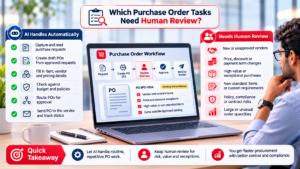
Human review is most valuable when the request falls outside clear rules or the system cannot verify the underlying information. Unclear, incomplete, conflicting, or unfamiliar documents should go to a person before the order moves forward. A low-confidence result is a warning to check the details, not a reason to approve them.
OCR turns text in a document image into machine-readable text. It can struggle when layouts vary, line items span pages, or the document’s meaning depends on context. OCR alone may also miss a duplicate invoice or confuse similar item descriptions.
Intelligent document processing, or IDP, uses AI to extract and validate information from less structured documents. It can read a wider range of formats and compare fields with known records. IDP can still make mistakes, so a confidence score should guide review rather than replace it.
Send a request to a reviewer when a vendor name is unfamiliar or a price conflicts with a quote. A reviewer should also check unusual terms, unclear quantities, and details that do not match vendor or contract records.
Goods often have a receipt that can be checked against the PO and invoice. Services and contract-based spend may not have the same receipt document. Those invoices may need two-way matching or a person’s review to confirm the work or terms.
Build an exception queue with a clear owner and a reason for each hold. The reviewer should correct the source data or ask the requester for evidence, rather than only editing the extracted field. Treat a low-confidence extraction as a request for verification, not as permission to issue or pay an order automatically.
How Should You Set Approval and Matching Controls?
Good controls send routine purchases through a simple route and direct exceptions to the right reviewer. Clear approval rules help avoid needless delays without lowering scrutiny. An approved requisition should normally come before a PO is created.
Set approval routing using these six factors:
- Purchase value
- Department
- Vendor
- Budget
- Purchase category
- Risk
Before routing, ask requesters to include quotes, vendor details, and budget context. Missing information often leaves approval requests stalled. Require extra review for higher-risk purchases, such as unusual terms or spending outside an approved budget.
Matching checks whether the PO, receipt, and invoice agree. Three-way matching compares a PO, goods receipt note (GRN), and supplier invoice. It checks ordered items and prices, actual receipt, and billed amounts before payment.
| Matching type | Documents compared | Added check |
|---|---|---|
| Two-way | PO and supplier invoice | Invoice agrees with order |
| Three-way | PO, GRN, and supplier invoice | Goods received agree with order and bill |
| Four-way | PO, GRN, invoice, and inspection or acceptance record | Goods pass inspection or acceptance |
Use a match type that fits the purchase. A product order with a clear receipt can use three-way matching. A service may need a different check when no goods receipt exists. Keep any manual review tied to a reason, such as a price mismatch or missing acceptance record.
Do not create a PO after goods arrive just to make an invoice fit the system. If a retroactive PO is unavoidable, record why it happened and who approved the exception. Make the approved requisition the normal starting point for every PO, and record why any order was created after the fact.
How Do You Implement Purchase Order Automation?
Begin by documenting how a real request moves through your organization before configuring software to automate it. Follow one real transaction from request to invoice, including any emails or spreadsheets used along the way. Measure the current process before setting a target for change.
Map the current workflow and set a baseline
Write down the request, approval, ordering, receipt, and invoice steps. Note who handles each step, which systems hold the data, and where work waits. Include informal routes, such as a manager approving a quote in email.
Record cost per PO, cycle time, error rate, and the main bottlenecks. Use the same start and end points for every timing measure. Set goals that address the problem, such as shorter approval waits or fewer corrected invoices.
A practical rollout has six stages:
- Assess the current process.
- Define measurable goals.
- Select a platform that fits the workflow.
- Configure fields and routing, then connect relevant systems.
- Pilot the setup and train users.
- Monitor results and improve the process.
Pilot, train, and expand with controls
Start with one department or purchase type, such as routine office supplies. Configure the needed fields and approval paths, then connect the ERP and other systems that hold vendor, budget, or inventory data. Keep the pilot group small enough to support closely.
Train requesters to provide complete details, approvers to review their queues, and buyers to handle exceptions. Explain how staff can report a bad field match or a stalled request. Training should reflect each person’s actual role.
Before expansion, check four pilot conditions:
- Data quality: key fields match the source documents.
- Integration reconciliation: PO and invoice records agree across systems.
- Approval routing: requests reach the intended reviewers.
- Exception ownership: every held transaction has a named owner.
Review the pilot with users and compare its results with the baseline. Fix repeated problems before adding another team or purchase type. Expand only after the pilot confirms that transactions reconcile and users know how to handle exceptions.
What India-Specific Compliance Rules Affect Purchase Orders?
In India, the compliance checks to build into a purchasing workflow depend on whether the transaction is a GST e-invoice, a government bid, or a buyer-data relationship. Separate these rule sets so public procurement requirements do not get applied to ordinary private buying. As of September 1, 2026, GST e-invoicing applies to businesses with annual turnover of ₹5 crore or more.
GST e-invoice requirements and invoice data
Covered businesses must upload invoice details to an Invoice Registration Portal (IRP). Accepted invoices receive an Invoice Reference Number (IRN) and a QR code. The GST e-invoicing process can affect how invoice data enters and moves through your systems.
The schema has 28 mandatory fields and 132 fields in total, including 18 conditionally mandatory fields. An e-invoice can contain up to 1,000 line items. Mark a mandatory field “Nil” when no applicable value exists.
Check that invoice capture includes key details such as:
- Document type and number
- Supplier and recipient GSTINs and addresses
- HSN or SAC code
- Tax rate and tax values
- Total amount
These fields help match a bill with the right vendor, order, and tax details. A correct invoice record also reduces follow-up when a required value is missing or inconsistent.
Government procurement, local preference, and data protection
Central government buying generally uses GeM as the default channel for most central procurement. The General Financial Rules, 2017 have updates through 2025 and 2026. These public buying rules differ from the process for an ordinary private-sector purchase.
Under Rule 144(xi), a bidder from a country sharing a land border with India must register with a Competent Authority before bidding. The bidder also needs political and security clearance from the Ministry of External Affairs and Ministry of Home Affairs.
Class-I local suppliers have at least 50% local content. Class-II suppliers have 20%-50%, while suppliers below 20% are non-local. Class-I suppliers can receive preference within the generally 20% purchase-preference margin of the lowest bid.
Purchase order terms effective September 22, 2026, identify the Digital Personal Data Protection Act, 2023 and Information Technology Act, 2000. A security incident includes unauthorized access to or disclosure of buyer data. It also includes vulnerabilities reasonably likely to affect buyer data or systems.
These rules do not apply in the same way to every transaction. Confirm which rules apply to the specific entity and transaction before encoding them as automatic system checks.
How Do You Choose a System That Fits Your Workflow?
Choose the system that fits the purchasing path your team actually uses, including its ERP and supplier connections. Start with workflow fit, not a feature list or a broad product claim. The right choice depends on existing systems and how complex your buying process is.
Check integrations and data ownership
Purchase order automation often connects with accounting and inventory-management systems. Common ERP or accounting platforms include NetSuite, SAP, QuickBooks, and Oracle. Check how vendor, budget, inventory, and accounting data move between the new system and your current ERP.
Ask how often records sync and how the system handles a failed update. Decide which system owns each record, such as a vendor address or inventory balance. Clear ownership helps prevent two systems from holding different versions of the same detail.
Check how the system sends POs to vendors. Options can include email, a supplier portal, or electronic data interchange (EDI), a direct system-to-system exchange. Make sure your vendors can use the delivery method you choose.
Match automation features to purchasing needs
A team with one simple PO workflow may need request capture, routing, records, and reports. A team seeking broader procure-to-pay coverage may need connected invoice handling and payment steps. Choose based on the work you want the system to cover.
Review request capture, rule settings, role-based access, audit trails, exception queues, and reporting. Check mobile approvals, room to grow, and support for daily questions. Test each feature against a real purchasing task.
Role-based access should limit who can change vendor records or approve orders. Audit trails should show who made a change and when. An exception queue should make held requests visible rather than burying them in email.
For a team already using SAP Business One, see how workflow automation works in SAP Business One as one example of system-based work. Its sales examples do not replace a procurement test, but they show the value of connected data and reporting.
Test a complete request-to-invoice scenario with real approval roles and data before committing to a broad rollout.
Which Metrics Show Whether Automation Is Working?
A useful scorecard compares the same purchasing steps before and after launch using consistent definitions. Use measures tied to the problem you set out to fix. Compare the same start points, end points, and time periods on both sides of launch.
Track five measures:
- Requisition-to-PO cycle time
- Approval turnaround time
- Cost per PO
- Error or rework rate
- Share of transactions handled without intervention
Define when each clock starts and stops. For requisition-to-PO time, you might start when a complete requisition arrives and stop when the PO is issued. Keep that definition for every report period.
Approval turnaround can run from the time a request enters an approver’s queue to the recorded decision. Cost per PO should include the same kinds of labor and system costs each time. Count an error consistently, such as a corrected field or a returned invoice.
The median requisition-to-PO cycle time was 55 hours in 2025. Treat that number as context, not as a target for every organization. A team with different purchase types or approval rules may need a different goal.
Segment results by department or purchase type. A simple average can hide a slow approval group or a high exception rate in one category. Review exception volume alongside speed so a faster average does not conceal control failures.
What Common Mistakes Should You Prevent?
Automation can reproduce a weak process at higher speed if teams do not fix the rules and data feeding it. Fix the path first, especially where employees already place orders outside the approved channel. Keep an easy, visible route for compliant buying so staff have less reason to bypass it.
Maverick spend can account for 20%-40% of indirect spend in organizations without strong controls. That range is a reason to keep purchasing channels clear, not a prediction for every business. When workers use email or personal payment methods, buyers may miss orders and spending patterns.
Do not automate incomplete source data and expect clean records. Staff spend an average of 8 minutes per document moving information from PDFs or Excel sheets into ERP systems. If a form lacks a vendor ID or clear quantity, automation may leave the same rekeying work for later.
Sending every request through the same approvals can slow routine orders and underserve risky ones. Set routes that reflect the purchase and its risk. If no one owns exceptions, a mismatched price or unreadable quote can sit in a queue without action.
Another mistake is expanding before the pilot works. A small pilot can reveal that vendor records fail to sync or that users do not know where to send a held invoice. Fix those issues before more teams depend on the system.
Give workers a simple way to submit complete requests, and make the status visible. Keep a simple route for compliant routine buying and a documented review path for exceptions.
Conclusion
Effective automation starts with a controlled process, not with software alone. AI should reduce repetitive work, while people remain accountable for approvals and exceptions. Good procurement records also help teams see where orders wait and where errors begin.
Choose one high-volume purchase type before planning a wider change. Map its current cycle time, error points, and approval path, then use those facts to shape a pilot. Choose one purchase type, document its current path, and use that baseline to shape a focused pilot.