
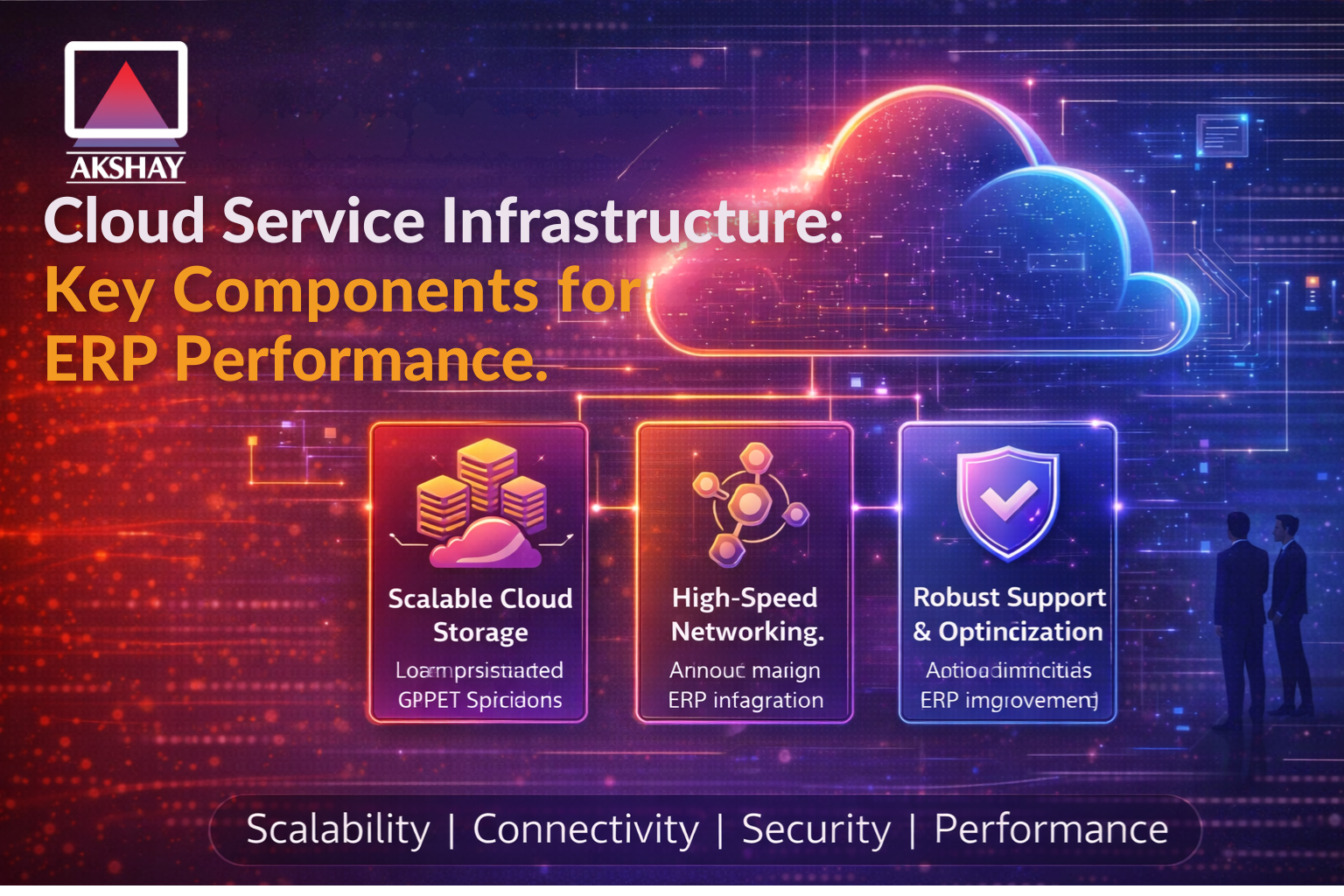
Modern businesses in India are moving fast to digital platforms using cloud service infrastructure. To get the best ERP performance, picking the right base is key with Akshay Software Technologies Private Limited. They need strong cloud computing tools for enterprise planning.
A good tech setup keeps data safe and easy to reach for everyone. Companies must optimise systems to handle big tasks well. This makes sharing information smooth across the whole company.
Strategic planning of tools keeps ERP performance high. Knowing the core parts helps leaders make smart choices for better efficiency. Setting up these advanced systems needs careful planning for stability.
Key Takeaways
- Scalability allows for seamless business growth.
- Enhanced data security protects sensitive information.
- Improved latency leads to faster user experiences.
- Resource management reduces operational costs significantly.
- Integration across departments improves overall workflow.
- Reliable uptime ensures continuous operations for organisations.
Understanding Cloud Infrastructure Requirements for ERP Systems
Cloud infrastructure is key for ERP systems’ efficiency and reliability. As more companies use ERP systems, they need a strong and growing cloud setup.
Why Cloud Infrastructure Matters for ERP Performance
The cloud’s setup greatly affects ERP system performance. A good cloud service infrastructure setup means high availability, growth, and speed. These are vital for ERP systems to work well. Reliable cloud infrastructure cuts down on downtime and makes sure the ERP system can handle its tasks well.
Key Performance Indicators for ERP in the Cloud
To check how well ERP systems in the cloud do, we look at several KPIs. These include uptime, response time, throughput, and how happy users are. Watching these KPIs helps find ways to make the ERP system better. Here’s a table with some common KPIs for ERP systems in the cloud.
| KPI | Description | Target Value |
| System Uptime | Percentage of time the system is available | > 99.9% |
| Response Time | Time taken for the system to respond to user input | |
| Throughput | Number of transactions processed per unit time | > 1000 transactions/hour |
Common Challenges with Traditional Infrastructure
Old on-premise setups can be a problem for ERP systems. They often struggle with growing, cost a lot to keep up, and are not very flexible. Cloud setups, on the other hand, grow easily, save money, and are more flexible. Companies moving to the cloud can dodge the problems of old setups and get a better, cheaper option.
Essential Cloud Service Infrastructure Components
Cloud service infrastructure is key for ERP systems’ reliability and performance. A good design boosts efficiency, scalability, and security of ERP apps.
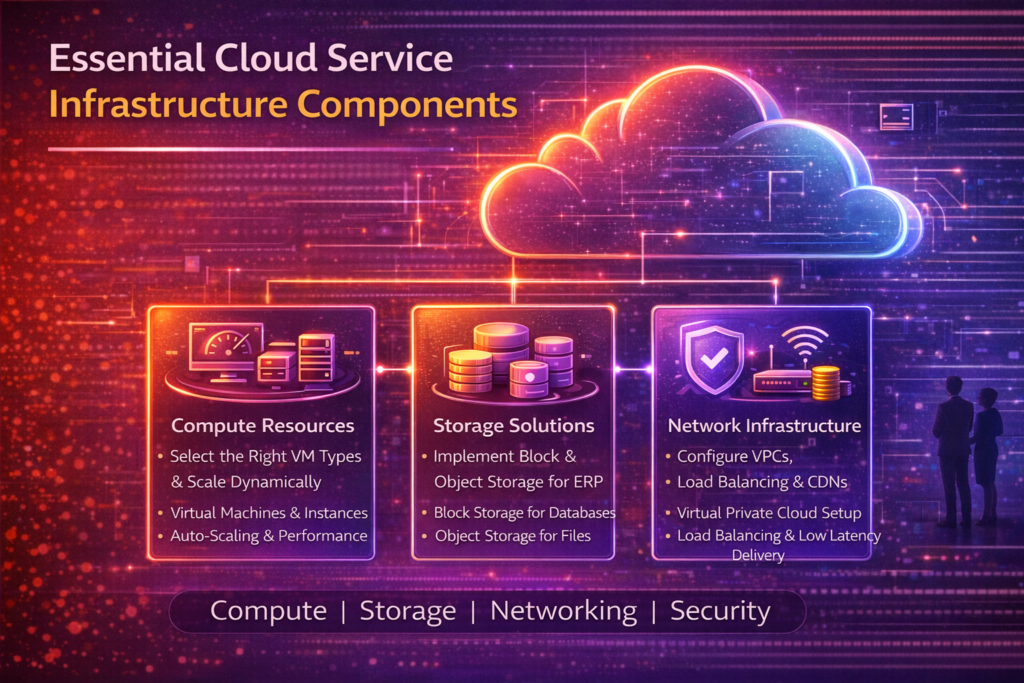
Compute Resources and Processing Power
Computer resources are the heart of cloud infrastructure for ERP systems. The right resources make ERP apps run smoothly, without delays.
Selecting Virtual Machines and Instance Types
Picking the right virtual machines (VMs) and instance types is important. VMs must match the ERP app’s needs, like CPU, memory, and storage. For example, use compute-optimized instances for heavy processing needs.
Configuring Scaling Options for ERP Workloads
Setting up scaling options is key for changing workloads. Auto-scaling adjusts to workload changes, keeping ERP apps fast. Set scaling thresholds and align policies with business needs.
Storage Solutions for ERP Data
Storage solutions are critical, as ERP systems need lots of data. The right storage affects data access, performance, and cost.
Implementing Block Storage for Databases
Block storage is best for databases needing high I/O performance. It’s vital for ERP systems with database transactions. Choose the right volume type and size, and set IOPS according to database needs.
Deploying Object Storage for Documents and Files
Object storage is great for large, unstructured data like ERP documents and files. It’s scalable and cost-effective. Consider data durability, availability, and security features like encryption and access controls.
Network Infrastructure Components
A strong network infrastructure is essential for cloud ERP systems. It ensures data moves efficiently and securely between ERP components.
Setting Up Virtual Private Cloud Configuration
A Virtual Private Cloud (VPC) offers a secure, isolated space for ERP apps. When setting up a VPC, focus on subnets, security groups, and network ACLs for access control and security.
Configuring Load Balancers and Content Delivery Networks
Load balancers spread traffic across instances for better response and availability. Content Delivery Networks (CDNs) cache content at edge locations, cutting latency. Both are key for ERP app performance and availability.
By configuring these cloud infrastructure components well, organizations can make their ERP systems run efficiently, securely, and reliably in the cloud.
How to Design Your Cloud Infrastructure for ERP Performance
A well-designed cloud infrastructure is key for good ERP performance. To get this right, follow some important steps carefully.
Assess Your ERP Requirements and Workload Patterns
Start by looking at what your ERP system needs and how it works. You need to know about the computer power, storage, and network speed. Important things to think about are how many users, how much data, and how often transactions happen. This helps make sure your setup matches your ERP’s needs.
Choose the Right Cloud Service Provider and Region
Picking the right cloud service provider (CSP) and location is very important. Look at latency, data location, and local laws. Big CSPs like AWS, Azure, and GCP have many places around the world. Pick a location close to your users to cut down on delays.
Configure Security and Compliance Settings
Security and following rules are very important. Make sure your cloud setup meets standards like GDPR or HIPAA, depending on your field. This means setting up security for who can access what, encrypting data, and checking for security issues often. Make sure your CSP has the right certifications.
Set Up Database Architecture and Replication
Having a good database design is essential for ERP performance. Choose the right database type for your ERP. Use database replication to keep data safe and available. You might need to set up replication in different regions to avoid problems.
Implement Backup and Disaster Recovery Solutions
Lastly, set up good backup and disaster recovery (DR) plans. Backups keep data safe, and DR plans help keep business running if there’s a problem. Make backups automatic and test DR plans often to make sure they work. Using cloud services for backup and DR can make things easier.
By following these steps, you can create a cloud setup that supports your ERP well. It will be scalable and reliable.
- Assess ERP requirements and workload patterns.
- Choose the right CSP and region.
- Configure security and compliance settings.
- Set up database architecture and replication.
- Implement backup and disaster recovery solutions.
Optimising and Monitoring Your Cloud ERP Infrastructure
To keep your cloud ERP system running smoothly, you need to regularly check and improve its setup. This means using strategies that boost performance, cut costs, and stop problems before they start.
Implementing Performance Monitoring Tools and Metrics
Choosing the right tools to watch your cloud ERP’s performance is key. You should track response times, throughput, and error rates. Tools like New Relic or Datadog give you live updates on how well your system is doing. They help you spot and fix any slow spots or problems.
By keeping an eye on these metrics, you can make smart choices to keep your system running at its best. For example, if error rates go up, you can quickly find and fix the problem before it affects users.
| Metric | Description | Importance |
| Response Time | The time taken for the system to respond to user requests. | High |
| Throughput | The amount of data processed by the system within a given timeframe. | Medium |
| Error Rate | The frequency of errors encountered by users. | High |
Applying Cost Optimisation Strategies
Managing your cloud ERP’s costs is very important. You can do this by rightsizing resources, using reserved instances, and spot instances for non-critical tasks. Rightsizing means adjusting resources to match what you really need, saving you money.
Reserved instances can help lower costs for steady workloads. Spot instances are great for flexible, non-essential tasks, saving you even more.
Scheduling Regular Maintenance and Updates
Keeping your cloud ERP up to date is essential for its performance and security. This includes patching, upgrading software, and performing backups. Doing these tasks during planned downtime helps avoid disruptions.
Regular maintenance stops problems that could cause downtime or data loss. It keeps your ERP system reliable and efficient.
Maximising ERP Performance with Cloud Service Infrastructure
Effective cloud service infrastructure is key for top ERP performance. It’s important to know what you need, pick the right parts, and design it for ERP performance. This is the first step.
Planning and setting up compute resources, storage, and network is critical. Keeping an eye on the cloud ERP infrastructure is also important. This ensures it meets the organisation’s changing needs.
By following these steps and using the right cloud service infrastructure, businesses can see better ERP performance. This leads to more efficient operations and smarter decisions.
In the end, a well-designed and managed cloud service infrastructure is vital. It unlocks ERP systems’ full power and drives business success.
Read this related blog: Cloud Enterprise Resource Planning: The Future of Agile Business Management for more detailed insights.