
Choosing the right digital tools is a critical milestone for any growing company. As companies grow, old ways of doing things can slow them down. This can hurt their growth and success.
Finding the best ERP software for Indian businesses needs a deep look at what you need. Many leaders face a tough choice. They want to save money but also need the latest tech and fast data.
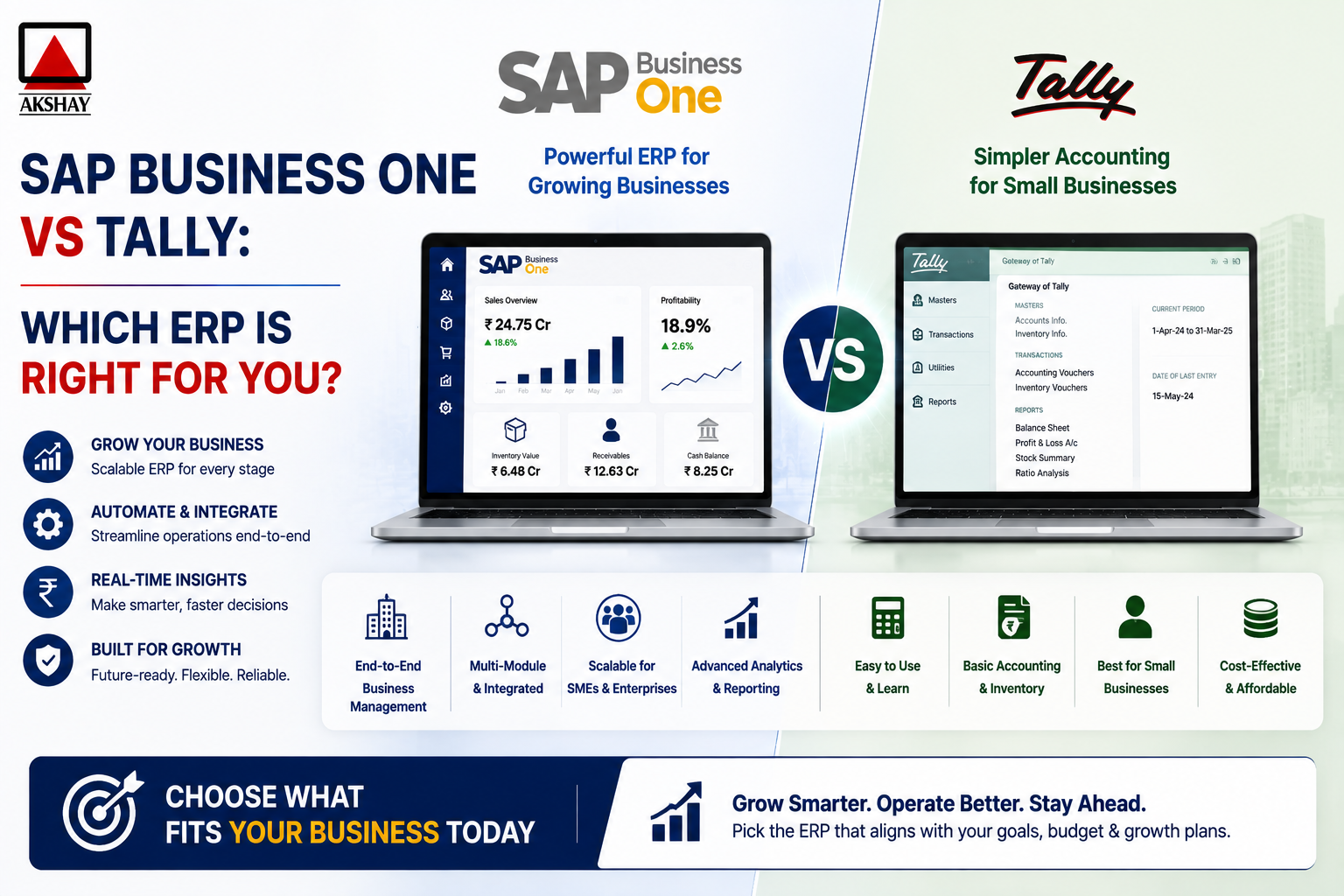
This article dives into the details of SAP Business One vs Tally. We’ll look at how these systems help with growing, following rules, and working better every day. By the end, you’ll know which one fits your strategic vision.
Key Takeaways
- Choosing the correct management system is vital for scaling operations effectively.
- Indian enterprises must prioritize local compliance and ease of use when selecting software.
- Automation reduces human error and improves overall data accuracy across departments.
- Both platforms offer distinct advantages depending on your company size and industry requirements.
- Strategic software investment serves as a foundation for sustainable business growth.
Assessing Your Business Requirements and Growth Stage
Every successful digital transformation starts with finding gaps in your workflow. Before choosing a new platform, do a deep audit to see where your systems fall short. This makes sure your software fits your future goals.
Identifying Current Operational Bottlenecks
Many Indian businesses face problems with scattered data and manual errors. These business operational bottlenecks can slow growth. They often show up as late reports or wrong inventory counts. By tracking your daily tasks, you can find where your team wastes the most time.
Look out for these signs that your current system is not working:
- Frequent manual data reconciliation between departments.
- Lack of real-time visibility into stock levels or cash flow.
- Difficulty in generating accurate GST-compliant reports on time.
- Reliance on disconnected spreadsheets for critical decision-making.
Defining Future Scalability Needs
Growth is key for any business, but it comes with challenges. You need scalable ERP solutions that can handle more data without breaking. Plan for the future by thinking about how your data needs will change in the next three to five years.
Think beyond your current size for long-term success. Consider these factors:
- The ability to add new branches or retail outlets seamlessly.
- Support for multi-currency and multi-company consolidation.
- Integration capabilities with emerging e-commerce platforms.
- Cloud-based accessibility for a remote or mobile workforce.
Evaluating Budgetary Constraints for Software Investment
Smart investing means knowing upfront costs and long-term value. The initial cost is key, but also consider implementation, training, and maintenance fees. Financial transparency helps avoid surprises later.
Keep your budget in check by focusing on these areas:
- Licensing Models: Compare perpetual licenses against subscription-based cloud models.
- Implementation Costs: Consider the time and resources for data migration.
- Training Expenses: Make sure your staff can use the new system well.
- Maintenance Fees: Plan for annual updates and technical support.
Understanding the Core Functionality of TallyPrime
Knowing how TallyPrime works is key for any growing business in India. It has become a full solution for local needs. With TallyPrime features, you can better manage your finances.
Accounting and Compliance Features for Indian Businesses
The software makes handling Indian taxes easy. It supports GST compliance well, keeping invoices and returns right. This cuts down on errors in tax filing.
It also has great tools for ledgers, vouchers, and balance sheets. It’s a top small business accounting software for keeping finances in order. You can make detailed reports quickly, saving time for your team.
Inventory Management Capabilities
Good stock control is key for profits. TallyPrime tracks inventory across places with precision. It helps monitor stock and set levels to avoid running out.
It also tracks batches and expiry dates. These TallyPrime features help with perishable goods or drugs. This keeps your supply chain efficient and quick.
Ease of Use and Learning Curve for Staff
The platform’s easy interface is a big plus. New users find it simple, shortening training time. It’s perfect small business accounting software for quick setup.
It’s user-friendly, making complex tasks easy. Whether it’s a simple invoice or a detailed report, it’s straightforward. This boosts productivity across your team.
| Feature Category | Primary Benefit | Operational Impact |
|---|---|---|
| GST Compliance | Automated Tax Filing | High Accuracy |
| Inventory Tracking | Real-time Stock Updates | Reduced Wastage |
| User Interface | Simplified Navigation | Faster Staff Training |
| Reporting | Customizable Dashboards | Better Decision Making |
Exploring the Enterprise Capabilities of SAP Business One
SAP Business One is a strong tool for companies with many departments. It helps keep everything running smoothly as businesses grow. This is key for staying efficient and accurate in all areas.
Integrated Modules for End-to-End Business Management
This platform is built to connect everything. With SAP Business One modules, finance, sales, and more work together. This makes for a unified system.
It gets rid of data silos that slow growth. When all teams use the same system, talking and errors go down.
Advanced Reporting and Real-Time Data Analytics
Today, waiting for reports is too slow. SAP Business One gives real-time visibility with its tools. This means leaders can make quick decisions with up-to-date info.
They can see important numbers right away. This lets them change plans fast, based on current data.
Customization and Workflow Automation
Every business is different, and standard software can’t always fit. SAP Business One lets you make it your own. This way, it grows with your company.
It automates routine tasks. This lets your team do more important work. Your software will always match your needs.
| Feature Category | Standard ERP | SAP Business One |
|---|---|---|
| Data Integration | Limited/Manual | Full End-to-End |
| Reporting Speed | Batch Processing | Real-Time Analytics |
| Automation Level | Basic/None | Advanced Workflows |
| Scalability | Low | High/Enterprise |
Comparing SAP Business One vs Tally in the Indian Context
In the Indian market, SAP Business One vs Tally face unique challenges. Businesses need to meet global standards and local laws for success. The right choice depends on how well the software fits the Indian business scene.
GST Compliance and Statutory Reporting Differences
Many firms choose GST compliance software for easy tax filings. TallyPrime is known for its easy GST handling, great for small and medium businesses. It makes GSTR-1, GSTR-3B, and more reports easy to create.
SAP Business One is better for big companies needing detailed reports. It needs setup but offers strong audit trails and data safety. This is key for companies growing big while keeping legal rules.
Local Support Ecosystem and Implementation Partners
The success of enterprise resource planning India depends on local support. Tally has thousands of local partners who know Indian business needs. This means help is always close, which helps small IT teams.
SAP Business One has a smaller network but with deep technical skills. These experts help with complex business needs and customized workflows. This is great for companies growing fast digitally.
Integration with Third-Party Banking and Payment Gateways
Today’s businesses need smooth connections with banks and payment systems. Tally connects with major Indian banks for easy bank reconciliations and payments. This makes manual work less and saves time.
SAP Business One has advanced connections through its open API. This lets companies link with more global and local payment systems. This is key for companies working worldwide. It keeps financial dealings safe and smooth everywhere.
Step-by-Step Guide to Evaluating Your ERP Needs
A successful ERP implementation guide starts before you sign a contract. It helps you avoid common mistakes. This way, your chosen system will support your goals.
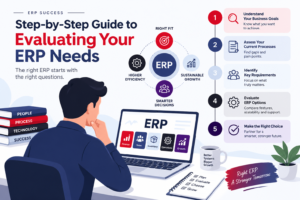
This structured method aligns your operations with modern software. It makes sure your system fits your needs.
Step One: Mapping Your Internal Business Processes
First, document your current workflows. Visualizing your daily operations helps you find where things slow down. Get input from department heads to capture all important steps.
After mapping, you can see where automation is needed. This helps you choose a system that matches your business, not the other way around.
Step Two: Identifying Essential vs Desirable Features
Not all ERP features are needed for success. Categorize your needs into must-have functions and nice-to-have enhancements. This helps you budget wisely.
Focus on key areas like GST compliance or inventory tracking. This ensures your investment is impactful.
- Essential: Core accounting, tax reporting, and basic inventory control.
- Desirable: Advanced predictive analytics, mobile access, and custom dashboard widgets.
- Future-Proofing: Scalable modules for growth.
Step Three: Assessing Technical Infrastructure Requirements
Your hardware and network must support a new digital system. A good ERP implementation guide considers your current setup. Make sure your network supports secure, real-time data access.
Check if your hardware meets software requirements. Investing in robust infrastructure prevents issues. Proper setup reduces downtime risks.
Analyzing Total Cost of Ownership and ROI
Buying an ERP system is more than just the upfront cost. You need to look at the ERP total cost of ownership over time. This helps keep your business profitable as it grows.
Licensing Models and Subscription Costs
ERP vendors have different licensing models that affect your budget. TallyPrime uses a one-time payment model, which is good for small businesses. It helps keep monthly costs low.
SAP Business One, on the other hand, might use a subscription model, which is common for cloud services. This makes starting up easier but adds a regular cost. Think about your budget and future plans before choosing.
Implementation, Training, and Maintenance Expenses
The cost of buying the software is just the start. Implementation costs include moving data, setting up the system, and customizing it for your business.
Don’t forget about staff training and maintenance fees. Good training helps your team use the system well. Maintenance keeps the system updated and secure. These costs are key to your budget.
Long-Term Value and Productivity Gains
A good ERP ROI analysis shows if the software will pay off. SAP Business One might cost more upfront but can boost productivity for big companies.
TallyPrime is great for businesses that want simple, core accounting. The right choice depends on how well the software fits your business growth. Maximizing your return means picking a platform that grows with you.
Evaluating Implementation Timelines and Complexity
Digital transformation is a complex journey. It involves balancing fast adoption with technical needs. Choosing the right ERP deployment strategies is key to keep business running smoothly.
Deployment Speed for Small-Scale Operations
Small businesses aim for quick setup to keep work flowing. TallyPrime is fast, getting teams ready in days or weeks. It’s perfect for simple accounting needs and quick tax compliance.
SAP Business One is for bigger needs. It takes longer to set up but grows with your business. Your choice depends on your current size and future plans.
Managing Data Migration from Legacy Systems
ERP data migration is the toughest part of any new system. Moving old data needs careful cleaning to avoid mistakes. Data integrity is critical for good reports.
Check your old databases before moving data. Remove old files to make the move easier. A clean start is essential for your new system.
Training Requirements for Your Workforce
Good ERP training and support leads to happy users. Employees need to feel at ease with the new system. Workshops help them adjust to new digital ways.
Support is as important as training. Give staff help desks and guides to solve small problems. This helps your team succeed with the new system.
| Feature | TallyPrime | SAP Business One |
|---|---|---|
| Deployment Speed | Fast (Days/Weeks) | Moderate (Months) |
| Migration Complexity | Low to Moderate | High |
| Training Intensity | Low | High |
| System Scalability | Limited | Extensive |
Security and Data Governance Considerations
Digital transformation means keeping your data safe. As you move to digital, protecting your data is key. Make sure your software vendor puts your digital safety first.
Data Privacy Standards and Cloud Security
Cloud ERP security is vital when you use remote servers. Your provider must follow data protection laws. This means encrypting data to stop unauthorized access.
Good vendors have many safety features. Look for:
- End-to-end data encryption.
- Regular security updates.
- ISO 27001 compliance.
- Secure data centers.
User Access Controls and Audit Trails
Keeping things honest is important. ERP audit trails track all changes. This makes sure everyone is accountable.
Good access control means setting clear roles. This limits who sees sensitive info. It helps avoid data leaks or system changes.
Backup and Disaster Recovery Protocols
Even with great security, bad things can happen. A good disaster plan keeps your business safe. Make sure your ERP provider backs up your data often.
Your plan should aim to get back to normal fast. Key parts of your plan include:
- Daily cloud backups.
- Redundant server locations.
- Clear Recovery Time Objectives (RTO).
- Testing data recovery.
Making the Final Decision Based on Your Business Profile
Choosing between TallyPrime and SAP Business One is a big decision for any growing Indian business. Choosing the right ERP means looking at your current processes and future plans. By analyzing your data, you can pick the best platform for your business.
When TallyPrime Is the Optimal Choice
TallyPrime is top for businesses that value simplicity and speed in accounting. It’s great for keeping up with GST rules and managing stock easily. This makes it a good choice if you don’t want too much technical trouble.
Think about TallyPrime if your business is small to medium-sized and has a simple supply chain. If your team needs a minimal learning curve and you want a budget-friendly tool, TallyPrime is for you.
When SAP Business One Becomes Necessary
As your business grows, basic accounting tools might not be enough. Choosing the right ERP means knowing when you need more. SAP Business One is a good choice when you need deeper integration and advanced data analysis.
Move to SAP Business One when your business needs end-to-end automation across departments. If you need to see your global operations or have multiple branches, SAP Business One is a good fit. It’s also great for advanced reporting and predictive data modeling.
The choice depends on your business goals. TallyPrime is great for core accounting, while SAP Business One is for large-scale management. By looking at your current challenges, you can choose the right system for your future.
Conclusion
Choosing between SAP Business One and TallyPrime needs a clear vision of your goals. Every company has unique needs for success in digital transformation.
TallyPrime is simple and fast for businesses focused on basic accounting and local rules. It’s great for teams that value ease and quick setup.
SAP Business One is for complex, growing companies. It offers advanced analytics and integrated workflows for global operations.
Your choice depends on balancing your budget now and future growth. Choose systems that grow with your revenue and market.
Check your internal processes to see if the software fits your industry needs. A good plan makes your ERP a key asset for productivity.
Start by checking your technical setup today. Make sure your technology matches your business strategy to stay competitive.