
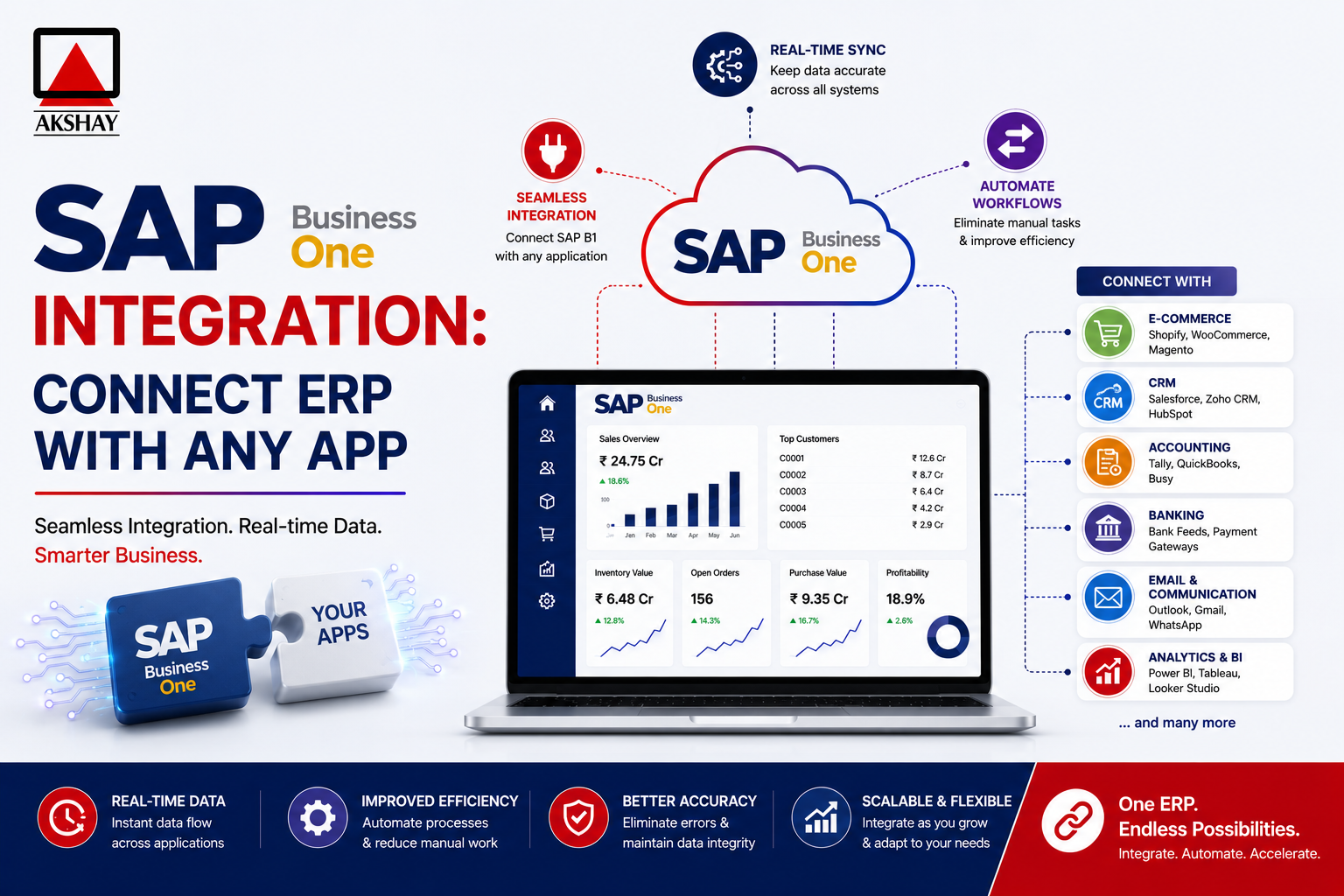
Modern companies in India need to make their workflows smoother. SAP Business One Integration helps bridge the gap between financial systems and other software tools.
This method creates a single data space for better decision-making. When systems communicate well, you cut down on costly errors and increase productivity.
Seamless ERP connectivity lets your team do more important tasks. In today’s digital world, this technical connection is key for growth and excellence.
Key Takeaways
- Unify disparate software systems to create a single source of truth.
- Reduce human error by automating data transfers between platforms.
- Enhance operational efficiency across all departments in your organization.
- Support scalable growth in the fast-paced Indian market.
- Improve real-time visibility into critical financial and operational metrics.
The Strategic Importance of SAP Business One Integration
SAP Business One Integration is key for growing businesses. It links your ERP with other apps, making a unified digital ecosystem. This removes data silos, making your business work as one unit, not separate parts.
Having all data in one place gives you a single source of truth. Finance, sales, and inventory systems share data. This lets your team make informed decisions with up-to-date info. It’s essential for Indian SMEs to succeed in today’s fast market.
A strong SAP Business One Integration keeps your operations smooth. It automates data, cutting down on errors and saving time. Here’s how it changes from old ways to new ones.
| Feature | Manual Workflow | Integrated Workflow |
|---|---|---|
| Data Entry | Redundant and slow | Automated and instant |
| Decision Making | Delayed by reporting | Real-time insights |
| Error Rate | High risk of mistakes | Minimal human intervention |
| Scalability | Limited by labor | Highly scalable |
In the end, linking your systems gives a holistic view of your business. It helps every department work with the right info. This leads to growth and better operations over time.
Core Technologies Powering ERP Connectivity
The backbone of any successful digital transformation is the tools that enable secure ERP connectivity. The right technical framework ensures data flows smoothly across platforms. This keeps data integrity intact.
Modern IT teams must focus on these key elements to build a scalable ecosystem. This approach boosts agility in meeting changing market demands in India and worldwide.
Understanding the Service Layer and DI API
The SAP Business One Service Layer is a powerful gateway for developers. It offers a standardized way to interact with the ERP database using OData protocols. This makes building custom extensions easier.
The Data Interface API (DI API) provides a direct, high-performance connection for complex backend operations. It is highly recommended for tasks needing heavy data processing or deep integration with internal business logic.
Leveraging REST APIs for Modern Web Applications
Modern web applications need lightweight and flexible communication methods to stay responsive. API integration via RESTful services lets your ERP communicate with cloud tools, mobile apps, and customer portals easily.
These interfaces use standard HTTP methods, making them exceptionally easy for developers familiar with web standards. Adopting this technology helps companies connect legacy systems with the latest digital innovations.
| Technology | Primary Use Case | Performance Level |
|---|---|---|
| Service Layer | Web & Mobile Apps | High |
| DI API | Backend Automation | Very High |
| REST APIs | Cloud Connectivity | Moderate |
Connecting SAP Business One with E-commerce Platforms
Linking SAP Business One with your online store is a game-changer for Indian retailers. It breaks down data silos and unifies operations. This digital shift keeps your backend up with online retail’s pace.
Syncing Shopify and WooCommerce with SAP B1
API integration is key to linking your ERP with popular platforms. Whether on Shopify or WooCommerce, it automates data transfer. This Shopify integration makes sure your web store matches your ERP data.
A solid WooCommerce sync keeps sales channels in sync. Automating these links cuts down on human error. This is critical for staying ahead in India’s e-commerce market.
Automating Order Processing and Inventory Updates
Manual order management can cause delays and upset customers. API integration automates order fulfillment instantly. This boosts your logistics and efficiency.
Keeping inventory up to date is also key to avoid overselling. When a product sells, your Shopify integration updates SAP Business One stock levels. This WooCommerce sync ensures accurate availability, building trust and repeat business.
| Feature | Manual Process | Automated Integration |
|---|---|---|
| Order Entry | Slow and Error-prone | Instant and Accurate |
| Inventory Sync | Delayed Updates | Real-time Visibility |
| Customer Data | Fragmented Records | Unified Database |
| Operational Cost | High Labor Costs | Optimized Efficiency |
Bridging SAP Business One and CRM Systems
Connecting SAP Business One with your CRM changes the game for Indian businesses. When these systems don’t talk to each other, your team faces data problems. This makes it hard to grow.
By linking them, you make sure everyone works from the same truth. This unity helps your team work better together.
Integrating Salesforce and HubSpot for Unified Data
A smooth Salesforce integration lets sales teams see up-to-date financial info without leaving their usual spot. This cuts down on errors from manual entry. Also, linking your HubSpot CRM means marketing teams get the latest on orders and payments.
This link makes data move smoothly through your whole team. When a lead turns into a customer in your CRM, SAP Business One updates too. This saves time and lets your team do more important work.
Enhancing Sales Visibility and Customer Insights
This integration brings big benefits for understanding your customers. Sales teams can now use real purchase data and credit limits from the ERP. This customer-focused way helps build lasting relationships in India.
The table below shows how this change helps your sales and finance teams:
| Feature | Manual Process | Integrated System |
|---|---|---|
| Order Status | Delayed updates | Real-time visibility |
| Customer Data | Fragmented records | Unified profile |
| Sales Reporting | Time-consuming | Instant analytics |
| Data Accuracy | High error risk | Automated precision |
Using these tools, companies get deeper insights into their sales. You can see which products sell best and tweak your marketing. This finance-sales connection is key to staying ahead in today’s market.
Financial Automation and Banking Integration in India
Indian SMEs face unique challenges balancing local finance rules with global ERP standards. They need a system that connects international software with local banks. This helps them avoid manual data entry and focus on growing their business.
Automating Bank Reconciliation with Indian Payment Gateways
Manual bank reconciliation takes up a lot of time. Time that could be used for more important business tasks. By linking SAP Business One with Indian payment gateways like Razorpay, PayU, or HDFC Bank, transactions are matched in real-time.
Accuracy is the main advantage of this digital change. It cuts down on errors, giving a clear picture of cash flow. This is key for keeping cash flow healthy in a fast market.
Compliance with GST Reporting Requirements
Every business in India must focus on GST compliance. Automated tools extract the right data from the ERP for tax reports. This makes filing accurate and reduces the chance of penalties.
Keeping up with GST compliance means your business is always ready for audits. Automated systems provide a clear audit trail, which is important for following rules. Streamlining these financial tasks lets your team focus on growing the business while the software handles tax reports.
Streamlining Logistics and Supply Chain Management
Connecting your ERP with outside logistics partners changes how you manage complex supply chains. In India’s fast market, companies must ship goods quickly to meet growing demand. This connection gives you unprecedented control over your distribution process.
Integrating Third-Party Logistics (3PL) Providers
Using 3PL logistics partners lets businesses handle storage and shipping while keeping full visibility. By linking these providers to SAP Business One, you avoid manual data entry. This means shipping updates go straight to your system without mistakes.
Seamless communication between your ERP and logistics partner makes a smooth workflow. You can start pick-and-pack requests as soon as an order is confirmed. This accelerated processing lets your team grow instead of getting bogged down in tasks.
Real-time Tracking and Warehouse Management Connectivity
Good warehouse management needs accurate, current data on stock levels and location. By linking your warehouse systems to your ERP, inventory counts stay the same everywhere. This avoids stockouts and cuts costs from overstocking.
Real-time tracking gives customers reliable delivery estimates, boosting satisfaction. When logistics data is in sync, you can track shipments from start to finish. This transparency is essential for staying ahead in today’s distribution world.
The Role of Middleware in SAP Business One Integration
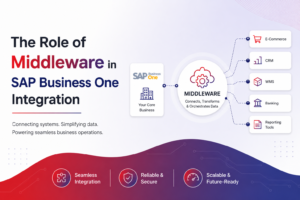
Building a strong ERP system needs more than just direct links. It needs a smart middleware layer. Middleware is like a essential bridge that helps your system talk to other apps. It keeps your digital setup clean and organized.
Evaluating iPaaS Solutions for Scalable Connectivity
Today’s businesses use iPaaS solutions for complex data exchanges. These platforms are flexible and grow with your business. Look for tools that sync data in real-time and handle errors well.
Scalability is key with iPaaS. It lets your IT team add new connections or change workflows easily. This keeps your SAP Business One Integration ready for the future.
Benefits of Using MuleSoft or Zapier with SAP B1
Platforms like MuleSoft or Zapier make automation easy. They help non-tech people manage tasks. This saves a lot of time on manual work.
Here’s why these platforms are great for streamlining:
- Rapid Deployment: They have pre-made templates for quick setup.
- User-Friendly Interfaces: Drag-and-drop tools make setting up easy.
- Enhanced Reliability: They keep data transfers consistent and safe.
| Integration Method | Complexity | Scalability | Best For |
|---|---|---|---|
| Custom API Coding | High | Low | Unique, Niche Requirements |
| iPaaS (MuleSoft) | Medium | High | Enterprise-Grade Scaling |
| Automation Tools (Zapier) | Low | Medium | Small to Mid-sized Workflows |
Choosing the right middleware is a foundational step in building a strong system. Whether you pick a big solution or a simple tool, the goal is the same. It’s to make information flow smoothly across your whole organization.
Overcoming Common Challenges in ERP Integration
Many businesses in India face big challenges when trying to link their SAP Business One with other systems. They want to automate everything smoothly, but technical issues often get in the way. Proactive planning is key to avoiding these problems before they hurt your business.
Managing Data Mapping and Transformation Issues
Data mapping is a big problem. It happens when fields in SAP B1 don’t match up with other apps. For example, a customer record in a CRM might be named differently than in your ERP system. This can cause sync failures or mess up your database.
To fix this, you need to check all your data structures before moving it. Making sure your data formats are the same helps it move smoothly between systems. Rigorous validation at this step stops costly problems and keeps your business logic consistent.
Ensuring Security and Data Integrity During Transfers
Keeping financial info safe is a must for any growing company. You need strong encryption during data transfers to protect it. Without this, your business could face serious security threats or data loss.
Using secure login methods like OAuth or API keys helps protect your integrations. Also, keeping detailed logs lets your IT team track transactions and find security issues fast. Prioritizing integrity keeps your financial reports accurate and in line with laws.
| Challenge Category | Primary Risk | Mitigation Strategy | Expected Outcome |
|---|---|---|---|
| Data Mapping | Field Mismatches | Standardized Schema Mapping | Error-free Syncing |
| Data Security | Unauthorized Access | End-to-End Encryption | Protected Assets |
| System Latency | Process Bottlenecks | Asynchronous Processing | Improved Performance |
Best Practices for Successful Integration Projects
ERP integration projects need more than tech skills. They need careful planning and execution. Careful preparation helps avoid common problems that can stop digital changes. A structured method ensures SAP Business One works well with your software.
Defining Clear Business Requirements and Scope
The start of any project is clear business requirements. Before coding, stakeholders must list what data needs to move. This avoids projects getting too big and expensive.
Having a clear scope keeps your team focused. It’s key to know which tasks are most important. Knowing the project limits makes work more efficient and easier to plan.
Testing Strategies for Seamless Data Flow
After setting up the integration, testing is key for keeping data right. Always test in a sandbox before going live. This catches mistakes before they affect your business.
Testing has different steps, starting with checking single API calls. Then, end-to-end tests make sure data flows right from other systems to SAP Business One. This careful testing is very important for a reliable connection.
| Testing Phase | Primary Objective | Responsibility | Outcome |
|---|---|---|---|
| Unit Testing | Verify individual functions | Developers | Code stability |
| Integration Testing | Check system connectivity | Technical Leads | Data flow accuracy |
| User Acceptance | Validate business logic | End Users | Operational readiness |
| Regression Testing | Ensure no new bugs | QA Team | System reliability |
SAP Business One Integration for Indian SMEs
For many Indian SMEs, growing means having a strong digital base. The local market is getting more global. So, moving from manual data entry to SAP Business One Integration is key to success.
Scaling Operations with Digital Transformation
Adopting digital transformation lets small firms compete big. It connects systems, removing bottlenecks. This makes info flow smoothly from warehouse to office.
Automating core workflows brings big benefits:
- Enhanced Data Accuracy: Less error in financial and inventory reports.
- Real-time Visibility: Making decisions with up-to-date data, not old spreadsheets.
- Operational Efficiency: Staff can focus on important tasks, not data entry.
Cost-Benefit Analysis of Custom Integration
Investing in custom integration needs a clear financial plan. The initial cost is high, but it saves money in the long run. Indian SMEs should match the solution to their growth plans.
Here’s what to think about when investing in digital transformation:
| Factor | Manual Process | Integrated System |
|---|---|---|
| Data Entry Time | High (Hours per day) | Low (Automated) |
| Error Rate | Significant | Negligible |
| Scalability | Limited | High |
SAP Business One Integration is a strategic asset for growth. Weighing costs against benefits is key. This way, Indian SMEs stay ahead in local and global markets.
Future Trends in ERP Connectivity and Automation
Looking ahead, automation and intelligence are changing how companies handle data. They’re moving from simple connections to intelligent ecosystems that learn and adapt quickly. This change is key for staying ahead in India’s fast market.
The Impact of Artificial Intelligence on Data Syncing
AI in ERP is changing how data moves between systems. Modern algorithms can spot problems before they happen. This keeps your ERP connectivity strong, even when more data is coming in.
AI also makes data mapping smarter by finding patterns. This means less manual work and fewer mistakes. IT teams can then work on big projects, not just keeping things running.
Moving Toward Cloud-Native ERP Ecosystems
Switching to cloud-native ERP is now a must for growing. These systems are made for the cloud, giving teams everywhere more flexibility. They let companies update and add new services quickly, with little downtime.
Choosing a cloud-first approach has big benefits for businesses:
- Enhanced Scalability: Easily adjust resources based on seasonal demand or business growth.
- Global Accessibility: Securely access critical business data from any location with an internet connection.
- Rapid Innovation: Seamlessly integrate emerging technologies like IoT and advanced analytics.
The future of business software is about staying flexible. Companies that keep innovating will do best in the digital world. By following these trends, your systems will stay powerful for a long time.
Conclusion
Modern businesses do well when data moves easily between all parts of the company. By linking SAP Business One with your favorite apps, you create a single system. This system helps you make better choices.
When you automate tasks, your workday gets easier. Your inventory, sales, and money records stay up-to-date without needing people to check them all the time. Your team can then work on important projects instead of just entering data.
By focusing on these connections, you build a strong base for success in India. You’ll stay ahead by using the latest insights and technology. Start your integration today to get the most out of your ERP.
Get in touch with your tech partners to figure out what you need. A good plan makes sure all your systems work together. This way, your business can grow and stay efficient.