
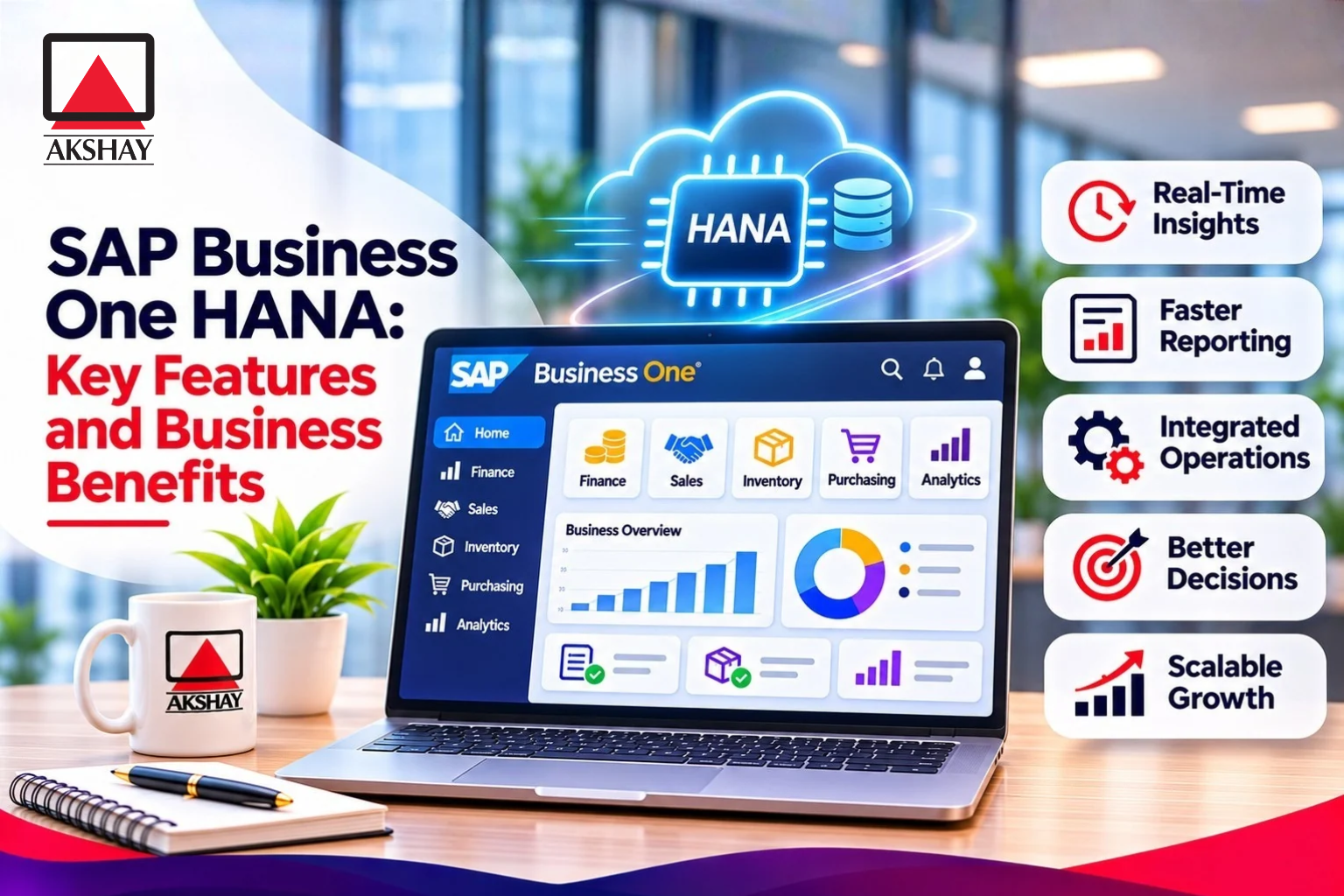
SAP Business One HANA pairs an ERP for small and midsize businesses with SAP’s in-memory database for transaction processing and analytics. An in-memory database keeps active data in memory for processing, rather than relying only on disk access. For a growing Indian business, connected operations and timely insight can support better decisions as teams and transaction volumes grow. The best fit depends on your workflows and deployment needs, not a blanket claim that one database is always faster. This page helps you assess the features, business fit, and implementation needs before choosing a path. The useful starting point is to match the system’s capabilities to the decisions and workflows your team needs to improve.
Key Takeaways
- SAP Business One is an ERP for small and midsize businesses.
- SAP HANA supports transaction processing and analytics.
- Database choice should reflect your reporting workload and infrastructure.
- Indian businesses should assess local workflows, reporting, and deployment needs.
- A clear implementation scope helps teams assess fit before making a decision.
What Is SAP Business One HANA, and How Does It Compare With SQL?
SAP Business One 10.0 runs on either Microsoft SQL Server or SAP HANA, so the key distinction is the database platform and its processing design. HANA’s in-memory approach can matter when teams need analytics across large transaction volumes. The HANA deployment is most relevant when real-time analytics are a central requirement.
SAP HANA is both a database and an analytics platform. It keeps active data in memory, which can reduce delays from disk access during processing. HANA supports both row and column storage, and it is optimized for column storage. Column storage can help with analysis across many records and selected fields.
The platform combines online transaction processing, or OLTP, with online analytical processing, or OLAP, in one database. OLTP handles day-to-day transactions, such as orders and payments. OLAP supports analysis and reporting. SAP HANA can support both types of work in the same database.
| Attribute | SAP Business One on SQL Server | SAP Business One on SAP HANA |
|---|---|---|
| Database engine | Microsoft SQL Server | SAP HANA |
| Processing model | Disk-oriented | In-memory |
| Storage design | Row-based | Supports rows and columns; optimized for column storage |
| Transaction and analytics design | Separate capabilities may be used | OLTP and OLAP in one database |
The SQL deployment uses Microsoft SQL Server as its database engine. The HANA deployment uses SAP HANA instead. This distinction does not mean every HANA setup will be faster. Actual results depend on the workload, system design, and infrastructure.
As of September 2026, SAP Business One 10.0 is the current major version, and it is available on both database options. Version 10.0 entered general availability in April 2020. A feature package is not a new major version.
In practical deployment terms, SAP HANA can run on-premise or in a cloud environment. SAP HANA Cloud is a separate cloud service, not another name for every cloud deployment. The HANA database layer runs on Linux, while client tools can run on Windows or through a browser.
The SAP Business One Web Client provides browser-based access for supported tasks. A team can use that interface without installing the database layer on each user’s computer. Check which client tools and functions fit your users’ devices and work habits.
Compare the platforms against your reporting workload, infrastructure, and deployment requirements rather than treating the database name as a complete performance guarantee.
Which Features Improve Day-to-Day Visibility and Control?
A sales or inventory manager can use HANA dashboards and interactive KPIs to see current performance without relying only on delayed reports. Current figures can help teams spot a stock issue or sales change sooner. Choose reporting tools based on the questions your staff must answer each day.
Real-Time Analytics, Dashboards, and Enterprise Search
SAP Business One on SAP HANA offers real-time dashboards, in-memory analytics, and interactive key performance indicators, or KPIs. Pervasive Analytics lets users work with measures and reports in the ERP. These analytics capabilities can help teams review activity across large transaction volumes.
Enterprise Search lets users search company information with free-text terms. A staff member might look for a customer, item, or document without knowing its exact menu location. Teams should check that the search fields and reports match their daily needs.
Ask AI and Web Client Reporting
Feature Package 2608, or FP 2608, arrived at the end of August 2026. It introduced Ask AI in SAP Business One Web Client list and detail views. Users can save useful questions as templates, then reuse them in later searches.
FP 2608 also added an AI-assisted User-Defined Queries application for custom reports. Web Client reporting gained General Ledger and Inventory Management reports. These tools can help users find relevant details without leaving the browser-based interface.
The feature package also improved manual bank reconciliation and added an External Reconciliation app. FP 2608 added these Web Client tools, but available functions can depend on the installed feature package. Confirm which reports your staff can use in the chosen setup.
Production and Inventory Management
Production and inventory teams can use shared records to plan work, track materials, and check product quality. Material requirements planning, or MRP, helps compare demand with available supply. Bills of materials show the parts and materials needed to make a product.
These functions can support coordination from a production order through warehouse handling. Batch and serial tracking help staff trace specific goods. Cost analysis can help teams review the materials and labor tied to production.
- Production planning
- Material requirements planning (MRP)
- Batch and serial number tracking
- Quality management
- Warehouse management
Multilevel bills of materials can represent products with several layers of parts. Together, these tools help staff connect production needs with stock records and quality checks.
Confirm that the specific reports and search functions your users need are available in the chosen deployment and feature package.
What Business Benefits Can Indian Companies Gain?
A company gains the most from ERP when teams can use consistent information to make decisions and carry out workflows across departments. Shared records can reduce the gaps between sales, stock, finance, and operations. The value comes from how well the system fits your work, not from software alone.
Faster Decisions From Shared Information
When teams work from connected business data, they can compare orders, stock, and financial activity with fewer handoffs. Reporting and analytics can help managers see changes while they still have time to respond. The system cannot guarantee faster or better decisions, since people and processes still matter.
For example, a sales team can review order activity alongside available inventory. A manager can then discuss a stock concern with purchasing or operations using the same records. This shared view can make decision making clearer across teams.
Workflows That Fit the Business
SAP Business One can support workflow changes through its software development kit, or SDK, Service Layer APIs, user-defined fields and tables, custom add-ons, and industry-specific solutions. An API lets software exchange information. These tools can help adapt forms, reports, or links to other systems.
On-premise installations can also use the SAP Business One SDK for custom changes. Custom fields can capture details that standard records do not hold. For example, an organization may need fields that reflect its own approval steps or product records.
SAP Business One supports 28 languages and more than 50 localizations. Localizations adapt software to local business rules and needs. These options matter to Indian companies working across regions, and to firms with overseas offices or customers.
Extending and Connecting the ERP
Webhooks can send event information to connected systems when a business event occurs. SAP Business One can include custom-field data in webhook events. That may reduce extra Service Layer calls to retrieve those fields.
SAP Business Technology Platform, or BTP, has five capability areas: data and analytics, application development, automation, integration, and artificial intelligence. These areas can support broader ways to connect and extend business systems. SAP Business One supports several extension options, though BTP capabilities are not automatically part of every standard implementation.
Custom work can add value, but each extension also needs an owner and a plan for updates. Too many one-off changes can make testing and support harder. Keep a record of what each change does and which teams depend on it.
Map each required customization and integration to an owner and a support plan before approving the scope.
How Can You Scope an ERP Implementation in India?
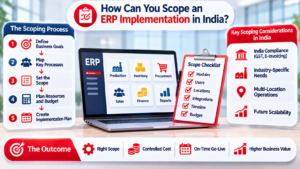
A useful implementation scope starts with the processes, integrations, and reporting your team needs, not with a generic software quote. Clear project boundaries help you compare proposals on the work they include. Project cost depends on licensing or subscription terms, deployment, migration, integrations, custom work, training, and support.
Infrastructure or hosting also affects the scope. A cloud setup and an on-premise setup can need different technical work. Ask each implementation partner to state its assumptions, included services, and responsibilities.
- Map business processes and reporting needs.
- Confirm deployment and infrastructure requirements.
- Inventory integrations and add-ons.
- Plan data migration and validation.
- Assign training, cutover, and ongoing support responsibilities.
Use the checklist to identify work that could otherwise be missed. For example, data migration includes more than moving records. Your team must also check that key data is complete and correct after transfer.
When reviewing the database, check the installed SAP HANA revision in SAP HANA Cockpit or ask the database administrator. The database revision is different from the SAP Business One feature package. Both can affect the environment, but they describe separate software updates.
As of September 2026, SAP Business One 10.0 remains the current major release and is available on SQL Server and SAP HANA. FP 2608 was released at the end of August 2026. Feature packages are delivered regularly and can include new features, corrections, and legal changes.
SAP provides at least five years of mainstream maintenance for a release family and related add-on products, starting from the major release’s general availability. SAP Business One 10.0 is scheduled for mainstream maintenance through December 31, 2028, subject to change. This end date applies to version 10.0, not to the SAP Business One product as a whole.
Maintenance dates help with planning, but they do not replace a review of your own systems. Ask which release and feature package the proposed work will use. Also clarify who handles updates and any related testing.
Request a scoped assessment that lists inclusions, migration responsibilities, and support terms. The proposal should explain what your team must provide, such as data access, process decisions, and test users. This makes it easier to compare service scope, not just software terms.
Ask the implementation partner to document scope, responsibilities, deployment assumptions, and support terms before you commit.
Conclusion
SAP Business One HANA is a practical option when its data and process capabilities line up with the decisions your teams need to make. Its analytics and operations tools are most useful when they address real reporting needs and daily work.
Validate the database choice against your workload and deployment requirements. Then prepare your priority workflows, reporting needs, integrations, and deployment limits for a scoping conversation with an implementation partner. Take your priority workflows and reporting requirements to an implementation partner and request a scope built around them.