
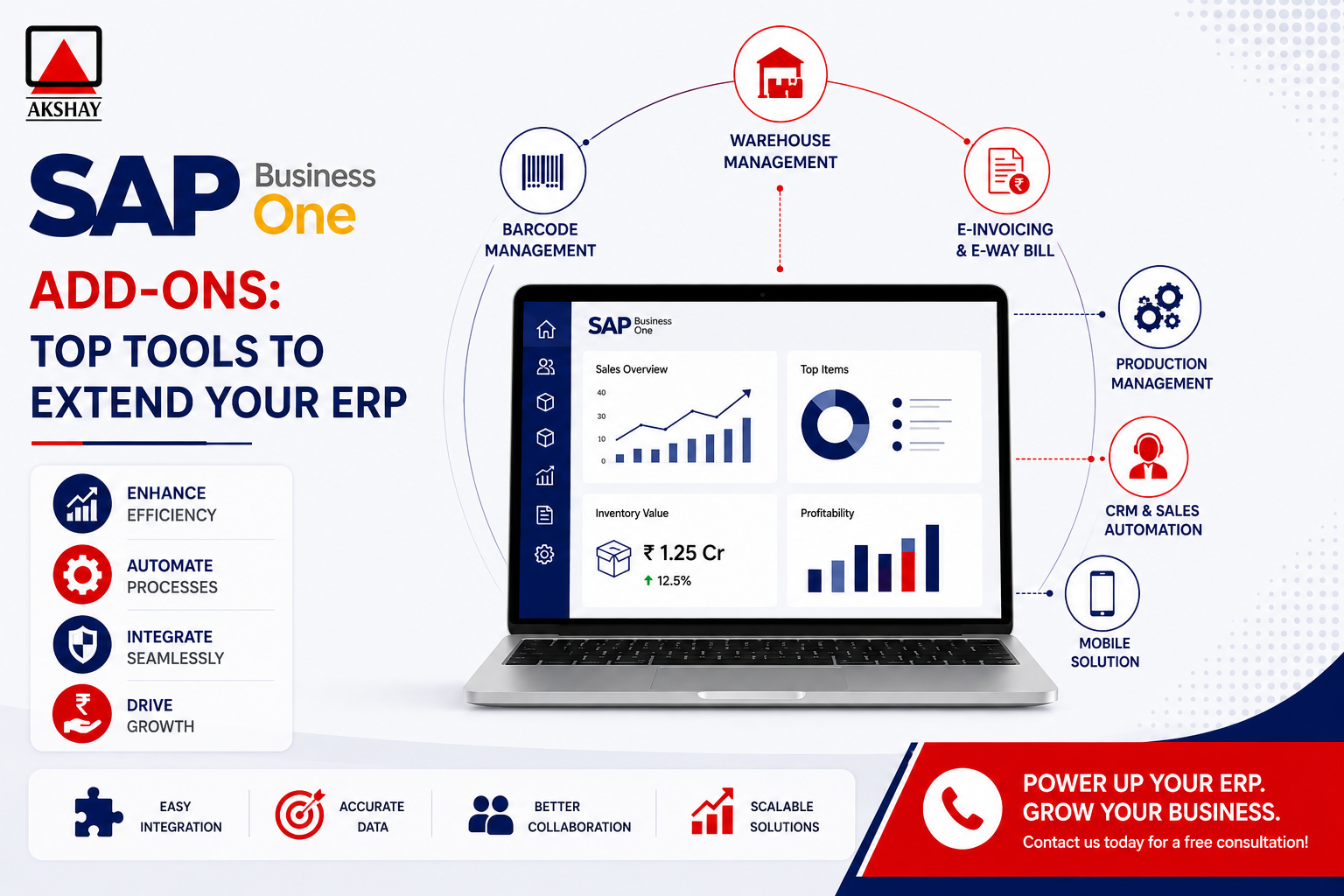
Companies in India face a fast-changing digital world. To stay ahead, you need more than basic software. Adding sap business one add-ons helps meet your unique needs.
These tools are like a strategic catalyst for growth. They let you customize your core platform. This keeps your tech up-to-date with your industry’s needs.
Expanding your ERP is now a must for growth. Using top sap business one add-ons automates complex tasks. It also gives you deeper insights. Tailoring your digital setup unlocks your business’s full power.
Key Takeaways
- Customizing your ERP system helps bridge the gap between standard features and unique business requirements.
- Modular tools are essential for companies aiming to scale operations within the competitive Indian market.
- Strategic extensions allow for better automation of complex daily workflows.
- Leveraging specialized software components provides a significant competitive advantage.
- Modernizing your digital infrastructure ensures long-term efficiency and data-driven decision-making.
Understanding the Role of SAP Business One Add-Ons
Every growing business hits a wall when standard software isn’t enough. A core ERP system is great for accounting and inventory. But it might not fit your unique industry needs. That’s where sap business one add-ons come in, helping you stay ahead.
Why Standard ERP Functionality Needs Extension
Standard software works well for general business tasks. But, niche sectors need special tools that standard software can’t offer. Customization helps your team meet your specific needs.
Adding targeted extensions can bring big benefits:
- Enhanced automation for tasks you do over and over.
- Smooth integration with special hardware or third-party logistics.
- Advanced reports that focus on your industry’s key performance indicators.
- Improved user experience with interfaces that fit your roles.
The Ecosystem of Certified SAP Partners in India
The SAP partner ecosystem in India is key for businesses. These certified partners do more than just install software. They know Indian tax laws and business practices well.
Working with a local partner means your sap business one add-ons will follow local rules. They get the Indian market, from GST to supply chain issues. They turn your needs into strong, growing technical solutions.
Choosing the right partner in the SAP partner ecosystem is smart. It means your software will grow with your business. With local knowledge, you can expand safely, keeping your digital setup in line with your goals.
Assessing Your Business Requirements in the Indian Market
In India, many companies struggle to match their ERP systems with their needs. Using ERP software India in a complex market needs a special approach. You must do a deep check to make sure your tech meets your goals.
Identifying Operational Bottlenecks
Start by finding where your work slows down. Things like manual data entry or bad communication between teams can hide big problems. Finding these issues is key before you choose new software.
Look for delays in your supply chain or when you need to report. By noting these problems, you can see if new software will help or just make things worse.
Prioritizing Features for Scalability
After finding your problems, focus on business process automation that saves you money. You need tools that grow with your company, not ones that need a big change soon. True ERP scalability means your system stays strong as you do more business.
Choose features that work well with local laws and managing stock. This keeps your business simple and avoids big problems later. Always pick solutions that can grow with you, not ones that are too fixed.
Budgeting for Third-Party Extensions
When planning your budget, think about more than just the upfront cost. You need to include costs for licenses, setup, and support. Hidden costs can come from custom work or training your team.
When setting aside money for new tools, consider these things:
| Cost Category | Primary Focus | Frequency |
|---|---|---|
| Initial Licensing | Software purchase | One-time |
| Implementation | Setting up and testing | One-time |
| Maintenance | Keeping software up to date | Annual |
| Staff Training | Teaching new skills | As needed |
By weighing these costs against the benefits, you can make a smart choice. A good budget keeps your money safe and makes sure your ERP system helps your business stay ahead.
Evaluating Compatibility and Technical Standards
Technical compatibility is key for a smooth SAP Business One experience. When adding new tools, make sure they don’t mess with your current workflow or data. A proactive approach to checking these extensions helps avoid costly problems.
Checking SAP Business One Version Compatibility
Every SAP Business One setup is different, with its own version or patch level. Before buying an add-on, check if it’s certified for your exact version. Mismatching versions can cause big errors that slow you down.
Always ask for a compatibility matrix from the vendor. This shows which ERP versions are supported. If you’re upgrading in India, make sure the add-on will work after the change.
Reviewing SDK and API Documentation
The strength of an extension comes from how well it talks to the core system. By looking at the SAP SDK documentation, your IT team can see if it follows standard practices. This ensures it works well with your database without slowing it down.
Think about these technical points during your review:
- Does the add-on use standard SAP Business One objects?
- Are the API calls fast and efficient?
- Is the code ready for your business to grow?
Using the SAP SDK correctly means a better integration that’s easier to keep up. Clear documentation shows a product is reliable and of high quality.
Verifying Vendor Support and Maintenance Agreements
Technical compatibility needs constant care. You need a strong maintenance agreement for security patches and updates. Without it, your system is at risk of threats and could slow down.
Choose vendors with dedicated support for the Indian market. A good partner will:
- Keep your system up to date with new SAP releases.
- Answer technical support questions quickly.
- Have clear guides for fixing common problems.
Investing in a well-supported add-on protects your ERP investment for the long term. Make sure your contract clearly outlines what support you’ll get to avoid surprises.
Step-by-Step Guide to Installing SAP Business One Add-Ons
Starting with sap business one add-ons needs careful planning. A good ERP deployment guide helps avoid problems. These problems can cause system downtime or damage data.
Preparing the System Environment
First, check if your server meets the needed specs. It’s critical to back up your database fully. This way, you can fix things if something goes wrong.
Make sure no one is logged in to avoid file issues. Check disk space and admin permissions to make setup easier.
Using the Extension Manager for Deployment
The Extension Manager is key for managing software. Go to the Administration module to find it. Here, you can upload the package to the server.
After uploading, the system checks the file. This ensures the extension works with your software version.
Registering Add-Ons in the SAP Business One Client
After deploying on the server, register the add-ons in the client app. This links the add-ons to users or databases. It makes sure the right people can use the new features.
You can set how the add-ons start up. For example, they can start when you log in. Proper registration keeps your ERP tidy.
Testing Functionality in a Sandbox Environment
Don’t add sap business one add-ons to your live server without testing. A sandbox is a safe place to test and check for problems.
This step in our ERP deployment guide makes sure your work flows smoothly. After testing, you can safely move it to your live server.
| Installation Phase | Primary Objective | Risk Level |
|---|---|---|
| System Preparation | Data Safety | High |
| Extension Deployment | Component Integration | Medium |
| Sandbox Validation | Process Integrity | Low |
Configuring Add-Ons for GST and Local Compliance
Indian businesses using ERP systems focus on smooth regulatory compliance. They need tools for GST compliance India that handle taxes accurately. These tools help move from scattered processes to a single financial system.
Integrating GST Reporting Tools
ERP systems often lack the needed logic for complex taxes. Specialized add-ons fill this gap with automated tax engines. These engines update instantly with tax law changes.
These tools make filing GSTR-1, GSTR-3B, and more easy. They keep all tax data in one place, cutting down on manual work. This saves a lot of time for your finance team.
Automating E-Invoicing Workflows
E-invoicing automation is key in today’s digital world. Add-ons for the Indian market link directly to the Invoice Registration Portal (IRP). They generate IRNs in real-time, avoiding manual uploads.
Efficiency is the main gain from these automated workflows. They check invoice data before sending, avoiding costly errors. This keeps your supply chain smooth and fast.
Ensuring Data Accuracy for Statutory Audits
Clean, ready-for-audit data is vital for any business. Automated add-ons create a detailed digital record for every financial entry. This makes audits easier and reduces errors.
The table below shows the benefits of using automated add-ons over manual methods:
| Feature | Manual Compliance | Automated Add-On |
|---|---|---|
| Data Entry | High Error Risk | Validated & Accurate |
| Tax Updates | Delayed/Manual | Real-time Sync |
| Audit Readiness | Time-Consuming | Instant Reporting |
| Workflow Speed | Slow/Bottlenecked | High Throughput |
Managing User Permissions and Security Protocols
Adding third-party software to your ERP needs careful watch. It’s key to have strong ERP security protocols for new modules. This keeps your financial and business data safe from threats.
Assigning Add-On Access Rights by Role
Good user access management starts with least privilege. Create roles in your system. This way, employees only see what they need for their jobs.
Linking permissions to roles cuts down data risk. Customizing these settings lets IT control while staff work well.
Securing Data Exchange Between ERP and Add-Ons
Keeping data safe is key when it moves between systems. Make sure all data paths use encrypted methods. This stops data from being caught in transit.
Check that add-ons use standard login methods. Securing data exchange stops bad access. It keeps your business safe from data laws.
- Use secure API keys for all module connections.
- Regularly update integration tokens to maintain security.
- Restrict data export capabilities to authorized personnel only.
Monitoring Audit Logs for Unauthorized Access
Watching your system closely is part of a good security plan. Check logs often for odd patterns or access tries.
Logs show who accessed data and when. Consistent monitoring spots threats early. It keeps your ERP security protocols strong against new dangers.
Troubleshooting Common Integration Issues
Managing complex software in India can be tough. Even with good planning, problems can pop up. Knowing how to fix ERP troubleshooting issues is key for keeping systems running smoothly.
Resolving Connection Timeouts and API Errors
Connection timeouts happen when systems can’t talk to each other. This is often due to bad network conditions or busy servers. First, check your internet settings and make sure your firewall lets in the right traffic.
If problems keep happening, look at your API integration errors in the system logs. These logs show details about failed requests. Regularly checking these logs helps spot problems before they get worse.
Handling Data Synchronization Conflicts
Keeping data clean is critical for ERP success. Conflicts happen when different processes try to update the same data at the same time. Make sure your add-ons update data in the right order.
If your financial reports or inventory levels don’t match, fix it right away. Automated scripts can catch these problems early. Keeping data organized helps avoid errors during audits.
Managing Conflicts Between Multiple Add-Ons
Using many extensions can cause problems. When add-ons fight for resources, your system can slow down. Test new add-ons in a safe space to avoid problems.
If you find a conflict, check if the versions match. Prioritize your add-ons and turn off what you don’t need. Use the table below to find common issues and how to fix them.
| Issue Type | Primary Symptom | Recommended Action |
|---|---|---|
| API Timeout | Slow response times | Check network latency |
| Data Mismatch | Incorrect stock counts | Run reconciliation script |
| Add-On Conflict | System crashes | Update to latest version |
| Auth Failure | Access denied errors | Refresh API credentials |
Best Practices for Maintaining SAP Business One Add-Ons
Keeping your SAP Business One add-ons running smoothly is key for business success in India. To keep your ERP extensions working well, follow ERP maintenance best practices. This means staying up-to-date with technical needs to keep your software valuable for your business.
Scheduling Regular Updates and Patches
Software vendors often release updates to boost performance and security. It’s important to apply these updates quickly. Skipping them can cause problems or make your system unsafe.
Set up a schedule to check all add-ons every quarter. This lets your IT team make sure everything is current. Consistency is the key to avoiding unexpected downtime.
Performing Routine Backups Before Upgrades
Always back up your system before making big changes. A backup is like a safety net, helping you recover data if something goes wrong. Never skip this step, even for small updates.
Here’s a checklist for your backup routine:
- Check that the backup file is complete and can be read.
- Keep backup copies in a safe, off-site place.
- Test your recovery process in a test environment now and then.
By following these system backup procedures, you protect your data. This gives you peace of mind when you’re doing big upgrades or adding new features.
Training Staff on New Add-On Features
Technology works best when people know how to use it. When you add new features, train your staff well. Proper education helps you get the most from your investment and keeps users happy.
Think about hosting workshops or making guides for your team. When your employees are confident with new tools, they’ll use them better. Empowering your workforce through training is as important as keeping your ERP system running smoothly.
Conclusion
Choosing Akshay Software for SAP Business One makes your daily work better. It’s all about picking, using, and keeping these tools right. This helps your business stay ahead in India’s tough market.
Staying focused on keeping your data safe and your system running well is key. Keeping up with updates and being ready for new threats is important. This makes your software a strong tool for your company.
For growing businesses, being able to grow is key. Picking the right tech for your needs helps your business grow strong. This way, your team gets the most out of SAP Business One.
Start by checking how your work flows now. Talk to SAP experts to make your digital plan better. Managing these tools well will make your business more efficient and help it grow for a long time.