
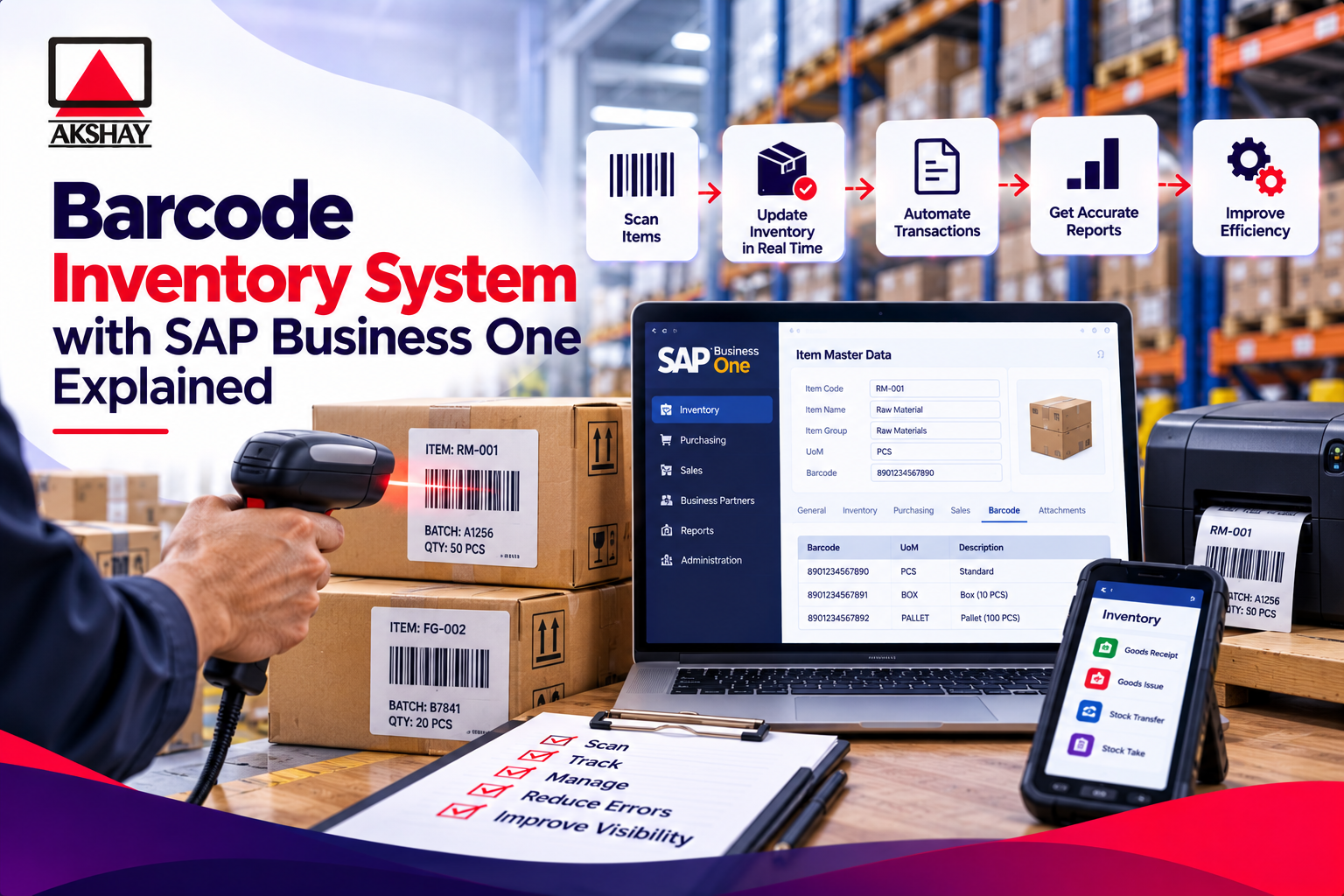
Modern Indian businesses need to make their supply chains better. Using old ways to track items can cause mistakes and slow things down.
Using a barcode inventory system in SAP Business One is a big help. It replaces old paper systems with digital tracking. This makes things more accurate in real time.
Automating these tasks helps businesses stand out more. This move is key for companies wanting to update their logistics. It helps them grow and succeed in India.
Key Takeaways
- Automating data entry eliminates human error in warehouse management.
- Real-time visibility improves decision-making for supply chain leaders.
- SAP Business One provides a robust framework for scalable growth.
- Digital tracking accelerates order fulfillment and shipping speeds.
- Modernizing logistics is essential for staying competitive in the Indian market.
Understanding the Barcode Inventory System in SAP Business One
Using a barcode inventory system makes your warehouse operations better. In India, many businesses use old ways like spreadsheets. This leads to lost data and slow work.
Switching to automated systems helps your team work faster. Now, your digital records match what’s in your stockroom.
The Role of Automation in Modern Inventory Management
Automation is key for efficient warehouse work. It cuts down on manual entry mistakes. When people type in serial numbers, errors happen more often.
With a barcode inventory system, scanning is fast and accurate. This makes tasks like counting stock and filling orders quicker.
Automated systems grow with your business. They handle more work without needing more people.
Benefits of Integrating Barcodes with SAP B1
Adding barcode tech to SAP Business One makes everything clear. It tracks goods in real-time. This gives managers a clear view of their supply chain.
Companies that use this tech see big benefits. Here are some:
- Enhanced Accuracy: No more mistakes from typing.
- Real-Time Visibility: See stock levels in all warehouses.
- Reduced Overhead: Save money on lost items and urgent restocks.
- Faster Processing: Speed up picking, packing, and shipping.
With a barcode inventory system, your team can do more with less effort. This smart move helps your business succeed in India’s fast market.
Prerequisites for Setting Up Your Barcode Inventory System
Getting your warehouse ready for digital change needs a close look at what you have now. Proper planning helps avoid problems and makes the switch to digital inventory easier.
Assessing Current Warehouse Infrastructure
Before adding new tech, check your physical setup. Good Wi-Fi coverage is key for mobile devices to talk to the server fast. Without it, scanning can be slow or lose data.
Also, look at your shelves and labels. Barcode scanners need clear, sharp labels to work right. If your labels are old or bad, you might need new ones.
Software Version Requirements and Licensing
For SAP Business One to work well, it must match your current setup. Make sure your SAP B1 version supports the barcode tools you want. If not, you might need to update.
Also, check your licensing agreements to see if you have enough licenses. Each person using a mobile device needs a license. Looking at this early can save you money and avoid delays.
| Category | Requirement | Action Item | Priority |
|---|---|---|---|
| Network | Stable Wi-Fi | Conduct signal survey | High |
| Hardware | Scanner Compatibility | Test device connectivity | High |
| Software | SAP B1 Version | Verify patch levels | Medium |
| Licensing | User Access | Audit active licenses | Medium |
Configuring SAP Business One for Barcode Integration
Setting up a strong technical base in your ERP is key for accurate inventory. When you match your software with your warehouse, you link digital and physical stock. This setup makes sure every scan gives you reliable data for making business choices.
Setting Up Barcode Settings in General Settings
First, go to the Administration module and open General Settings. In the Inventory tab, turn on the features for external scanning devices. Proper activation is critical for correct data interpretation.
After enabling these features, connect your scanning gear to Item Master Data. This link lets the system fill in fields when a barcode is scanned. Centralizing these settings keeps high data integrity in all inventory modules.
- Access the Administration menu to locate General Settings.
- Toggle the scanning options to active status.
- Verify that the system recognizes your connected hardware peripherals.
Defining Barcode Formats and Rules
It’s important to standardize barcode formats for a tidy product catalog. Define rules for how the system reads different barcode types, like EAN or UPC. Consistency is the key to avoiding errors in busy warehouses.
Setting these rules early means the system always reads and processes stock units right. This approach cuts down on manual entry mistakes and significantly boosts operational speed. Your team will enjoy a system that gets your labeling needs right from the start.
| Configuration Step | Primary Benefit | Operational Impact |
|---|---|---|
| Format Standardization | Reduced Error Rates | Faster Processing |
| Rule Definition | Data Consistency | Improved Accuracy |
| Hardware Mapping | Seamless Integration | Real-time Updates |
Selecting Hardware for Your Indian Warehouse Operations
Indian logistics need special hardware for big inventory tasks. The right tools are essential for keeping things accurate in hot and dusty places. Your gear must link physical stock moves with your digital SAP B1 records.
Choosing the Right Barcode Scanners and Mobile Terminals
Look for ruggedized designs that can handle drops on concrete floors. Busy Indian warehouses mean your gear gets a lot of use. Choose mobile terminals with comfy grips to help workers stay focused during long hours.
Make sure the scanner can scan fast and far. This helps your team quickly process goods and pick orders. Industrial-grade hardware means less downtime and lower costs over time.
Connectivity Considerations for Indian Logistics Environments
Good connectivity is key for your inventory system. Your warehouse needs strong Wi-Fi to stay connected to SAP B1. Mobile data is a backup for places with unstable power or networks.
Modern mobile terminals have dual-band Wi-Fi and cellular for no data loss. Real-time synchronization keeps inventory levels right across all areas. Check your network signal everywhere before setting up your gear.
| Hardware Type | Primary Use Case | Key Feature |
|---|---|---|
| Handheld Scanners | Picking and Packing | High-speed laser scanning |
| Mobile Terminals | Inventory Audits | Integrated SAP B1 interface |
| Vehicle-Mounted Units | Bulk Stock Movement | Shock-resistant housing |
| Wearable Scanners | Hands-free Operations | Bluetooth connectivity |
Mapping Barcodes to SAP B1 Item Master Data
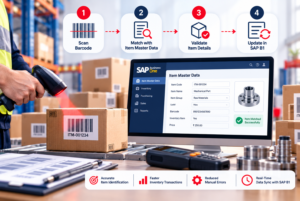
Accurate barcode mapping is like a digital bridge between your stock and SAP Business One. It helps avoid errors that happen when you enter data by hand. This way, every item’s movement is tracked from start to finish.
Importing Existing Item Data into SAP Business One
First, make sure your product list is in SAP. Most use the Data Transfer Workbench (DTW) to move data from old systems. This tool keeps your product info, units, and prices safe.
Consistency is key when moving data. Check that your import templates match SAP’s needs. Clean your data before uploading to avoid problems later.
Assigning Unique Barcodes to Stock Keeping Units
After importing items, link each barcode to its SAP record. You can do this from the Item Master Data screen. This is helpful for products with different packaging levels.
Here are some tips for managing barcodes well:
- Validate every barcode against the physical product before finalizing the entry in SAP.
- Use a standardized naming convention for your SKUs to make manual lookups easier for warehouse staff.
- Perform regular audits of your barcode database to remove obsolete or duplicate entries.
- Ensure that the barcode format matches the symbology supported by your specific scanning hardware.
By linking physical labels to your digital database, you make your inventory clear. This lets your team do cycle counts and goods receipts with confidence. They know the system shows what’s really in the warehouse.
Streamlining Sales and Marketing with SAP Business One CRM Integration
SAP Business One CRM integration gives you the visibility you need. It connects your warehouse to your front-office tools. This creates a unified view of the entire customer journey.
With this integration, every department works from the same data. This makes your operations smoother.
Leveraging SAP Business One Sales Management for Real-Time Updates
Your sales team can see live stock levels. They can make accurate delivery promises right away. SAP Business One sales management lets them check availability without calling the warehouse.
This reduces order processing time. It also stops the problem of overselling items that are out of stock.
Effective sap business one sales management needs constant updates between your barcode system and the core database. Sap b1 crm lets your staff track order status updates in real-time. This builds long-term trust with your customers in India.
Enhancing SAP Business One Marketing Management through Inventory Visibility
Knowing your inventory deeply changes your marketing. With sap business one marketing management, you can plan campaigns for products in stock. This avoids the mistake of advertising items that are not available.
Integrating your sap business one customer relationship management tools with stock data lets you target your audience better. You can segment your audience based on their purchase history and current product availability. This makes sap business one marketing management a powerful engine for growth.
Using a robust sap b1 customer relationship management strategy keeps your business agile in a competitive market.
Executing Inventory Transactions Using Barcode Scanners
Using a barcode inventory system changes how your team handles stock. It replaces manual entry with digital scanning. This makes sure every item move is recorded right away in the SAP Business One database.
This change cuts down on mistakes and gives a clear view of stock levels in real-time.
Performing Goods Receipt POs with Scanners
When a shipment comes in, the Goods Receipt Purchase Order (PO) process checks data accuracy. Staff just scan the item’s barcode to match it with the purchase order. This immediate validation stops mistakes before they start.
Using a barcode inventory system keeps inventory records current. No need for manual typing. This saves time and lets your team focus on quality.
Managing Picking and Packing Processes Efficiently
The picking and packing stages are key for happy customers. Scanning items during picking confirms the right products are chosen. This reduces shipping errors and keeps logistics smooth.
Here are the benefits of using scanners in your warehouse:
- Increased Throughput: Faster goods processing means more output.
- Enhanced Accuracy: Digital checks cut down on manual mistakes.
- Real-Time Visibility: Management gets stock updates right away.
- Improved Accountability: Every scan logs, making it easy to track.
The table below shows how scanning differs from manual methods:
| Feature | Manual Entry | Barcode Scanning |
|---|---|---|
| Data Speed | Slow/Delayed | Instant |
| Error Rate | High | Negligible |
| Staff Effort | High | Low |
| System Sync | Batch Updates | Real-Time |
Adopting this tech lets your business grow while keeping tight control over assets. A good barcode inventory system is key for any modern Indian warehouse.
Managing Customer Data and Lead Management via SAP B1 CRM
Connecting your inventory with customer data changes the game for Indian businesses. It links your warehouse with sales, making info flow smoothly. This helps your team make better choices, backed by real-time data.
Utilizing SAP B1 Customer Data Management for Better Service
Sap b1 customer data management lets support staff see a client’s whole history. Knowing a customer’s buying habits helps your team offer tailored advice. This is key for staying ahead in India’s quick market.
With sap business one crm, you can keep all client info in one spot. This unified view gets rid of data gaps. Your team can solve problems fast and build lasting relationships.
Optimizing SAP Business One Lead Management with Inventory Insights
Your sales team needs to know stock levels before promising delivery dates. Sap business one lead management lets them filter leads by what’s in stock. This avoids the problem of selling out-of-stock items, keeping your brand’s good name.
Using sap b1 crm tools, your sales team can focus on leads that match your stock. This smart approach makes sure your marketing works with what you can deliver right away. Here are some benefits:
- Increased conversion rates by matching leads with available stock.
- Improved customer satisfaction through accurate delivery promises.
- Enhanced collaboration between sales and warehouse departments.
- Streamlined sap b1 customer relationship management workflows.
By mixing sap business one customer relationship management with live inventory, you change how you meet the market. Using sap b1 customer data management in sap business one lead management keeps your business quick and ready for customers.
Best Practices for Maintaining Data Accuracy in India
Keeping data accurate is key to success in Indian warehouses. Even small mistakes can cause big problems. Consistent data integrity helps your business stay quick and meet customer needs.
Regular Cycle Counting and Audit Procedures
Having a good cycle counting program is essential. It gives you real-time info. Instead of big counts once a year, do smaller ones often. This way, you catch problems early.
Here are some important audit steps:
- Do daily or weekly counts for fast-moving items.
- Use sap business one crm reports to spot issues fast.
- Do surprise checks to make sure digital and physical stock match.
- Keep records of all changes for clear audit trails.
Training Staff on SAP B1 CRM Software and Scanning Protocols
Good tech needs skilled users. Training your team well is critical. When they know sap b1 crm software well, they help avoid mistakes.
Training should cover both tech skills and handling goods. Standardizing how you scan goods lowers error chances. Fostering a culture of accountability makes staff care about their data entry.
Keep learning to keep improving. Regular training keeps your team up-to-date. This keeps your inventory data reliable and useful for all warehouse tasks.
Conclusion
Using a barcode inventory system with SAP Business One is a smart move for businesses in India. It makes your warehouse more precise and fast. This change helps avoid mistakes.
Choosing strong hardware is key to handle local challenges. Make sure your stock levels are seen by all departments. This way, you can see your supply chain clearly.
Your team works better with automated scanning. They make decisions faster with real-time data. This setup helps your business grow over time.
Contact Us & Start your digital journey now for a better future. Talk to your SAP partner to improve your inventory management. Following these steps will make your operations better for a long time.