
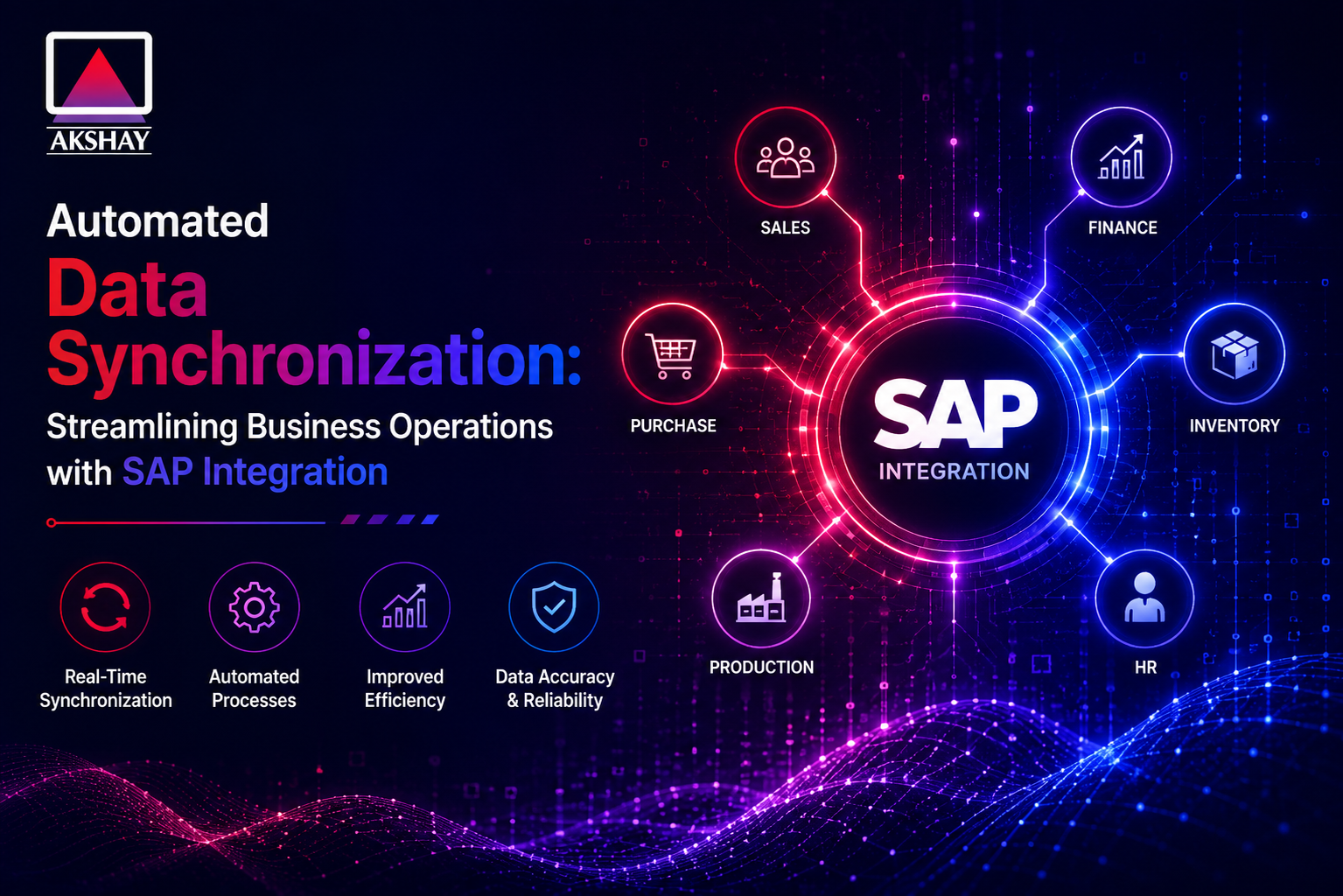
Today’s businesses must stay quick in a fast world. They can’t keep using old ways to get info. Automated Data Synchronization makes things better and faster.
With SAP integration, companies can join their systems together. This makes everything work as one. It lets teams do important work, not just small tasks.
Changing old ways is key for growth. Companies that update their tech get ahead. SAP integration makes your business operations better and ready for the future. Choose best SAP business one implementation partner today with Akshay Software.
Key Takeaways
- Manual entry is rapidly becoming an obsolete practice in modern firms.
- Unified systems act as the backbone for successful digital transformation.
- Real-time information flow reduces costly human errors significantly.
- Strategic technology adoption provides a distinct edge over market rivals.
- Streamlined workflows allow staff to prioritize high-impact business goals.
The Strategic Importance of SAP Integration in the Indian Market
In the Indian market, linking data across complex supply chains is key. The economy is moving to digital, and companies need to update their systems. Effective SAP integration makes sure data moves smoothly between departments.
India’s economy is unique, with many rules and a big logistics network. Local businesses face challenges when data is stuck in silos. A unified strategy can turn these problems into strengths.
Matching global software with Indian market needs boosts business agility. This ensures data is up-to-date for inventory, finance, and taxes. With systems talking to each other, leaders can make data-driven decisions for growth.
The table below shows how integrated systems beat old, separate workflows:
| Operational Metric | Disconnected Systems | Integrated SAP Environment |
| Data Accuracy | High Error Rates | Near 100% Precision |
| Supply Chain Speed | Delayed Updates | Real-Time Visibility |
| Regulatory Compliance | Manual Reporting | Automated Audit Trails |
| Decision Making | Reactive | Proactive and Strategic |
SAP integration is more than a tech update; it’s a strategic must for success in India. Companies focusing on this will be ready for market changes. Investing in strong systems now helps them lead in the digital world.
Assessing Your Current Data Infrastructure and Readiness
A successful digital transformation starts with checking your data infrastructure. You need to know how information moves in your company. This first check is key to your future success.
Identifying Data Silos Across Departments
In India, many companies struggle with data silos. These silos keep important info in one place. When teams like sales and finance don’t share data, your business can’t see the whole picture. This leads to mistakes and slow reports.
To fix this, find out where your data is. Knowing this helps you focus on what needs to be fixed first. When you join your data together, your business can move faster and be more flexible.
Evaluating Existing SAP Modules and Legacy Systems
After finding your silos, look at your SAP modules. Make sure they work well with today’s automation. Many use old legacy systems that don’t support new tech. It’s important to know how much work these old systems need.
See if you need special tools to connect different systems. This helps you choose whether to update or add new parts. The table below shows how different systems affect your automation readiness.
| System Category | Readiness Level | Integration Complexity |
| Modern SAP S/4HANA | High | Low |
| On-Premise SAP ECC | Medium | Moderate |
| Third-Party Legacy Systems | Low | High |
Careful planning now can save you trouble later. Knowing your current limits helps you build a strong base for automation.
Defining Objectives for Automated Data Synchronization
Before starting your digital change, you need clear goals for your data plan. Automated Data Synchronization is key for today’s business operations. But, it only works if your goals are clear.
Having a clear plan means every tech change has a purpose. This makes sure your team works better together.
Setting Key Performance Indicators for Efficiency
To see if your integration works, you need strong Key Performance Indicators. These help you see if your systems talk well without people. By watching these numbers, you find what slows you down.
Working better means less mistakes in data entry. Automation lets your team do more important tasks. Consistency in data becomes your company’s goal.
Aligning Synchronization Goals with Business Growth
Projects fail if they don’t help the company grow. Your Automated Data Synchronization plan must grow with your business. This makes sure your setup helps you grow, not holds you back.
Think about how your data needs will change as you grow. A flexible setup helps your business by changing with the market. Use the table below to see how your current metrics compare to your future goals.
| Metric Category | Manual Process | Automated Goal |
| Data Entry Speed | Slow/High Error | Real-time/High Accuracy |
| Operational Cost | High Labor Input | Low Scalable Cost |
| System Latency | Delayed Updates | Instant Synchronization |
| Decision Making | Reactive/Delayed | Proactive/Data-Driven |
Selecting the Right Integration Tools and Middleware
Choosing the right integration platform is key to smooth data flow across your enterprise. A good SAP integration plan needs tools that fit your future tech plans and current needs. Make sure your middleware can grow and be reliable for today’s business needs.
Comparing SAP PI/PO and SAP Integration Suite
Many companies face a choice between SAP Process Orchestration (PI/PO) and SAP Integration Suite. SAP PI/PO is a reliable choice for complex tasks on-premise. But, the trend is moving to SAP Integration Suite for cloud benefits and easy connections.
The SAP Integration Suite is a unified platform for easier management of hybrid systems. It makes maintenance easier and speeds up new process setups. Your choice depends on your current setup and cloud readiness.
| Feature | SAP PI/PO | SAP Integration Suite |
| Deployment | On-Premise | Cloud-Native |
| Maintenance | High (Manual) | Low (Automated) |
| Scalability | Limited | High |
Considering Third-Party Connectors for Local Compliance
In India, following local rules is a must. Standard SAP integration tools cover the basics, but third-party connectors are needed for local rules. They help with tasks like GST and keeping up with changing rules.
Choosing the right third-party partner is vital for meeting both global ERP standards and local needs. Localized connectors make sure your records are right and data storage meets local rules. This investment reduces risks and avoids costly mistakes in your digital change.
Mapping Data Flows and Establishing Governance Protocols
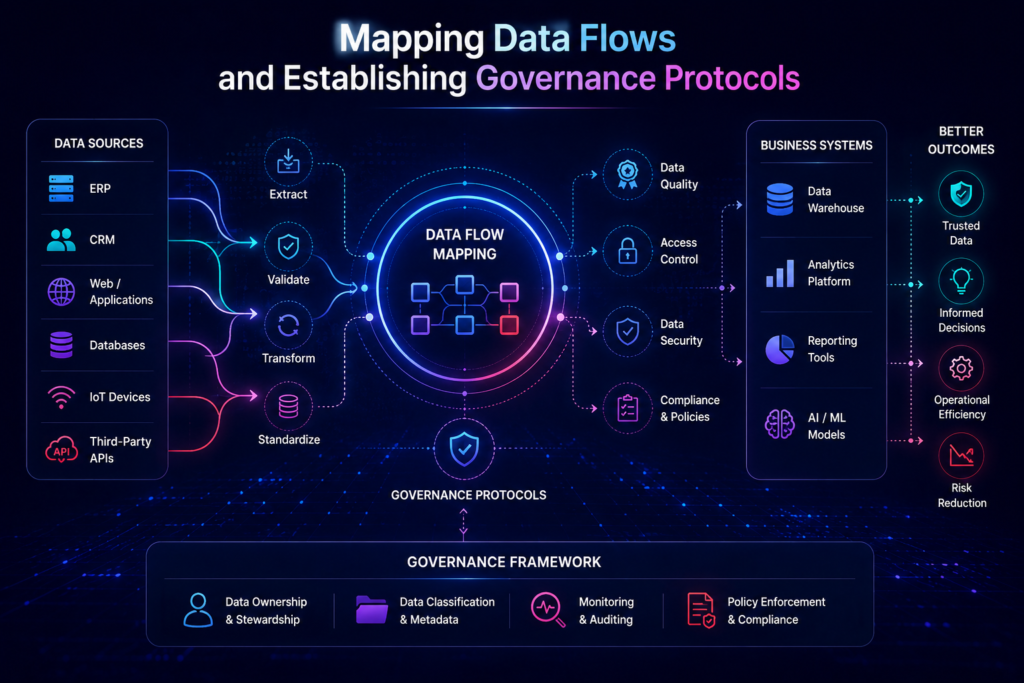
To integrate well, you need a clear plan for how data moves in your company. Seeing how records move between SAP and other systems helps build a strong data infrastructure. This makes your system grow well over time.
This step also finds problems before they slow you down.
Standardizing Data Formats for Cross-Platform Compatibility
Different systems talk in their own ways, causing info to get mixed up. Making all data formats the same helps avoid data silos. This makes it easier for teams to work together.
Using standards like JSON or XML helps old and new systems talk easily. Consistency is the key to keeping good data everywhere. Setting these standards early means your business tools get the best data.
Implementing Security Measures for Sensitive Business Information
Keeping your company’s data safe is very important today. Strong data governance rules protect your info. They make sure only the right people see it when it’s shared.
Encryption is the best way to keep data safe as it moves. Use end-to-end encryption to stop others from seeing your business secrets. Regular security checks and tools that watch for problems help keep you safe as you grow online.
Step One: Preparing Your SAP Environment for Integration
The journey to smooth data sharing starts with making your SAP modules and legacy systems better. Before you start the technical move, your setup needs careful prep. This first step is key for your digital change plan.
Configuring API Endpoints and RFC Connections
Setting up strong communication channels is the first tech challenge in SAP integration. You need to set up API endpoints for safe data sharing between cloud and on-site systems. Good RFC connections make sure systems communicate well without delays.
IT teams should check that all firewall rules and security certificates are up to date. Reliable connectivity stops common problems in big enterprise setups. By focusing on these tech links, you build a strong base for automated tasks.
Cleaning Master Data to Prevent Synchronization Errors
Good master data is key for smooth syncing. If your data has duplicates or old info, it will mess up your whole network. You must do a detailed check to fix formats and remove extra data before starting the integration.
Cleaning your data keeps your legacy systems working right and new parts working as planned. This step reduces the chance of system failures during big data moves. Spending time on data cleaning now saves your team from expensive fixes later.
| Preparation Task | Primary Objective | Impact Level |
| RFC Configuration | System Connectivity | High |
| API Endpoint Setup | Data Exchange | High |
| Master Data Audit | Data Accuracy | Critical |
| Legacy System Review | Compatibility | Medium |
Step Two: Configuring Automated Synchronization Workflows
Setting up automated data synchronization workflows makes sure your business data moves smoothly. You use strong middleware solutions to link your SAP system with other apps. This step is key to keeping your data correct everywhere in your company.
Setting Up Real-Time Triggers for Data Updates
To see changes right away, you need real-time triggers that act fast. When something changes in your SAP module, the middleware sends it to the other system quickly. This is very important for managing inventory and apps that need the latest info.
- Define specific event listeners within your SAP environment.
- Configure the middleware to map data fields accurately during the transfer.
- Establish validation checks to ensure that only clean data triggers an update.
Managing Batch Processing for High-Volume Transactions
Even though quick updates are good, batch processing is best for lots of data. Doing these tasks when it’s quiet helps your system run smoothly. This is great for big financial reports or updates that don’t need to happen right away.
Using both methods wisely helps your business use resources well. You can send important info in real-time and do big tasks later. This smart way to manage data keeps your system running well, even when things get busy.
Step Three: Testing and Validating Data Integrity
Before your automated systems handle live transactions, you must check if every data point is accurate and consistent. This validation phase is a critical safety net. It ensures your digital infrastructure works as planned under real-world conditions. Keeping data integrity is key during this transition to full-scale automation.
Executing End-to-End Integration Testing
Comprehensive testing means simulating the whole lifecycle of a transaction across your connected platforms. You should check that master data stays synchronized and consistent, whether it comes from SAP or a third-party app. Consistency is the bedrock of reliable business intelligence, which is vital for managing complex supply chains in India.
During these tests, make sure data mapping rules work right without any corruption or loss. All fields, from customer profiles to inventory levels, should update in real-time across the whole ecosystem. This proactive approach prevents costly discrepancies that could disrupt your daily operations.
Handling Exception Logs and Error Resolution
Even the most robust systems face occasional hurdles, making effective error management essential. By monitoring exception logs, your IT team can spot bottlenecks or failed transmissions before they affect the business. Having a clear batch processing schedule helps manage high-volume transactions while giving time to address any flagged errors.
The following table outlines effective strategies for managing system errors to maintain high data integrity:
| Error Type | Detection Method | Resolution Strategy |
| Connection Timeout | Automated Alerting | Retry Logic Implementation |
| Data Format Mismatch | Validation Logs | Schema Standardization |
| Duplicate Records | System Reconciliation | De-duplication Scripts |
Effective resolution workflows empower your team to solve issues quickly, reducing downtime. By improving these processes, you ensure your automated synchronization remains a reliable asset for your organization’s long-term growth.
Addressing Regulatory Compliance and Data Sovereignty in India
The Indian market has a complex legal landscape. Companies must manage data well to follow the rules. Keeping data integrity is key for businesses in India.
Adhering to Digital Personal Data Protection Act Requirements
The Digital Personal Data Protection Act sets strict rules for handling user data. SAP systems need to be set up right to manage consent automatically. Not doing this can cause big problems and fines.
To stay compliant, companies should:
- Automate consent tracking in SAP modules for up-to-date info.
- Do regular checks to find and fix data flow issues.
- Have special officers for data governance and policy.
Ensuring Localized Data Storage and Audit Trails
Data sovereignty is very important in India. Companies must keep important data on local servers. This meets local data storage rules and reduces risks of data transfer.
Also, making detailed audit trails is key for being open. These logs show every data move, which is important for checks. Strong audit protocols help show your team is responsible and follows security rules.
Focus on these technical needs to build a safe base for your business. Keep watching these systems to make sure your SAP setup stays right as rules change.
Optimizing Performance and Scalability Post-Implementation
After your automated sync goes live, the real work starts. Keeping your SAP environment top-notch needs constant vigilance. This ensures your business runs smoothly and quickly.
By managing things proactively, you can stop problems before they hurt your profits.
Monitoring System Latency and Throughput
To keep things running well, watch certain Key Performance Indicators closely. High system latency means your system is slow. Check your real-time triggers often to avoid server overload.
Set up alerts for when throughput falls. This way, your IT team knows when to act. By looking at these logs, you can spot and fix delays. Consistent oversight helps make sure data moves well between modules.
Scaling Integration Resources for Seasonal Business Spikes
In India, businesses see big changes in sales during festivals or at the end of the quarter. True scalability means your setup can handle these spikes easily. Use cloud services that can quickly add more power when needed.
Here are ways to stay reliable when things get busy:
- Automated Resource Provisioning: Let your system grow when it gets too busy.
- Load Balancing: Spread out tasks to avoid any single problem.
- Batch Processing Optimization: Move less urgent tasks to quiet times to keep things fast for real-time triggers.
Focus on scalability to keep your SAP integration strong. Watch system latency and tweak your Key Performance Indicators for steady growth in a tough market.
Common Challenges and Best Practices for Long-Term Success
Integration projects don’t stop after deployment. They keep improving and watching over things. Companies need to keep up with new tech and market changes to stay ahead. Consistency is key for a strong digital setup.
Mitigating Risks During System Upgrades
Upgrading systems can add complexity that might mess with business operations. A good plan is to test changes in a safe space first. This way, new features can be added without breaking what already works.
Keeping up with rules is very important during upgrades. Teams must make sure all changes follow the Digital Personal Data Protection Act. Checking data handling regularly helps avoid mistakes or rule breaks during changes.
- Maintain complete backups of all settings.
- Do a deep check on custom code before updates.
- Check data is correct in all parts after updates.
Fostering a Culture of Data-Driven Decision Making
The real power of automation is in the insights it gives leaders. When data flows well, leaders can make smart choices based on real-time analytics. This move away from guessing helps everyone be more responsible.
To keep this going, companies should focus on scalability in their plans. As more data comes in, the system must handle it well. Training staff to understand data helps everyone make better decisions.
By making these habits part of everyday work, businesses can improve for a long time. Staying focused on clean data and quick changes helps grow in the Indian market.
Conclusion
Automated data syncing is key for growing businesses in India. It helps them work better together. This makes teams smarter and faster in their decisions.
Success comes from good management and keeping systems running smoothly. Watching system speed is important. It shows if your systems are working well.
Putting effort into your tech pays off big time. Companies that focus on data safety stand out more. You can turn old systems into something new and powerful.
Start making changes now to stay ahead. Talk to your SAP team to check your work flow. This is the first step to a better future.