
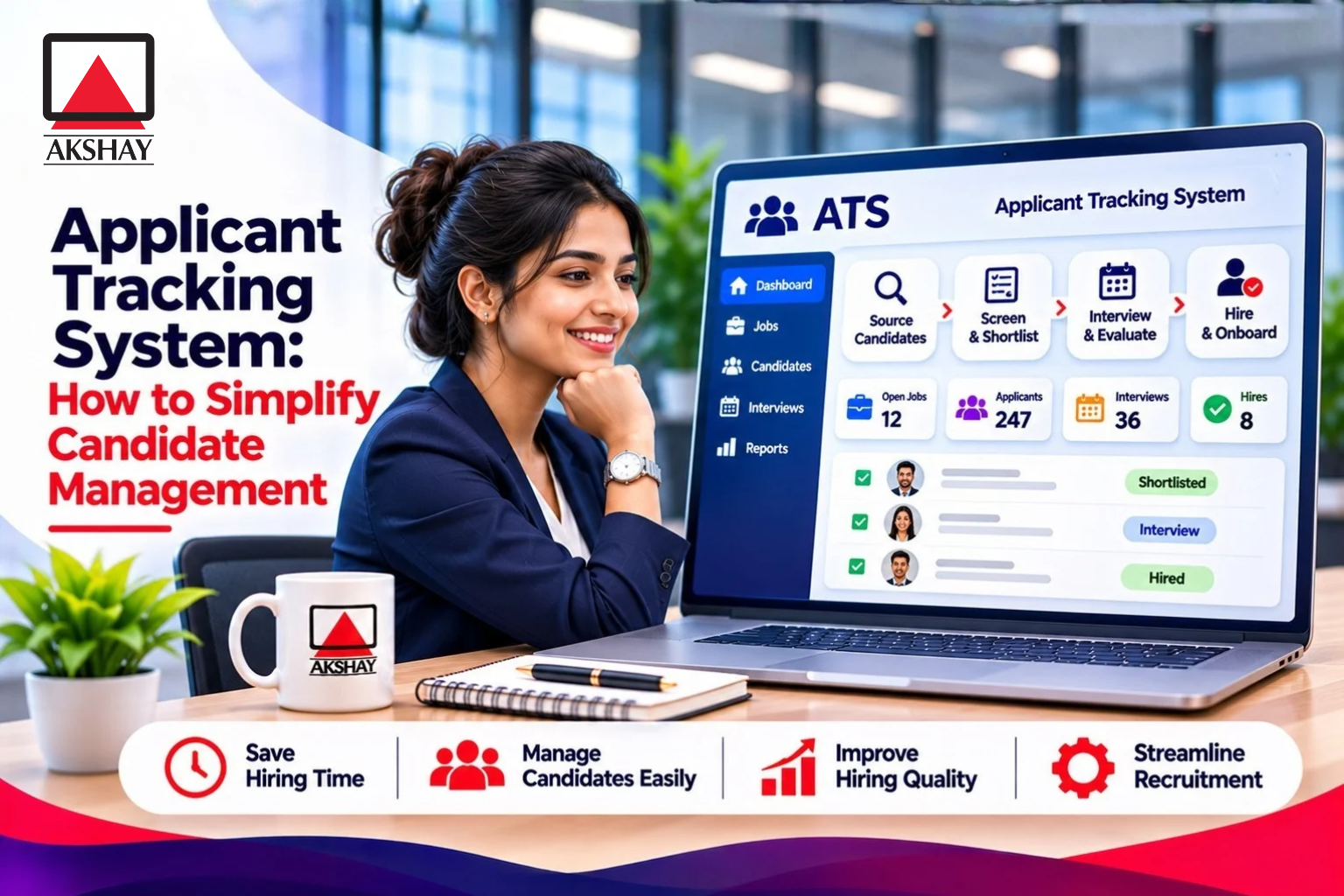
A hiring team that tracks applications in email, spreadsheets, and separate interview notes can lose sight of a qualified candidate before an applicant tracking system helps. A recruiter may have a resume in one inbox, a hiring manager’s feedback in another, and the next interview date in a spreadsheet. That split makes it harder to act on good applications and keep candidates informed.
More than 98% of Fortune 500 companies use an ATS, but hiring software can help teams of many sizes. The practical goal is to bring hiring information and team actions together. Software supports human decisions; it does not replace the people responsible for fair review and selection.
This guide will help you assess your hiring needs, compare systems, and plan a useful workflow for your team. A shared, consistently maintained hiring workflow makes it easier for everyone on the team to see what needs attention.
Key Takeaways
- Keep candidate details and hiring actions in one shared place.
- Choose software that fits your hiring volume and process.
- Use clear owners and next steps to prevent missed follow-ups.
- Keep people responsible for candidate review and hiring decisions.
- Measure your own results after the system is in use.
What Is an Applicant Tracking System?
An applicant tracking system, or ATS, is software that organizes applications and coordinates a company’s hiring workflow. It gives recruiters and hiring managers a shared record of candidates and hiring actions. That record can keep resumes, notes, assessments, offer letters, and approvals together.
Resume parsing is the automated extraction of details such as skills, education, and work history from a resume into a searchable candidate profile. A recruiter can use that profile to find an applicant’s experience, then add notes from a screening call. The hiring manager can open the same record and review those notes before an interview.
People often search for applicant tracking system meaning or ATS applicant tracking system to understand the same basic idea. ATS stands for applicant tracking system. Applicant tracking software organizes the work that follows an application, rather than making the hiring decision for your team.
An ATS can manage hiring after someone applies, with progress tracked from screening through an offer. Your team can set stages that match its process and move each candidate through them. The system can also store related files and actions in one place.
For example, a recruiter may mark a candidate as ready for an interview and request a time from the hiring manager. The manager can review the candidate record, add feedback, and record a decision there. Both people see the same status instead of relying on separate messages.
That shared record helps your team see which applications need attention and who owns the next step. An ATS may sort or filter candidate information, but people still need to judge skills, experience, and fit. Treat the ATS as a shared record of the hiring process, not as an automatic judge of who deserves a job.
How Does an ATS Work From Application to Offer?
A typical ATS workflow begins when a team creates a vacancy and publishes it to its careers page or selected job boards. Each stage gives your team a place to record progress, decisions, and next actions. A candidate should always have a clear status and an owner.
From job posting to searchable profile
The recruiter starts with an approved role, adds its details, and chooses where to post it. Candidates submit applications through the careers page or a connected job board. The ATS collects their resumes and contact details under the right vacancy.
Resume parsing extracts details such as skills, education, and work history into structured profiles. Recruiters can search those profiles by role-related terms instead of opening every file first. They can then review the resume itself to check context and accuracy.
Some systems connect email and calendars to hiring tasks. Those links can help recruiters send interview requests or keep a meeting on the team’s calendar. The team still needs to check that the right people receive each update.
From screening to interview feedback and offer
After an initial review, the recruiter moves each candidate through agreed stages. A simple five-stage pipeline might be application, screening, interview, assessment, and offer. Your team can add or change stages to fit the role and its decision steps.
At screening, recruiters record whether the candidate meets the role’s stated needs. Interview management can help coordinate times and share questions with interviewers. Structured notes let each person record job-related feedback in the same format.
After interviews or assessments, the team reviews feedback and agrees on the next step. The ATS can record approvals before a recruiter prepares an offer. If the candidate declines or the team ends the process, that outcome can also be saved.
Different roles may need different stages, but every stage needs a clear purpose. Reporting can show how many candidates remain in each step and where delays occur. Set a clear owner and next action at each stage so candidates do not sit in a pipeline without follow-up.
How Does an ATS Differ From a Recruiting CRM?
An ATS is built to manage candidates through an active hiring process, while a recruiting CRM is built to nurture relationships before an application. The main difference is when each tool supports your recruitment process. An ATS handles applicants; a recruiting CRM helps your team find and engage future candidates.
Once someone applies, the ATS can organize the resume, recruiter notes, assessment outcomes, offer letters, and approvals. It can also support several job openings and assign recruitment teams to each one. That makes it useful for managing active candidates across multiple roles.
A recruiting CRM helps your team build talent pools and stay in touch with people who may not be applying yet. Recruiters can group contacts by skills, interests, or likely job roles. Targeted email campaigns can share relevant openings or updates with those groups.
For example, a team may keep in touch with software engineers it met at an event. Later, recruiters can contact people whose skills match a new vacancy. A CRM can help keep those relationships active without treating every contact as an applicant.
Some ATS products include talent-pool and candidate engagement features. A team with modest sourcing needs may be able to manage both active applicants and past candidates in one system. In that case, buying a separate CRM could add work without solving a real problem.
Using both tools can make sense when your team needs structured hiring and long-term candidate nurturing. A recruiting CRM can support sourcing and contact history, while the ATS manages applications and decisions. Your team should also check how the systems share candidate data.
Separate systems can create duplicate records if contact details do not sync well. Map the work your team needs each tool to do before adding another platform. Choose separate tools only when the extra sourcing and relationship-management depth solves a real gap in your hiring process.
What Can an ATS Improve for a Hiring Team?
An ATS creates the greatest value when recruiters and hiring managers use it as the shared place to manage their work. Consistent use can reduce manual coordination and help the team see where candidates stand. The gains depend on process quality and user adoption, not software alone.
Less manual coordination and clearer ownership
Centralized records can reduce the time recruiters spend searching email threads for resumes or interview notes. Automated resume parsing can put key candidate details into profiles for review. Interview scheduling, feedback collection, and reminders can also reduce routine follow-up work.
Clear ownership helps prevent gaps between recruiter and hiring manager. A recruiter can assign an interview review to a manager, then see whether feedback has arrived. The team can spot delays sooner and ask the right person to act.
Some general benchmarks report time-to-hire reductions of up to 60%. These figures are not promises for an individual employer. Your results depend on hiring needs, candidate volume, process design, and whether the team uses the system.
A more consistent candidate experience
Candidates notice when an employer sends clear updates and keeps interview steps organized. A consistent process can help recruiters explain what happens next and avoid leaving applicants without a response. It also gives interviewers a shared view of role expectations.
Application design matters, too. General findings report 41.2% candidate application abandonment overall and 37.7% abandonment at companies with fewer than 250 employees. A lengthy form or unclear request can lead people to stop before submitting.
An ATS can help your team review where candidates leave the process, but it cannot fix every cause. Check the number of required fields, the clarity of job details, and the speed of follow-up. Use the system to find friction, then adjust the process.
- Less coordination across email, calendars, and notes.
- Clearer updates about candidate status and next steps.
- More consistent interview feedback across hiring managers.
- Better visibility into delays in the recruitment process.
Measure your own time-to-hire and application completion before and after implementation instead of assuming a benchmark will match your team.
Which ATS Features Matter for Recruiting in India?
For most teams, useful ATS features are the ones that reduce handoffs and make candidate status easy to understand. Start with the work your recruiters and hiring managers do each week. Pick features that address real delays, not a long list of sales claims.
Core workflow and reporting capabilities
Look for consistent hiring stages, job posting, and application intake. Resume parsing and searchable candidate profiles help recruiters sort and find information. These tools work best when the team reviews the original resume before making a decision.
Interview management can keep interview times, participants, and feedback tied to the right vacancy. Structured interviews and scorecards help interviewers assess candidates against the same role-related criteria. That makes feedback easier to compare without assuming every person needs identical questions.
Reporting can show how many applicants move between stages and where activity slows. Reports are useful only when the team records updates in a consistent way. A late or missing status can make a report look more certain than it is.
- Job distribution: Check which job boards and career pages the system can reach.
- Search and filtering: Test whether recruiters can find relevant profiles quickly.
- Interview coordination: Check calendar links, reminders, and feedback collection.
- Reporting: Review whether reports answer questions your team actually asks.
Which hiring sites reach candidates in India?
Naukri, LinkedIn, Indeed, Foundit, and Apna are familiar job sites for employers in India. They are examples, not a verified ranking of the top five hiring sites in India. The better choice depends on the role, location, and kind of candidate you need.
Naukri’s job-search app lets users create a profile, search for jobs, and apply at no cost. It offers filters for industry, function, location, and experience level. Those search filters can help job seekers narrow the roles they see.
If you ask which job site is better than Naukri, begin with your hiring goal. LinkedIn can support professional networking, while Indeed, Foundit, or Apna may be worth testing for different candidate pools. Compare the quality of applications, not just the number of views.
Job boards differ by role and candidate group, so check the reach of each site against open vacancies. Ask whether your ATS can post to the sites your team uses and track incoming applications. Test job-board reach against the roles you actually hire for, since visibility alone does not guarantee suitable applications.
What Types of ATS Fit Different Organizations?
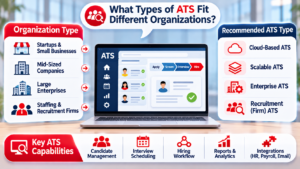
The right ATS category depends more on hiring volume and process complexity than on the number of features in a sales pitch. Match the system to the amount of control your team needs. A small team with occasional vacancies may not need enterprise-level controls.
Lightweight systems for occasional hiring
A lightweight ATS suits smaller teams with basic hiring needs and a modest number of vacancies. It may offer a simpler setup and fewer workflow options. JazzHR is an example for small and mid-sized businesses.
This kind of system can work when one or two recruiters manage most tasks. Your team may need less training and fewer approvals than a large company. Check that the core stages still fit your hiring process.
Scalable, enterprise, and HR-platform systems
A scalable ATS can support more roles, teams, and reporting needs as hiring grows. Ashby is one example. A wider range of settings can bring more flexibility, but may also require more time to set up.
Enterprise ATS products can support complex hiring across larger organizations. Workday Recruiting is an example. These systems may suit teams that need broader controls, but their setup and training can take more effort.
An HR-platform recruiting module connects hiring with other employee tasks. BambooHR is an example of this type. A team that already uses an HR platform may prefer a shared system for recruiting and employee records.
| ATS type | Typical hiring need | Workflow scope | Example |
|---|---|---|---|
| Lightweight | Occasional vacancies | Basic applicant stages | JazzHR |
| Scalable | Growing hiring volume | Flexible team workflows | Ashby |
| Enterprise | Large, complex hiring | Broad controls and roles | Workday Recruiting |
| HR-platform module | Hiring linked to HR tasks | Recruiting within HR software | BambooHR |
Compare setup needs, flexibility, and user access before choosing a category. More controls can help a complex team, but they can burden a small one. Choose the lightest system that can support your current hiring and a realistic next stage of growth.
When Should a Company Move Beyond Spreadsheets?
If your team is hiring 25-40 people a year or managing 3 or more open roles at once, it is worth testing whether manual tracking still works. These figures are signals, not rules that require you to buy software. Dozens or hundreds of applicants per role can also make manual tracking hard to maintain.
Hiring volume and simultaneous vacancies
One spreadsheet may work for a small team hiring for a single role. Several open roles create more rows, owners, and interview schedules to manage. When applications arrive across job boards and email, staff can lose track of the latest record.
Hiring 25-40 people a year is a practical point to review your process. Three or more roles at once can add pressure, especially when recruiters share candidates or managers. A team that receives a high volume of applicants may need better search and reporting sooner.
Coordination, visibility, and compliance needs
Manual tracking gets harder when several interviewers need to review the same candidate. Feedback may arrive late or sit in private notes. Recruiters may not know who should contact an applicant next.
Fragmented records can also make it hard to explain why a hiring decision happened. You may need clearer access rules, a history of actions, or reports for internal review. A spreadsheet can store data, but someone must keep it accurate and control who can see it.
Use these checks to see where your current process strains:
- Parallel vacancies: Do several roles need updates at the same time?
- Applicant volume: Does one vacancy bring dozens or hundreds of applications?
- Multiple decision-makers: Do several people review each candidate?
- Unclear ownership: Do candidates wait because nobody owns the next action?
- Unreliable reporting: Can your team trust its counts and stage updates?
A high number in one area may be manageable if the process is clear. Several warning signs together suggest manual tools may be costing time and losing follow-ups. Move to an ATS when the cost of missed handoffs and manual coordination outweighs the simplicity of your current tools.
Can a Spreadsheet or Template Track Applicants?
A spreadsheet can track applicants when a small team has a manageable number of roles and a clear owner for updates. A simple tracker can show openings, candidates, and next steps without a complex setup. It works best when one person keeps each record current.
What a simple tracker can organize
Use one table for job openings and descriptions, then another for applicants and contact information. Excel or a similar spreadsheet can also record the hiring manager, candidate stage, and next action. A unique candidate name or email can help staff spot repeat entries.
Airtable’s free Simple Applicant Tracker template uses one table for openings and descriptions, and another for applicants and contact details. It offers calendar, kanban, and filtered views. A recruiter can filter candidates by the hiring-manager owner.
| Tracker field | What to record | Example entry |
|---|---|---|
| Opening | Role and description | Customer support associate |
| Applicant | Name and contact details | Candidate name and email |
| Owner | Recruiter or hiring manager | Hiring manager assigned |
| Stage | Current hiring step | Interview |
| Next action | Task and due date | Send feedback by Friday |
Where spreadsheets stop scaling
Duplicate records can appear when several people add the same applicant. Access control may be limited, and reminders depend on users setting them. Reporting also takes extra work when each person updates stages differently.
Several roles can make the tracker harder to read, especially when candidates apply for more than one job. Airtable’s calendar, kanban, and filtered views can make a small candidate pool easier to manage. Its template is a practical starting point, not a full hiring workflow system.
Keep the tracker small enough for people to update without guesswork. Agree on stage names and restrict access to people who need candidate information. Add a named owner and next-action date to every active applicant row, even in the simplest template.
How Should You Choose an ATS for Your Company?
The best recruitment platform for your company is the one your team will use consistently and that fits the hiring work you need to manage. Start with your workflow, then test the system with recruiters and hiring managers. There is no universal best choice for every team.
Match the system to workflows and users
List the stages your team uses for common roles and note who acts at each stage. Check that recruiters and hiring managers can find their tasks without needing constant help. A system that matches daily work is more likely to get adopted.
Consider whether the system can support growth in users, roles, and hiring volume. Ask how migration works and which candidate records your team can bring over. Simple deployments may take weeks, while complex enterprise implementations can take months.
Check integrations, reporting, and total cost
Check connections to the HR, assessment, email, and calendar tools your team already uses. Ask for a live example of data moving between systems. Confirm what happens when a connection fails or a vendor changes its service.
Review reports, support, training, and the full cost of setup and use. A low subscription price may not include migration or training. Ask for written detail on one-time fees, recurring charges, and any limits that affect your hiring volume.
| What to assess | Question to ask | Evidence to request | Risk if ignored |
|---|---|---|---|
| Workflow fit | Can it match our hiring stages? | Demo using a real vacancy | Extra manual steps |
| Adoption | Can managers use it easily? | Task test with users | Low or uneven use |
| Integrations | Does it connect to our tools? | Written connection list | Duplicate data entry |
| Total cost | What will year one include? | Full written cost breakdown | Unexpected fees |
Small teams that prioritize budget and basic hiring can start by comparing Breezy HR and JazzHR. Teams that need reporting can assess Greenhouse, while high-growth teams can assess Ashby. These are needs-based examples, not an overall ranking.
- Workflow demo: Test a real vacancy from intake through offer.
- Integration confirmation: Get written details on needed connections.
- Implementation scope: Confirm migration, setup, training, and support.
- Written cost breakdown: Review recurring and one-time fees.
Ask each shortlisted provider to demonstrate one real vacancy workflow with your recruiters and hiring managers.
What Are Examples of ATS Systems for Recruiting?
A useful ATS shortlist starts with the hiring problem each product is designed to address, not with a single winner. Compare specific strengths against your needs and team size. The prices below are product-specific figures for 2026, not a substitute for a quote or confirmation of current terms.
The table covers five products, with four more described below. Paid starting prices and free plans are different offers, so check which plan features match your work. Custom pricing means the product does not show one standard price in these figures.
| Product | Best fit or standout | Price shown for 2026 | Billing basis |
|---|---|---|---|
| Workable | Advanced people search | $360/month | Billed monthly |
| Breezy HR | Free plan available | Free plan; paid from $157/month | Paid start billed annually |
| Pinpoint | Customizable collaborative workflows | Custom pricing | Custom quote |
| Zoho Recruit | Built-in AI assistant | Forever-free plan; paid from $25/user/month | Paid start billed annually |
| Greenhouse | Interactive data visualizations | Custom pricing | Custom quote |
Workable’s price starts at $360 per month, billed monthly, and its standout feature is advanced people search. The table shows that price once. Breezy HR has a free plan, with paid pricing starting at $157 per month, billed annually.
Pinpoint offers customizable workflows for collaborative hiring and has custom pricing. Zoho Recruit has a built-in AI assistant and a forever-free plan. Its paid pricing starts at $25 per user per month, billed annually.
Greenhouse offers interactive data visualizations for reporting and has custom pricing. The table lists these five products and their supplied strengths and prices. Review plan limits before deciding whether a free option supports your team.
BambooHR combines recruiting with HR features such as onboarding and payroll, and has custom pricing. JazzHR is positioned for small and mid-sized businesses, with pricing starting at $83.33 per month, billed annually.
Lever offers personalized automated outreach campaigns for passive candidates and has custom pricing. Ashby is positioned for high-growth organizations, offers customizable reporting, and starts at $270 per month, billed annually.
These products differ in scope, reporting, and support for candidate outreach. Compare the shortlist against your workflow and confirm the current plan terms before making a purchase.
How Much Does an ATS Cost?
ATS budgets can range from hundreds of dollars a month for smaller teams to substantial annual contracts for enterprise deployments. As broad market context, software for small and mid-sized teams typically costs $50-$300 per month. Advanced enterprise systems commonly cost in the mid-five-figure to low-six-figure range each year.
These are general USD ranges, not India-specific quotes. Features, user count, hiring volume, and service scope all affect the price. More users, higher hiring volume, and added services can raise the total.
Flat-rate pricing charges one set amount for the system, often within stated plan limits. Per-user pricing charges for each person with access. Per-vacancy pricing links charges to the number of open roles your team manages.
Per-module pricing lets a company pay for selected parts, such as recruiting or reporting. That can keep an entry plan smaller, but the total may grow as your team adds tools. Check which features come with the base plan.
Subscription costs are only part of the budget. Add implementation, training, data migration, and support to estimate the first year. Ask whether those services are included or billed separately.
Compare the full first-year cost, not just the subscription line, before deciding what your team can afford. A system with a higher monthly fee may include services your team would otherwise pay for. Keep each cost in the same currency when comparing plans.
Is 80% a Good ATS Score?
An 80% resume match is a useful target for many ATS configurations, but it is not a universal pass mark. The score is a guide, not a measure of a person’s full ability. Scores change with the system and the job settings.
What a match score can tell you
Some guidance recommends a score above 80% for most ATS configurations and 85% or higher for highly competitive Fortune 500 roles. These targets do not apply to every employer or job. A score reflects how well a resume matches selected requirements, not the whole candidate.
Required hard skills carry the highest keyword weight in some systems. Missing one required hard skill can reduce a resume score by 10-15 points. A lower score may prompt review, but it should not replace a person’s judgment.
Candidates who benchmark consistently score 20-40 percentage points higher than candidates who guess. That figure describes a reported comparison, not a promise for every applicant. The value of benchmarking depends on using the real job requirements.
How to improve resume compatibility without keyword stuffing
Use standard headings, readable fonts, and a straightforward layout. Include accurate job-related terms when they describe your skills or experience. Clear writing helps both the software and a person reviewing the resume.
Do not repeat keywords just to raise a score. Do not claim a skill or qualification you do not have. A resume should make relevant experience easy to find while staying true to the candidate’s background.
Hiring teams should set screening rules that match actual role needs and check how automated screening affects applications. Review the resume against the actual role requirements and have a person assess experience and fit rather than relying on a score alone.
How Do You Implement an ATS and Measure Its Results?
A successful ATS rollout begins with the hiring process your team actually follows, including its handoffs and bottlenecks. Start with real work, not an ideal process written only for setup. Test the system with a live-role scenario before broad use.
Configure the workflow and prepare the team
Map the steps recruiters and hiring managers use for a common role. Mark who owns each stage and where approvals or feedback slow down. Set up system stages and access permissions to match those needs.
Migrate useful candidate data, not every old record by default. Remove duplicate or outdated information where practical. Test a sample vacancy from application through offer and check that each user can complete their tasks.
Train recruiters and hiring managers on the actions they must take. Show users how to update stages, record feedback, and assign next steps. Set human review for automated screening so the system does not make a final hiring decision.
- Map the process and name each stage owner.
- Configure stages and permissions for each user group.
- Migrate records that remain useful to current hiring.
- Train recruiters and hiring managers on daily tasks.
- Review results and adjust weak points in the workflow.
Track adoption and hiring outcomes
Measure application completion rates to see whether candidates finish the form. Track screening efficiency to check how quickly the team reviews applicants. Interview-to-hire ratios can show how interview decisions relate to offers.
New-hire performance can help your team review whether the hiring process is selecting people who succeed in their roles. Use that measure with care and context. Role demands and manager support can affect the results.
Compare these measures each quarter with benchmarks from before the ATS. Check user adoption alongside hiring outcomes, since missing updates can distort reports. Schedule a quarterly review with recruiters and hiring managers to turn the results into specific workflow adjustments.
Conclusion
An ATS is most useful when it gives your team a clear, shared way to manage candidates and decisions. Centralized information and clear ownership can make hiring easier to manage, while people remain responsible for fair evaluation and decisions.
Start with one role your team is hiring for now. Map its steps and use that real process to compare a short list of suitable tools. Map one open role from application to offer, then use that workflow as your first test when comparing systems. Connect with Akshay Software for more details.