
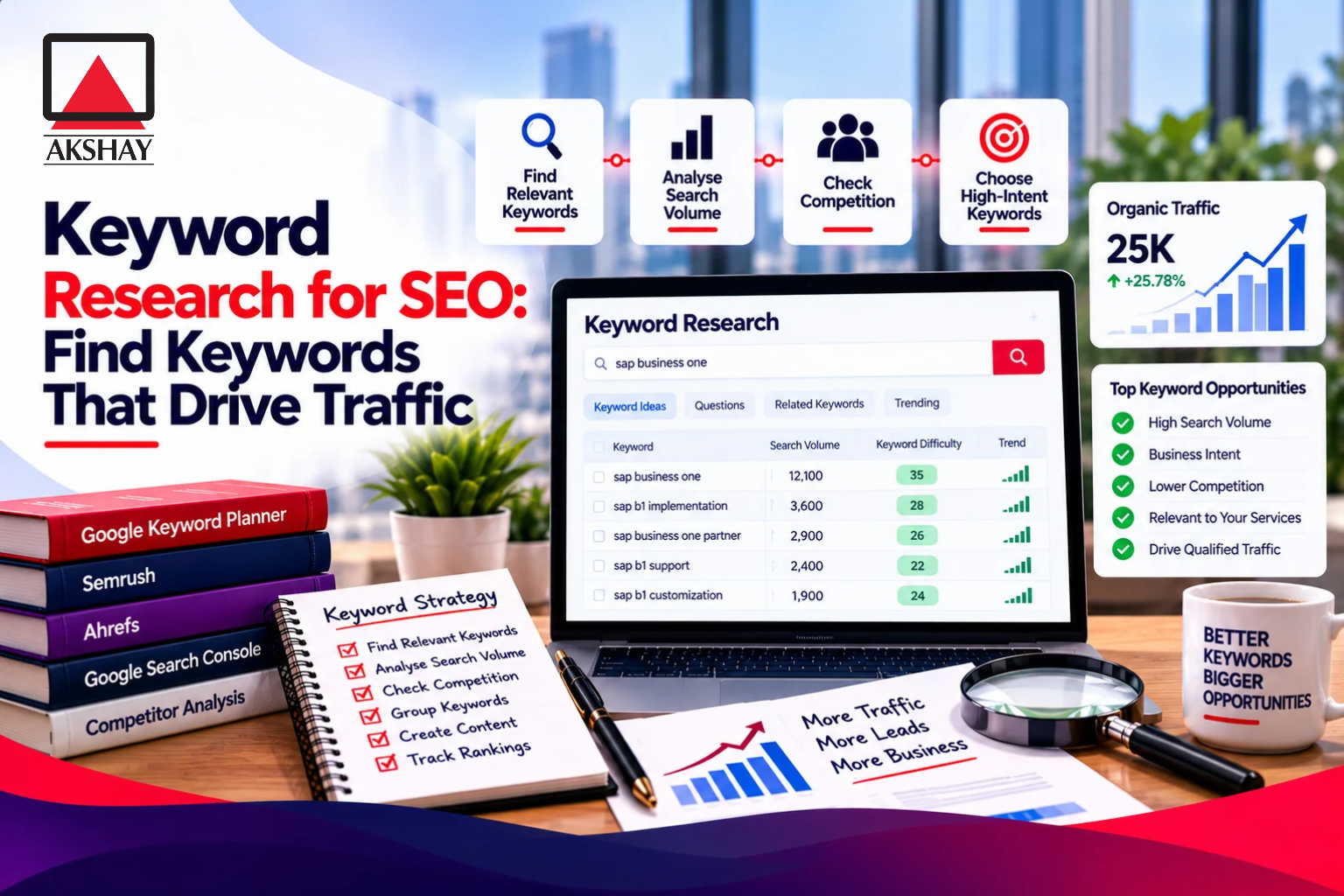
A useful page starts with a real audience need, not a guess about which topic might attract visitors. Keyword research for SEO helps you learn what your audience wants to find, then plan content that meets that need. The goal is not to insert popular terms for their own sake. It is to build a website with pages that help people and make sense to search engines.
Search intent is the goal a person wants to achieve when they make a search. A searcher may want an answer, a product comparison, or a place to buy. When your page matches that goal, it has a clearer reason to exist. You can use research to connect marketing goals with useful topics, rather than chasing traffic that does not fit your work.
You will start with your audience and seed ideas, then assess demand and competition. You will also learn how to group related queries, assign them to pages, and measure what happens. The best starting point is a problem your audience already wants solved.
Key Takeaways
- Build pages around real audience needs.
- Use search intent to choose a suitable page format.
- Treat search volume and keyword difficulty as estimates.
- Group similar queries when results show the same need.
- Check your site’s search performance before updating pages.
Why Does Keyword Research Matter to SEO?
Keyword research matters because it helps you decide which audience needs your website can answer with a useful page. It links the words people use with content that fits their goals. That match helps search engines understand a page and helps visitors decide whether it is useful.
Research guides content choices, but it cannot guarantee rankings or visits. SEO is commonly divided into on-page, off-page, technical, and local SEO. Keyword research most directly informs on-page content, while also supporting broader plans for your website.
On-page SEO covers the content and page elements you control. Off-page SEO includes signals from other sites, while technical SEO concerns how your site works. Local SEO helps people find businesses in a specific area. Keyword research can shape each plan, but it does not replace sound site structure or useful information.
Google finds and adds most pages to its index as it crawls the web. Google’s automatic crawling and indexing do not mean every page will rank or appear for a useful search. Search engines choose what to show based on many signals.
Search volume counts searches, not unique people. One person may search the same term more than once, and many searches may not lead to a visit. A page ranking first rarely receives more than 30% of a keyword’s reported search volume in traffic.
Treat search demand as evidence of interest, not a forecast of guaranteed visitors.
How to Do Keyword Research for SEO
Start by naming the result the site needs and the people it needs to reach. Clear goals help you build a keyword research plan around useful outcomes, not a pile of phrases. Choose topics your site can answer with real experience or expertise.
A business may want more traffic, leads, sales, or brand visibility. Those goals call for different pages and measures. For help setting measurable SEO goals, review this guide to choosing an SEO partner.
Set a business goal and describe your audience
Write down who you want to reach and what they need from you. Customer questions, sales conversations, and support requests can reveal both their language and their pain points. A B2B team, for example, may hear repeated questions about pricing, demos, or implementation services.
Turn those questions into topics that match the site’s goals. A sales goal may call for pages that help buyers compare services. A brand goal may call for useful answers that introduce your expertise.
Choose seed keywords that reflect real needs
A seed keyword is a broad starting phrase, not a final page title. A hiking site might begin with “hiking trails,” while the broader word “hiking” could lead in many directions. Do not make one broad term the whole plan.
Use these prompts to list keywords tied to your work:
- What you offer, such as guided hikes or accounting software.
- The problems your products or services solve.
- The questions your audience asks before making a choice.
- The words customers use in calls, emails, and support requests.
Keep the first seed list tied to topics the site can genuinely cover.
Where Can You Find More Keyword Ideas?
A seed phrase becomes more useful when you expand it with the wording people use in questions and conversations. Real phrasing can reveal useful related keywords that a broad topic misses. Check every idea for relevance before treating it as a target.
Google Autocomplete suggests searches as you type into Google Search. People Also Ask shows related questions, while related searches appear near the bottom of many results pages. These features can give you words and phrases to test, not proof that a topic deserves a page.
AnswerThePublic groups questions and other terms around a topic. Its free option allows 3 searches per day. That limit can suit a small first pass, though a longer seed list may take several days to review.
ChatGPT can help brainstorm ideas and variations from a seed keyword. It cannot provide reliable SEO metrics such as monthly search volume or keyword difficulty. It can also suggest topics that do not fit your audience, so human judgment still matters.
These five places can help you discover more ideas:
- Google suggestions, including Autocomplete and related searches.
- Question-and-answer threads where people describe problems.
- Niche forums focused on your field or audience.
- Customer conversations, sales calls, and support requests.
- ChatGPT brainstorming that you check against real search data.
Use these sources to widen your list, then look for the same questions across different places. A phrase that comes up in customer calls and search suggestions may point to a genuine need. Still, a repeated question does not prove that your site is the right place to answer it.
Verify every brainstormed idea against actual search results or a data tool before treating it as an opportunity.
How Do You Use Google Keyword Planner?
Google Keyword Planner is useful for generating ideas and advertising estimates, but it does not measure organic difficulty. Use it for ideas and paid-search planning, then judge organic prospects separately. Its competition column measures paid-ad competition, not organic ranking difficulty.
The Google keyword tool can suggest phrases and show estimated monthly searches, average ad costs, and campaign forecasts. Enter a phrase, a website, or both. Adding a keyword with a URL can produce more ideas than entering only a URL.
Google Ads forecasts estimate clicks, impressions, or conversions based on spend. They refresh daily using the previous 7-10 days of data, adjusted for seasonality. Low-volume or sensitive terms may return no ideas or forecasts.
Keyword Planner groups close variants and may show search volume in ranges such as 1K-10K. Those ranges are not exact counts. Search volume and average ad costs support advertising choices, but they do not give an exact estimate of organic visits.
Basic access requires a Google Ads account, billing information, and a created campaign. You do not need a separate Keyword Planner account. If your account uses Smart Mode, switch to Expert Mode to access the tool. Google’s Keyword Planner instructions explain its ideas, estimates, and forecasts.
These Google tools offer different kinds of keyword research data:
| Tool | Useful data | Main limitation |
|---|---|---|
| Google Keyword Planner | Keyword estimates | Ad-oriented estimates |
| Google Trends | Normalized interest | Not absolute volume |
| Google Search Console | Your site’s query performance | Only data for your site |
Use its suggestions to widen the list, then judge ranking prospects from organic search results.
What Can Google Trends Tell You About Search Demand?
Google Trends shows relative search interest, not the number of monthly searches. Use it to compare direction over time or across places. Its 0-100 scale is not a search-volume count.
A score of 100 marks a term’s peak popularity during the selected period and location. A score of 50 means half that interest, while 0 means there was not enough data. The scale changes with the date range and place you select.
Compare related topics over the same date range to see which one is gaining interest. For example, compare “hiking boots” and “trail running shoes” in India over the same year. That can show when interest rises or falls, and whether one topic has a seasonal pattern.
Do not compare charts with different date ranges or regions as if their scores shared one scale. A term may have a score of 100 in a small region and far fewer searches than a term scoring 50 nationwide. The number shows relative interest within the selected view.
You can filter interest by country, region, or city. Interest by Region ranks a term’s share of searches in an area, not that area’s total number of searches for the term. A high regional score does not tell you how many people searched there.
For location planning, use Trends to see where interest is relatively strong, then check local needs and search results. Google Trends can also help you spot a possible rise before you plan seasonal content. It cannot confirm that a trend will continue or bring visits to your site.
Use a separate source for absolute volume before estimating the audience size.
How Do You Identify Search Intent?
Search intent is the reason a person makes a search, and the page should meet that reason. Match the goal before choosing the format. Check Google’s actual results because one query can show more than one page type.
Search intent commonly falls into four types: informational, navigational, commercial, and transactional. A person may want to learn, reach a named site, compare choices, or complete a purchase. These broad labels help you plan, but the live SERP shows what Google currently serves.
| Intent type | Example query | Page format that fits |
|---|---|---|
| Informational | how much caffeine is in coffee | Educational article |
| Navigational | Stumptown Coffee | Brand or location page |
| Commercial | best instant coffee | Comparison or buying guide |
| Transactional | buy coffee online | Product or category page |
A search for a product may show buying guides, product pages, and store listings at once. That mix suggests that people have different goals, or that the query does not point to one clear action. Look at the result types before deciding what your own page should do.
Do not force an informational article to act like a product page. A page can mention an offer when it fits, but its main purpose should stay clear. A searcher should be able to tell from the title and page content what they will get.
If the results show mixed intent, choose a clear primary audience and make the page’s purpose obvious.
How Should You Read Search Volume and Keyword Difficulty?
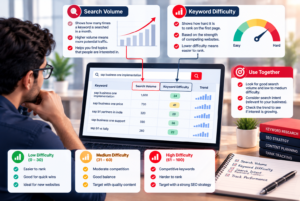
Read search volume as a demand estimate and difficulty as a tool’s rough competition signal, not as a ranking guarantee. Read them together with the page and audience in mind. Neither metric predicts your traffic on its own.
Treat search volume as an estimate of demand
Search volume estimates monthly searches for a selected location. Tools often show annual averages, so a seasonal rise or drop may be hidden. A country-specific estimate can differ from the same term’s estimate in another country.
Volume counts searches, not unique people. One person can make the same search several times, and a search does not always lead to a click. In one example, the page ranking first rarely received more than 30% of a keyword’s reported search volume in traffic.
Use keyword difficulty as a screening signal
Keyword difficulty, or KD, is an estimate made by an SEO tool, not an official Google score. Semrush calculates its KD using the top 10 results, backlink profiles, keyword details, and regional calibration. A score can help screen a list, but it cannot tell you exactly how hard your own page will compete.
Semrush labels scores Very Easy (0-14), Easy (15-29), Possible (30-49), Difficult (50-69), Hard (70-84), and Very Hard (85-100). It says scores under 30 are typical targets for new or low-authority sites. Scores of 50-70 can be realistic for established sites with strong backlinks.
The same KD can mean different things for sites with different authority and content strength. Use this practical guide as a screen, not a rigid rule:
| Score band | Semrush tier | Practical interpretation |
|---|---|---|
| 0-14 | Very Easy | Worth checking for fit |
| 15-29 | Easy | Often suits a newer site |
| 30-49 | Possible | Check result quality closely |
| 50-69 | Difficult | May suit an established site |
| 70-100 | Hard or Very Hard | Expect strong competition |
Inspect the current results before rejecting a term solely because one tool gives it a high score.
How Can Competitor Research Reveal Gaps?
A useful competitor is one that serves a similar audience and competes for similar search results. Choose like-for-like sites, not famous brands that sell to a different buyer. A keyword gap is a topic competitors rank for that your site does not yet cover.
Find comparable sites in the results
Competitor research compares your website with at least two relevant competing websites. Search for your main topics and note the sites that appear in the same SERPs. A business in the same field may still be a poor match if it serves a different audience or market.
For a B2B service, compare firms that target similar buyers and offer similar work. Their page formats may show how buyers look for answers at different stages. See this guide to B2B website search optimization for more on matching content to buyer needs.
Compare ranking pages and missing topics
Review competitor domains to spot broad strengths, then inspect specific URLs to see what each page answers. A keyword tool can help find terms that competitors rank for and your site does not. Those terms are leads for review, not ready-made content assignments.
Check each possible gap before adding it to your keyword research list:
- Audience match: does the topic serve the people your site wants to reach?
- Page type: do the results show a format your site can create well?
- Query relevance: does the search relate to your offer or expertise?
- Real content gap: can your page add a useful answer that is missing?
Competitor pages can reveal topics, but they do not prove that your audience needs the same page. A large brand may rank because it has a strong reputation, not because its content offers a pattern you should copy. Focus on the answer you can provide better or more clearly.
Add a gap to the working list only when the site can provide a genuinely useful answer.
How Do You Find Long-Tail Keywords?
A specific phrase often reveals more about the searcher’s problem than a broad topic does. Long-tail keywords often contain three or more words and describe a narrower need. They often have lower volume and competition than broader terms.
Longer searches can include a product, audience, place, or use case. Those details may reveal what a searcher wants to do next. A phrase like “hiking trails near Pune for beginners” points to a different need than “hiking.”
Consider “aeropress coffee to water ratio.” It had 150 searches per month, while its Reddit discussion received 42 upvotes. That example shows how a small search estimate can sit beside clear interest in a focused question. It does not prove every low-volume query will be valuable.
Try these four ways to find precise queries:
- Inspect question suggestions in Google Autocomplete and People Also Ask.
- Add an audience or use case to a broad topic.
- Review questions customers ask before and after a purchase.
- Check discussions in forums and other niche communities.
Long-tail keywords can help you spot needs that a broad keyword hides. Check whether the query deserves a page or belongs as a useful part of a larger guide. A focused question may work well as a heading within a page that answers several closely related questions.
Keep a low-volume phrase when it is relevant and valuable, even if it does not justify a stand-alone page.
How Do You Group Related Keywords Into Pages?
Group queries on one page when the results show that search engines treat them as the same underlying need. Shared meaning matters more than matching words. Use live SERP overlap to guide each keyword cluster.
A keyword cluster is a group of related queries that one page can answer. Matching terms alone do not prove that they belong together. Check whether the same kinds of pages rank for each query and whether those pages meet the same goal.
Cluster terms when search results overlap
“Whipped coffee” and “whipped coffee recipe” had nearly identical top results. One guide could serve both queries because the searcher’s need was much the same. In one example, a whipped-coffee topic grouped 28 related queries under one parent topic.
A page that answers several close variants can reach more searches without repeating the same content across separate URLs. One page ranking for 406 queries received nearly five times the traffic of a page ranking for 55. Those figures illustrate a possible outcome, not a forecast for your site.
Separate queries when the result pages differ
Separate pages may fit when the SERPs show different formats, audiences, or tasks. A recipe query may call for steps and ingredients, while a product query may call for a category page. If one page cannot serve both goals well, two pages may be clearer.
People often ask, “What are LSI keywords?” LSI means latent semantic indexing, but it is not a special checklist or ranking requirement. The useful practice is to cover relevant related concepts naturally, where they help readers understand the topic.
Compare the live results for close variants before creating separate pages that might compete with each other.
How Do You Prioritize Keywords for Traffic and Conversions?
Prioritize a term when it fits the audience, supports a business goal, and has a realistic page to serve it. Start with value, not search volume alone. A good target connects relevance, a useful page, and a plausible chance to rank.
Weigh audience value against ranking prospects
Ask whether the query relates to what your site offers and whether the searcher could become a customer or loyal reader. Then consider the competition and the strength of your site. Choose a page format you can make useful, not a format you hope will rank by itself.
A lead goal may put a smaller, more specific service query ahead of a broad term. A store may prefer a product query that shows buying intent. If you need to link keyword choices to business measures, this guide to setting SEO goals and tracking results offers a practical frame.
Check how the SERP affects clicks
Inspect the SERP for features that may answer a question before a visitor reaches your page. When Google AI Overviews appear, the number-one organic result has typically seen a click-through rate, or CTR, reduction around half compared with standard results. The exact change varies by month, device, and intent.
Searches with AI Overviews are consistently more likely to end without a click. Informational and commercial queries lose the largest share of position-one clicks to these overviews. Transactional queries lose the least.
This does not make informational content useless. It can build awareness and support email, social, or other channels, even when a searcher does not click. Commercial and transactional opportunities may matter more when conversions are your main goal.
Long-tail queries tend to have a steeper organic CTR curve than short-tail queries, with the top result taking a larger share of clicks. Advanced Web Ranking’s organic CTR datasets draw on Google Search Console data across millions of keywords and have appeared monthly since September 2015. No pattern guarantees how one page will perform.
Review the live SERP for click opportunities before choosing a high-volume term over a more specific one.
Which Keyword Research Tools Are Worth Using?
For a beginner, Google Search Console, Autocomplete, Keyword Planner and Trends make a useful free starting stack; advanced research may justify a paid platform. Start free if your needs are simple. Pay only when added data or saved time helps your work.
Start with free tools for core research
Google Search Console shows queries that already bring impressions and clicks to your site. Autocomplete suggests wording, while Google Trends compares relative interest. Google Keyword Planner can add keyword estimates, but it requires Google Ads account setup.
That free Google combination works well for basic research, though each tool answers a different question. The best free keyword research tool depends on what you need to learn. A beginner can start with Google’s free tools rather than paying for one SEO app.
Add a paid platform when the workflow needs it
A broader paid platform may be worth the cost when its research depth saves time or supports professional work. Semrush offers a free Keyword Checker with estimated monthly volume for a selected location, keyword difficulty, intent, average CPC, top 10 ranking pages, and SERP features. Test those metrics before deciding whether a paid plan adds enough value.
A 2026 comparison lists these free-use limits and best fits:
| Tool | 2026 free-use limit | Listed best fit |
|---|---|---|
| Google Keyword Planner | Free | Paid-keyword research |
| Semrush | 10 Analytics reports daily; 10 tracked keywords | Advanced SEO professionals |
| KWFinder | 5 searches daily | Ad hoc research |
| AnswerThePublic | 3 searches daily | Content marketing |
| Allintitle KW Explorer | 10 tokens monthly | Research beyond Google search |
There is no single best keyword research tool for every person. KWFinder may suit quick checks, while AnswerThePublic can help content teams find questions. The free Google group is a sensible start, and the cheapest route to SEO is doing the work yourself with free tools, not assuming a paid tool is required.
Choose a paid tool only when its specific data or time savings matter to your workflow.
How Do You Turn Your Shortlist Into a Content Plan?
A content plan turns each worthwhile query group into one clear page assignment. Give each page a job so two pages do not chase the same need. One primary topic and 2-3 supporting terms make a practical page map.
Assign the primary topic to a page type that fits, such as an article, product page, or location page. Supporting terms can add related details without pulling the page away from its main purpose. Google’s results can show when close variants share intent and one page can answer both.
Decide whether the topic calls for a new page or a better version of an existing one. If an existing page serves the same audience and goal, improve it instead of making a near-duplicate. A new page makes more sense when the need or format is distinct.
A simple spreadsheet can keep the plan clear. Add columns for the target page, audience need, intent, priority, and status. Include the primary topic and supporting terms so writers know what each page should cover.
Do not treat every useful topic as a search-only idea. Content can also support email, social posts, sales conversations, and customer help. A topic with modest search demand may still help your audience in those places.
Review the plan when products, services, or customer questions change. A page assignment should reflect what the site can answer now, not what seemed interesting during an old research session. Keep each status simple, such as planned, in progress, live, or needs review.
Check that every planned page has a distinct audience need and a format that fits it.
How Do You Refresh Keyword Targets Using Search Console?
Search Console is the best starting point for seeing which real queries already bring impressions or clicks to your site. Use your own data to find pages that may need attention. Search Console reports your site’s performance, not the full market.
Find queries already earning impressions
Review queries with impressions but few clicks, then check their average position. A relevant query with impressions can show that Google already connects a page with that search. Few clicks may signal a mismatch in the title, page content, or result format.
Look for patterns across related terms, not one unusual search. A page may earn impressions for a useful phrase that you did not plan to target. Check whether the query matches the page and whether the search results show the same kind of answer.
Choose whether to improve a page or create one
Improve an existing page when it serves the same need as the query but leaves gaps. Update its answer, title, or structure to make the purpose clearer. Do not add a new page just because Search Console shows another phrase.
Create a new page when the query has a distinct intent and merits its own format. A product search and a detailed how-to query may need separate pages, even if they share a few words. This choice helps keep one page from trying to do two jobs.
Search Console gives first-party data on your site’s queries, clicks, impressions, and average position. It does not show the whole market’s keyword volume or difficulty. Use it to spot existing visibility, then check wider demand and competition elsewhere.
Verify a promising query’s wider demand and competition in a separate research tool.
How Long Does SEO Take to Show Results?
SEO changes can appear within hours or take several months, so do not judge a page after only a few days. Wait a few weeks before making your first assessment. Crawling and indexing must happen first, but neither guarantees a ranking.
Google says site changes may take from a few hours to several months to appear in search results. It recommends waiting a few weeks before assessing their effects. The timing can depend on how often search engines crawl the site and how broad the change is.
Google Search works through crawling, indexing, and serving results. Crawling lets Google find pages, while indexing lets it store and understand them. Neither step promises that a page will appear or rank for a target query.
After your first review, check these four things:
- Is the page indexed in Google?
- Are impressions changing for its target queries?
- Does the query still match the page’s audience and purpose?
- Have the live results or audience needs shifted?
Search Console can show whether impressions and clicks change over time. Compare similar date ranges and consider whether seasonality may affect demand. Do not read a small early change as proof that a page has reached its long-term position.
If a page is indexed but still earns little visibility, review its fit with the query and the current SERP. Search engines may need time to process changes, and competitors may update their pages too. Keep your review focused on evidence rather than quick guesses.
Use a few weeks as the first review point, then keep monitoring for changes that take longer.
Conclusion
Effective SEO begins with useful pages built around real audience needs, not a list of popular terms. Relevance comes first, followed by intent and a realistic chance to rank. Your plan should serve the people you want to reach and support a clear business goal.
Choose one business goal and write down three seed topics that fit your expertise. Test them in a free tool, then inspect the live results before committing to a page. That small check can keep you from building content around a phrase that does not fit your audience.
Keyword research is not a promise of traffic. It is a way to make better choices about content, pages, and time. Choose one seed topic today and validate it against both search data and the live results.