
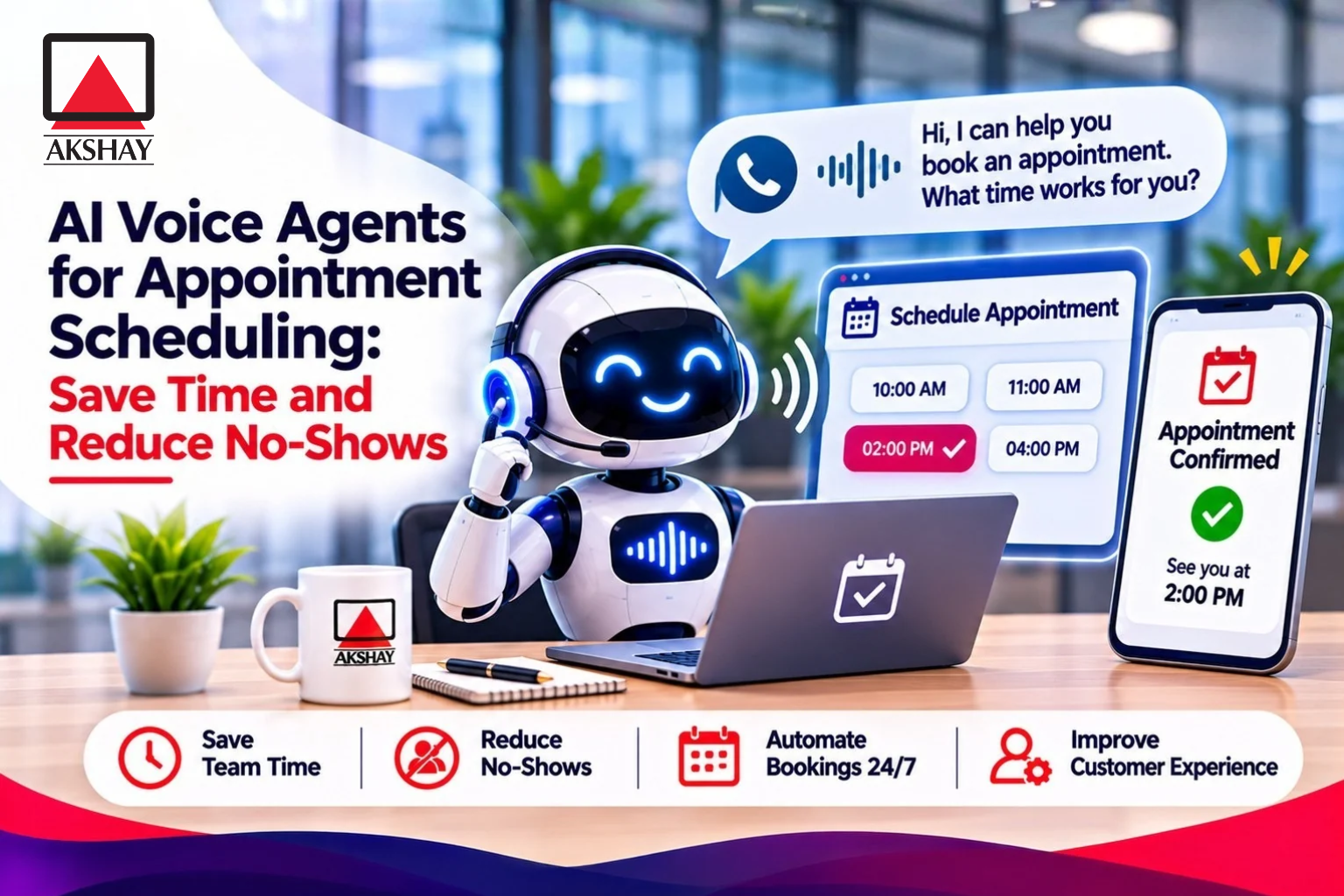
An AI appointment agent can take routine calls, check open slots and complete a booking without asking a receptionist to enter it later. For clinics and other appointment-led businesses, that can free staff to help people who need personal attention. The best fit depends on booking accuracy, calendar connections, language support and calling rules.
A useful voice agent must check availability and update the actual scheduling system. Simply collecting a caller’s request leaves someone else to finish the booking, which can add delays and errors. Compare the tools by testing the full call, including changes and cancellations, rather than judging a natural voice alone.
This roundup covers ready-made clinic options, configurable call systems and developer tools. It also explains costs, calendar links, reminders and rules for commercial calls in India. The right choice depends on whether you need a ready-made clinic workflow, a configurable call system or a developer-built integration.
Key Takeaways
- Test a real booking from caller request to saved appointment.
- Check calendar rules for provider, service, hours and eligibility.
- Compare usage charges with phone, platform and user fees.
- Keep a clear route to staff for complex or urgent calls.
- Classify outbound calls correctly under India’s commercial-calling rules.
How an AI Voice Agent for Appointment Scheduling Works
A caller says what appointment they need, and the agent checks the business’s actual availability before offering a time. A two-way calendar sync is a connection that lets a voice agent read available times from a calendar and write confirmed, changed or canceled bookings back to it. The booking is complete only when the scheduling system records it.
The agent greets the caller, identifies intent and asks for details needed to book. It can check availability, offer time slots, then book, reschedule or cancel. After a change, it confirms the details and can route unusual requests to staff.
From caller intent to a confirmed slot
Booking logic determines which options the agent can offer. Clinic availability may depend on the provider, appointment type, clinic hours and patient eligibility. A request for a particular service should not land in a calendar meant for another provider or visit type.
HighLevel supports booking from one calendar or across multiple calendars. Calendly’s Scheduling API and MCP can check availability and schedule during a conversation. In either case, the business needs to test the saved appointment, not just the spoken confirmation.
How to reach an AI call receiver
To contact an AI agent, a caller usually dials the business’s configured phone line or an assigned phone number. The AI call receiver answers that line like a front-desk worker, then handles the call flow set by the business.
That differs from calling a general-purpose AI service. A caller cannot expect a public assistant to access a clinic’s private calendar unless the clinic has connected and configured it. The business must make its own number available to callers.
How a business connects the agent
A business connects the agent to a calendar or scheduling system through a supported integration or an application programming interface, called an API. The connection must support the needed actions, such as reading slots and saving cancellations.
Check that a booking appears with the right caller, service, provider and time. Before taking live calls, test that a confirmed appointment appears in the scheduling system, not just in a call summary.
Which Businesses Benefit Most from Appointment-Booking Voice Agents?
Clinics with recurring booking and rescheduling calls are a natural fit, but appointment-led businesses outside healthcare can use the same basic workflow. Voice agents help most when routine calls follow clear booking rules. They can support healthcare scheduling as well as other repeated customer workflows.
Common use cases include calls to book appointments, change a time, cancel, hear a reminder or reach someone after hours. Consider these six settings:
- Clinics handling patient visits and follow-up appointments.
- Dental practices scheduling cleanings, exams and procedures.
- Legal services arranging consultations with the right staff member.
- Real estate teams booking property tours and agent meetings.
- Fitness businesses scheduling classes, trials or training sessions.
- Home services setting visits for repairs, estimates or maintenance.
A voice agent can act as AI customer care for routine appointment questions. It can also support an AI inbound call center by answering overflow calls and handling common changes. Those tasks differ from sales qualification, where an agent screens a lead before passing it to a salesperson.
For more on that separate sales role, see these AI voice agents for lead generation. Appointment automation makes the most sense when staff answer the same questions repeatedly, callers reach voicemail after hours, or rescheduling interrupts front-desk work.
A business with few calls or complex, case-by-case bookings may gain less from automation. Keep a human route available for urgent, sensitive or unusual requests that do not fit the booking flow.
What Should You Check Before Choosing a Platform?
A convincing demo is not enough; the agent has to complete a booking correctly after the caller changes a detail. Test the whole call, including interruptions, slot changes and handoffs. A fluent voice can still create a double booking when calendar rules are wrong.
Use a repeatable test rather than relying on a scripted sales call. Check the agent against actual appointment details and the scheduling system your staff use.
Booking accuracy and conversation recovery
Ask the agent to book a real available slot, then confirm the saved details. Try spoken corrections, interruptions and a caller who changes the requested service. A good system should recover without losing the caller’s intent.
| Evaluation area | What to test | Pass condition | Failure to watch for |
|---|---|---|---|
| Spoken corrections | Interrupt and correct a detail | Agent repeats the corrected detail | Old detail remains in the booking |
| Slot accuracy | Request a real open time | Offer matches live availability | Closed or occupied slot offered |
| Calendar write-back | Complete a test booking | Correct record appears in calendar | Call summary exists, booking does not |
| Handoff and recovery | Ask for an unsupported action | Agent routes caller to staff | Caller gets stuck or hears a false promise |
Integrations, reliability and healthcare readiness
Test provider, appointment type, clinic hours and patient eligibility when those rules shape access to a slot. Confirm that an integration writes the right details and respects calendar conflicts. Ask staff to review how the system handles a failed connection.
Use this six-part checklist before choosing:
- Conversation handling, including interruptions and corrections.
- Scheduling accuracy for the right service and provider.
- Integration with the actual calendar or scheduling system.
- Rescheduling and cancellation, including confirmation messages.
- Live-call reliability during busy periods and connection failures.
- Healthcare readiness, including privacy and staff handoff needs.
Test a canceled and rescheduled appointment in the live-connected system before judging the agent ready.
AI Appointment Platforms Compared for India
For a clinic that wants a configurable live-call agent, compare Retell AI and Vapi first; for a small business seeking a bundled phone platform or human backup, compare CloudTalk and Smith.ai. Listed prices use different billing units, so compare the whole bill. The best starting point depends on who will build and manage the workflow.
This comparison shows common fits and listed rates. Actual monthly cost can include charges beyond the platform’s headline price.
| Platform | Best fit | Listed pricing | Cost detail |
|---|---|---|---|
| Retell AI | Custom voice agents | $0.07-$0.31 per minute | Rate depends on models, voice and add-ons |
| Vapi | Developer-built flows | $0.05-$0.07 per minute plus model cost | Usage-based billing |
| Bland AI | Configured call automation | About $0.09 and $0.14 per minute | Listings show different rates |
| CloudTalk | Appointment-led small businesses | $99 monthly for 200 minutes | Plus $25 per user each month |
| Smith.ai | AI with receptionist backup | $0 for 25 calls; paid plans from $150 for 75 calls and $500 for 300 | Monthly plans use call counts |
Retell AI lists rates from $0.07 to $0.31 per minute, based on models, voice and add-ons. A clinic-scheduling listing places it at about $0.07-$0.09 per minute. Vapi’s listed rate is about $0.05-$0.07 per minute, plus model cost.
Bland AI appears at about $0.09 per minute in one clinic comparison and $0.14 in an appointment-scheduling comparison. Those figures are different listings, not guaranteed quotes. CloudTalk starts at $99 per month for 200 minutes, plus $25 per user monthly.
Smith.ai lists a $0 monthly plan for 25 calls, Pro from $150 monthly for 75 calls, and Enterprise from $500 for 300 calls. Per-minute, per-call and platform fees are not directly interchangeable. A six-platform comparison tested outbound reminders, inbound booking and calendar-sync reliability over six weeks.
Compare the expected monthly bill at your own call volume, including model, telephony, platform and per-user charges where applicable.
Is Retell AI a Good Fit for a Clinic?
Retell AI is a strong option for a clinic that wants configurable real-time calls and can set up its own calendar workflow. Its testing tools help teams check how a voice agent handles different caller needs. Free credits support testing, not free ongoing appointment calls.
Retell AI reports approximately 600 milliseconds of latency. Its tools can simulate thousands of call scenarios, turn production calls into regression tests and support quality checks on up to 100% of AI calls.
What its testing tools add
Simulation lets a team test booking logic before patients call. It can model a caller changing a preferred time, asking for another appointment type or interrupting the agent. Regression tests run known scenarios again after a change, helping catch errors before launch.
These tests matter because the agent may sound natural while using the wrong calendar rule. A clinic should check whether simulations cover its provider choices, appointment lengths and handoff needs. Live calls can then reveal issues that a test script missed.
What free credits can cover
New Retell AI accounts receive $10 in free credits and 20 free concurrent calls. The credits can cover building, simulation testing and live test calls. They offer a limited trial for a free AI voice agent for appointment scheduling, not a promise of no-cost service after testing.
Concurrency describes how many calls the system can handle at once. The clinic still needs to configure its scheduling software or electronic health record connection, often called an EHR. Staff also need a clear handoff path for callers the agent cannot help.
Use the free credits to test caller interruptions, changed time preferences and transfer behavior before opening the line to patients.
What Does Bolna Cost for Voice Scheduling?
Bolna offers a flexible per-minute option and a prepaid Pilot plan, with different trade-offs in rate, included minutes and call continuity. Pay-as-you-go suits changing demand, while Pilot gives a set bundle. Both plans may have added telephony and platform fees.
Bolna’s pay-as-you-go voice AI costs $0.06 per minute, or ₹5.52 per minute. Bundled models include speech-to-text, the large language model (LLM) and text-to-speech. Telephony and platform fees remain additional per-minute costs.
Pay-as-you-go credits
Credits range from $10 to $5,000, and larger top-ups can bring the rate to about $0.045 per minute. Calls stop when credits run out unless automatic top-ups are arranged. An unused wallet balance carries over under the Pilot offer.
Bolna supports more than 10 Indian languages, including Hinglish, Hindi, Tamil and Telugu. Multilingual support can help callers use a familiar language, but it does not prove the agent understands every accent or clinic term.
Pilot plan and support
Pilot offers 12,000 minutes for $500, about $0.042 per minute, or 6,500 minutes for $300, about $0.046 per minute. It allows up to 25 concurrent calls. The purchase is one-time, billed in 30-second pulses, and its rate lasts until the minutes run out.
Pilot includes one month of dedicated support, a WhatsApp support channel and four one-to-one calls. After the purchased minutes are used, standard pricing starts at $0.06 per minute. The one-time bundle can suit a planned trial, but unused balance and the post-pilot rate affect the final cost.
Check these details before choosing:
- Estimated monthly call minutes.
- Telephony charges and platform fees.
- Peak call volume and concurrency needs.
- Top-up settings and what happens when credits end.
- Language needs, including local accents and patient terms.
Estimate usage including telephony and platform fees before comparing the Pilot rate with pay-as-you-go.
Can HuskyVoiceAI Handle Clinic Appointments?
HuskyVoiceAI is a relevant shortlist option when a clinic needs live-calendar appointment changes and multilingual calls. It supports booking, rescheduling and cancellations against a live calendar. The agent can send confirmations by SMS, email or WhatsApp.
Listed connections include Google Calendar, Cal.com, n8n, Zapier, webhooks and REST API access. These options can link the call flow with other business systems, but clinics should confirm that their own calendar and workflow work as needed.
The platform supports Hindi and more than 30 languages. It can switch languages during a conversation, which may help when a caller changes language mid-call. The clinic should test the switch with its own service names and patient terms.
HuskyVoiceAI reports a 27% reduction associated with automated multilingual reminders and rescheduling at Healthyfy over 90 days. It also reports a 31% increase after 90 days of answering overflow calls at Kokilaa Clinics. These are company-reported examples, and individual results vary.
The results describe those clinics’ experiences, not a guaranteed outcome for another practice. Ask whether the system can save the appointment, update a cancellation and send the right confirmation through the clinic’s preferred channel.
Ask for a test using the clinic’s own calendar rules and a caller switching languages mid-conversation.
When Does Vapi Make Sense for Custom Booking Flows?
Vapi makes sense when a technical team wants to build appointment logic around its own application or scheduling system. Code-level control lets developers shape prompts, intent handling, availability checks and booking actions. Vapi is developer infrastructure, not a ready-made clinic receptionist.
A team can design a custom call flow for its service and connect the booking system through APIs, webhooks and programmatic workflows. This can help when standard booking paths do not match the business’s rules.
Control for engineering-led teams
Developers can tailor how the agent asks questions and handles a caller’s intent. For example, a clinic might gather the appointment type before checking an eligible provider’s calendar. The team controls how the agent responds when the caller changes details.
For broader sales workflows, see this overview of AI tools for B2B marketing. Lead qualification and appointment booking can share call tools, but the booking rules still need a live connection to the right calendar.
Calendar and CRM work to plan
Vapi lists Google Calendar and GoHighLevel support. Other connections, such as HubSpot and Salesforce, may need webhook or API setup. The clinic owns the work of connecting its calendar or scheduling system and testing what happens when a request fails.
A developer platform needs someone to maintain its code and integrations after launch. A broken API can leave a caller with a spoken promise but no saved appointment. Plan how staff will spot failed booking actions and correct them.
Confirm who will maintain the calendar API and monitor failed booking actions after launch.
What Can Bland AI Automate in Scheduling Calls?
Bland AI can handle scheduling calls when a team configures its call flow and connects the required booking actions. A visual flow builder can lay out routine paths for confirmations, reminders and rescheduling. Webhook actions can look up a calendar or update a CRM during a call.
A webhook sends a request between systems when an event occurs. A call flow can use one to check a time slot or save a caller’s response. The team must build and test each action the workflow needs.
Listed connections include Salesforce, HubSpot, Slack, Zapier and Make.com. A webhook-based calendar link is not the same as a ready-made calendar interface. The team must define what information the agent sends and how the calendar replies.
For outbound reminders, the flow might confirm an appointment and offer a reschedule path. For inbound calls, it can collect details, check a slot and confirm the booking. Callers who ask for something outside those paths need an option to reach staff.
High call volume can make configured automation useful, but a flow can repeat an error at scale if its rules are wrong. Test both successful and failed actions before launch. Check that changed times replace old bookings instead of adding a second appointment.
Test a failed webhook and a caller who changes the requested time before scaling outbound calls.
Is CloudTalk Practical for Appointment-Driven SMBs?
CloudTalk is worth considering when a business wants appointment calls and its calling platform managed together. The bundled approach combines phone service with AI tools. Its listed connections include HubSpot, Salesforce, Pipedrive, Google Calendar and Outlook.
Some voice agents sit on top of separate phone systems. A calling platform with AI brings calling and automation into one service, which may reduce the number of tools staff need to manage.
CloudTalk’s AI Voice Agent supports more than 60 languages and lists HIPAA and GDPR compliance. Those labels are not a substitute for checking the contract and data-handling details for the planned use. A business should confirm which features and protections apply to its deployment.
Calendar and CRM links matter only if they match the real workflow. Test whether a confirmed slot writes back to the right calendar and whether the call creates or updates the correct CRM record. Check how the system handles a reschedule and cancellation.
One six-platform comparison evaluated outbound reminders, inbound booking flows and calendar-sync reliability over six weeks. That kind of test can help frame questions, but your own call flow and systems still need a live trial.
Verify the exact calendar write-back and CRM record behavior before moving the main business number.
When Do Enterprise and No-Code Platforms Fit?
Enterprise healthcare systems suit organizations with complex workflows, while no-code and human-backed tools can better fit smaller teams. Choose by workflow size and the support your staff need. The key distinction is whether the system books directly or routes callers to people.
Large organizations may need routing, data controls and links across many departments. A smaller clinic may prefer a simpler builder or live receptionist backup rather than a long enterprise setup.
Healthcare-focused and enterprise systems
Hyro focuses on healthcare conversations and routing. Kore.ai supports enterprise workflow orchestration, while Nuance offers a healthcare AI ecosystem. These platforms use enterprise pricing or licensing rather than a simple public monthly plan.
| Platform | Typical fit | Scheduling approach | Listed pricing model |
|---|---|---|---|
| Hyro | Healthcare conversations and routing | Connects to healthcare scheduling workflows | Enterprise pricing |
| Kore.ai | Complex enterprise automation | Configurable workflow orchestration | Enterprise pricing |
| Nuance | Healthcare ecosystem | Clinical and scheduling support | Enterprise licensing |
| Google Dialogflow CX | Custom conversational flows | Integrations required | About $0.06 per voice interaction equivalent |
| Amazon Lex | AWS-based custom automation | Integrations required | About $0.0065 per speech request |
No-code and human-backed alternatives
Synthflow offers a quote-based no-code option for teams that want to build without writing much code. Smith.ai combines AI reception with live receptionist support and lists Calendly and CRM integrations. That human backup can help when a caller needs more than a standard booking.
ElevenAgents supports sales qualification, calendar connections, voice and digital channels, and more than 90 languages. An AI sales bot can qualify a lead and schedule a meeting. Medical booking needs clinic-specific rules for service, provider and patient eligibility.
Choose a platform only after confirming whether it creates the appointment itself or routes the caller to staff.
How Should You Connect Calendars and Booking Systems?
Connect the agent to a calendar that reflects the actual service, provider and appointment rules callers need. Match the setup to the number of services and teams. A wrong calendar can produce a confirmed appointment for the wrong service.
HighLevel supports single-calendar and multiple-calendar booking. Calendly’s Scheduling API and MCP can retrieve live availability and complete scheduling actions during a conversation.
One calendar for one appointment type
A single calendar works when callers book one service or appointment type. All callers use the selected calendar, so the agent needs to follow its open hours and booking limits. This setup is simpler when one team handles the same kind of visit.
Multiple calendars for different caller intents
Multiple calendars suit different services, providers or teams. The caller’s intent and conversation context can guide selection among eligible calendars. Each calendar needs a distinct description and a clear fallback if the agent cannot tell which one fits.
| Setup | Best for | How selection works | Rule to verify |
|---|---|---|---|
| Single calendar | One service or appointment type | All callers use the selected calendar | Check open hours and booking limits |
| Multiple calendars | Different services or teams | Intent and context select an eligible calendar | Use distinct descriptions and clear fallback behavior |
Calendar availability is separate from the agent’s own calling hours. A business can set phone hours that differ from the times shown as open for appointments. Make sure callers do not hear that a slot is available when the agent cannot complete the booking.
Test overlapping appointment types and a no-match request so the agent does not silently book the wrong calendar.
Can Voice Calls and Text Reminders Reduce No-Shows?
Reminder interventions can lower no-shows in targeted groups, but the result depends on the intervention and population. Targeted reminders have evidence behind them. No study result guarantees that every voice-agent product will get the same outcome.
A Kaiser Permanente Washington randomized study assigned visits to one or two text reminders between February 27, 2019, and September 23, 2019. It included 125,076 primary-care visits and 33,593 mental-health visits.
What randomized text-reminder evidence shows
Among high-risk visits, an added reminder reduced no-shows in both groups compared with one reminder. The relative risk, or RR, compares the chance of a no-show between groups. The confidence interval shows the range around that estimate.
| Intervention and group | Comparison | Observed result |
|---|---|---|
| Added text reminder, high-risk primary-care visits | One versus two reminders | 7% lower no-shows; RR 0.93, 95% CI 0.89-0.96 |
| Added text reminder, high-risk mental-health visits | One versus two reminders | 11% lower no-shows; RR 0.89, 95% CI 0.86-0.93 |
| Model-driven live calls, appointments with at least 15% predicted risk | Standard care | 33% versus 36% no-show rate; Black patients: 36% versus 42%, p < 0.001 |
When targeted live reminder calls help
A randomized quality-improvement initiative ran from January 1, 2022, to August 24, 2022. It targeted appointments with at least 15% predicted no-show risk and found a 33% no-show rate with model-driven live calls, versus 36% with standard care.
For Black patients, the recorded rates were 36% in augmented care and 42% in standard care. These studies tested reminder interventions, not a promise that any voice agent will reproduce the result.
To use AI to make a call, configure an outbound confirmation or reminder flow with a clear option to reschedule or reach staff. An AI caller bot should not be described as a proven no-show cure. Track these outcomes:
- Confirmed appointment.
- Rescheduled appointment.
- Canceled appointment.
- Unanswered call.
- Call transferred to staff.
Track completed reschedules and unanswered calls separately from the clinic’s overall no-show rate.
What TRAI Rules Apply to AI Appointment Calls in India?
In India, an automated appointment call still needs to be classified by its content and purpose under the commercial-calling framework. Appointment calls are not exempt simply because software places them. Register the sender, message details and call setup before launch.
As of August 2026, commercial senders must register on an access-provider distributed ledger platform and register headers and content templates before calling. Senders must also notify their originating access provider in writing before using an auto dialer or robocalls, including the intended call objective.
Registration, notice and number series
Promotional auto-dialer voice calls use 140-series numbers. Service and transactional calls use 1600-series numbers. A call that mixes promotional content into a service or transactional call counts as promotional and needs promotional consent.
Before switching on a campaign, check these five points:
- Register the sender, headers and content templates.
- Give advance written notice to the originating access provider, stating the call objective.
- Use the correct 140-series or 1600-series number category.
- Secure promotional consent when the call includes promotional content.
- Set a process to handle complaints within the seven-day reporting window.
Consent, complaints and enforcement
Recipients have seven days to report a commercial call or message. A first established violation can lead to outgoing services being barred across every operator for 15 days. A second or later established violation can lead to full disconnection and blacklisting for one year.
Keep service reminders separate from sales offers. If a clinic adds a promotion to a booking reminder, the call may be treated as promotional and require the right consent. Keep records of the call purpose and the consent that supports it.
Confirm current requirements with the originating access provider before switching on an auto dialer or robocall campaign.
How Should You Pilot a Voice Agent Before Launch?
Start with a controlled pilot that tests the actual booking system and the people who will receive escalations. Use real workflow rules in a test setup, not just a scripted demo. Do not route all callers to the agent until staff can trace its booking actions.
The NIST AI Risk Management Framework offers a structure for identifying and managing AI risks. A clinic can use that approach to list likely errors, decide who owns each risk and review whether tests address it.
Use this five-step pilot:
- Connect a test calendar that follows the clinic’s booking rules.
- Run booking and rescheduling cases with different caller requests.
- Test unavailable slots, conflicts and overlapping calendar rules.
- Test transfer and recovery when the agent cannot proceed.
- Review call records, fix the workflow and then expand the test.
Include at least five failure paths: no open slot, a changed time request, an existing appointment lookup, a calendar conflict and a needed staff handoff. The staff who receive transfers should join the test. They can reveal missing details that a technical team may overlook.
Track booking completion, wrong-slot corrections, transfers and abandoned calls. Do not set a success target before seeing how the actual workflow performs. Review call records for wrong details, failed writes and unclear confirmations.
Expand only after the clinic can trace each test call to the correct calendar action or staff handoff.
Conclusion
Choose the agent that can complete your actual booking workflow, not the one that only sounds most natural in a demo. Shortlist one platform that fits your calendar and technical capacity. Then test a small set of real booking, cancellation and rescheduling cases.
Include a caller who changes a time, an unavailable slot and a transfer to staff. Check the calendar record and call details after each test. Run a controlled call test with your calendar administrator and frontline staff before routing customer calls.