
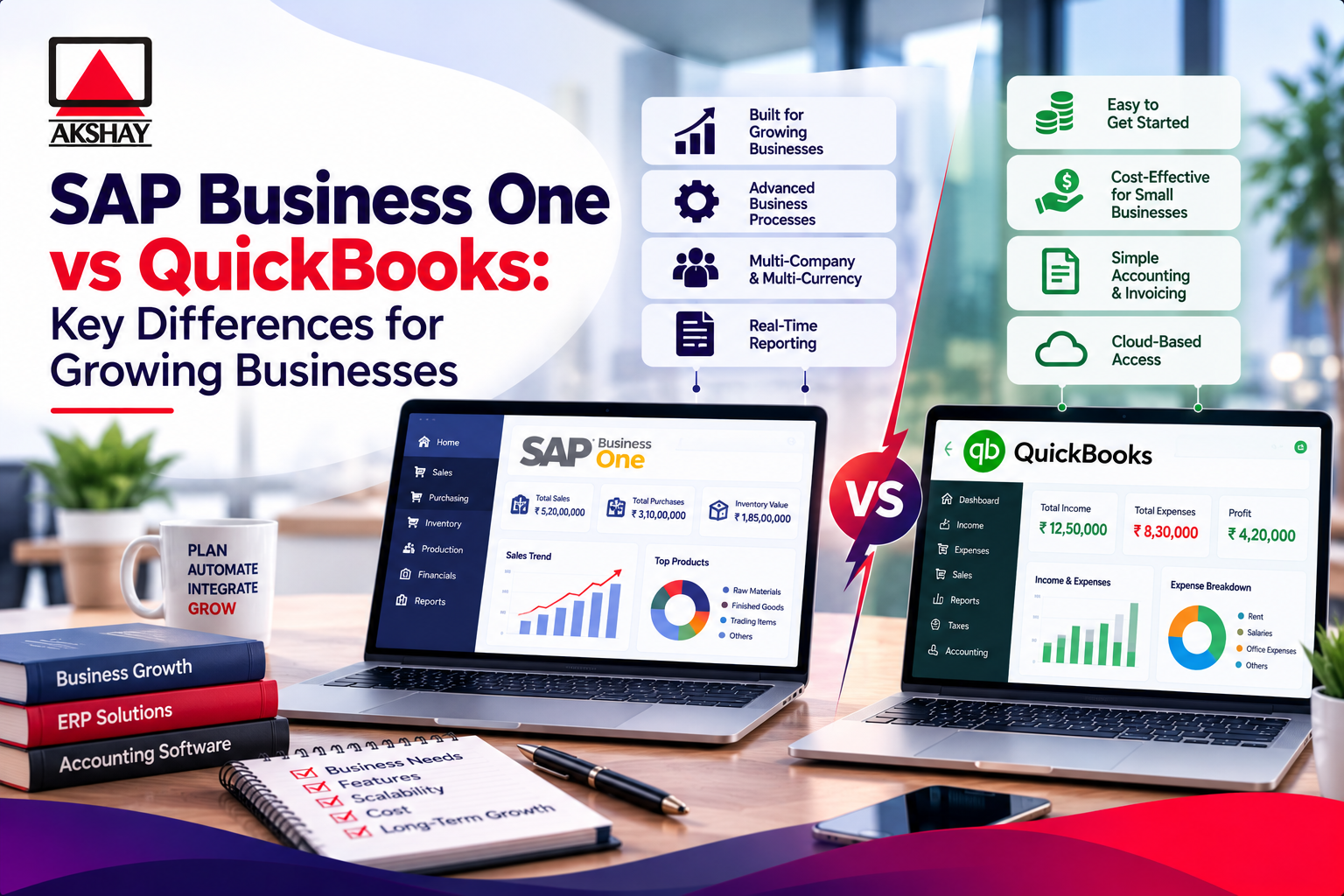
Choosing the right financial platform is key for growing businesses. As you grow, you need a system that handles complex deals and follows strict rules.
Many entrepreneurs face a tough choice between sap business one vs quickbooks. Both tools are good, but they offer different levels of control and growth. Finding the best accounting software for Indian businesses means looking beyond just the name.
This guide looks at important features like how things work, costs, and how well they connect with other systems. We help you pick the right platform for your current needs and future plans. Your choice should match your business needs, not just be popular.
Key Takeaways
- Check how complex your deals are before picking a platform.
- Remember, being able to grow is key for lasting success.
- Make sure the platform is easy to set up and use.
- Choose control over your business over just knowing the name.
- Look at features that meet Indian market rules.
Choosing sap business one vs quickbooks for an Indian growing business
Choosing between ERP versus accounting software is key. For an Indian growing business, picking wrong can slow growth. Start by doing a sap business one comparison quickbooks to build a strong digital base.
Identify the business stage, industry, and operational complexity
Every company goes through different stages. From simple bookkeeping to complex supply chains. Know if your processes are manual or automated. Complexity decides if you need a simple tool or a full system.
Industry needs also matter. Retail with many warehouses in India has different needs than a consultancy. Knowing your specific challenges helps you choose the right platform.
Define the decision criteria before comparing platforms
Before looking at features, set clear needs. This keeps your evaluation focused on your goals. Defining your priorities helps avoid choosing based on brand or cost.
Accounting, inventory, compliance, reporting, and automation priorities
Start with financial needs like GST compliance and tax filing. If you sell physical goods, managing inventory is key. Look for platforms that offer quick, real-time reports for better decision-making.
Number of users, locations, legal entities, and currencies
Think about your operation’s size and needs. If you have many employees or operate internationally, you need support for multiple currencies and entities. These are big differentiators between simple tools and full solutions.
| Criteria | QuickBooks Focus | SAP Business One Focus |
|---|---|---|
| Primary Use | Simplified Bookkeeping | Integrated Operations |
| Scalability | Small Business Growth | Enterprise Expansion |
| Compliance | Basic GST Filing | Advanced Audit & Tax |
| Complexity | Low to Moderate | High & Multi-faceted |
Step 1: Map your current accounting and operational workflows
Many Indian businesses struggle to grow because they fix broken processes too late. Before picking any software, do a detailed business workflow mapping. This makes sure the software fits your real needs, not just what it promises.
Document sales, purchasing, inventory, and payment processes
Begin by following a transaction from start to end. Note how your team handles sales, buying, stock, and payments. Being clear here avoids big mistakes later. Seeing these steps helps spot where things slow down and where accounting process automation can help most.
Separate essential requirements from preferred features
Not all features are needed for your growth stage. Sort your software requirements into “must-haves” and “nice-to-haves.” This helps avoid paying for features your team won’t use.
Manual spreadsheets and duplicate data entry to eliminate
Find where your team enters data into many systems. Spreadsheet replacement is key for growth. Cutting out these tasks lowers errors and lets your finance team focus on strategy.
Approval controls and audit trails to preserve
While simplifying, don’t lose security. Make sure your new system has strict controls for orders and payments. Keeping a clear audit trail is vital for India’s rules. These steps protect your business and keep stakeholders informed.
Connect business pain points to measurable software outcomes
Every feature should fix a problem you face. If reports are slow, aim for a 50% faster month-end close. Linking problems to clear goals makes choosing software easier.
| Workflow Area | Current Pain Point | Desired Outcome | Priority Level |
|---|---|---|---|
| Sales Order | Manual entry errors | Automated sync | High |
| Inventory | Stock discrepancies | Real-time tracking | High |
| Purchasing | Missing approvals | Digital workflows | Medium |
| Payments | Delayed reconciliation | Bank integration | Medium |
Step 2: Compare core accounting and financial management capabilities
Choosing the right financial system for your business is key. A good accounting software comparison shows which system fits your needs. It should handle your current and future financial tasks well.
QuickBooks accounting tools for small and service-based businesses
Invoicing, expense tracking, bank reconciliation, and financial reports
QuickBooks makes daily money tasks easy for small teams. It lets users create professional invoices and track expenses. It also does automated bank reconciliations easily.
These tools give a clear view of your money through reports like profit and loss statements.
QuickBooks Online and QuickBooks Enterprise differences
QuickBooks Online is great for teams working from anywhere. QuickBooks Enterprise has more features for bigger businesses. The choice between sap business one vs quickbooks online depends on your needs.
SAP Business One financial management for growing companies
General ledger, accounts payable, accounts receivable, and fixed assets
SAP Business One has a detailed general ledger for your business. It handles complex money tasks and tracks fixed assets across departments.
Budgeting, cost accounting, profitability analysis, and financial consolidation
It’s good for budgeting and cost tracking. You can do deep profitability analysis and combine financial data. This is a big plus when comparing sap business one vs quickbooks enterprise.
Assess which platform supports Indian accounting requirements
GST invoicing, tax reporting, e-invoicing, and e-way bill considerations
Any business in India needs GST accounting software that follows local rules. Make sure your system supports e-invoicing and e-way bills correctly.
Multi-currency transactions and local statutory reporting
Good support for different currencies and local reports is essential. Your software should handle taxes and provide reports for audits.
| Feature Category | QuickBooks | SAP Business One |
|---|---|---|
| Core Accounting | Strong for Services | Advanced for Operations |
| GST Compliance | Basic/Add-on | Native/Integrated |
| Financial Consolidation | Limited | High Complexity |
| Fixed Asset Management | Basic | Comprehensive |
Step 3: Evaluate inventory, purchasing, sales, and production features
How well your software manages goods and production is key. As your business grows, tracking items accurately becomes very important in the Indian market.
Compare QuickBooks inventory and order management capabilities
Product lists, stock tracking, purchase orders, and sales orders
QuickBooks is good for small businesses needing basic control. It helps keep track of products, stock levels, and orders easily.
Inventory limitations for warehouses, batches, and complex operations
For simple retail, QuickBooks works well. But, it struggles with complex operations. It doesn’t support many warehouses, detailed batch tracking, or serial numbers well.
Examine SAP Business One features for integrated operations
Warehouse management, bin locations, batch tracking, and serial numbers
SAP Business One features give deep insight into your supply chain. It’s great at warehouse management, knowing where every item is stored.
Sales quotations, deliveries, purchasing, and inventory valuation
The platform makes the sales cycle smooth from start to finish. It keeps inventory values up to date, helping finance teams keep accurate records.
Bill of materials, production planning, and material requirements
For growing manufacturers, this manufacturing ERP offers advanced tools. It has a strong bill of materials and production planning to manage raw materials well.
| Feature | QuickBooks | SAP Business One |
|---|---|---|
| Warehouse Locations | Limited | Advanced |
| Batch/Serial Tracking | Basic | Full Traceability |
| Production Planning | Manual | Automated |
Match operational depth to the company’s growth plans
Choosing the right system means looking at your future needs. Think about these points when picking between a simple tool and a full manufacturing ERP:
- Scalability: Will your current inventory management software handle five times your current order volume?
- Complexity: Do you need advanced warehouse management to cut down on picking mistakes?
- Integration: Does your production planning need to automatically sync with your financial records?
Ultimately, choose a platform that supports your growth, not one that makes you change your ways.
Step 4: Compare scalability, users, locations, and multi-entity management
Looking ahead, it’s key to pick scalable accounting software for your growing business. This ensures your tools grow with your company. Without the right tools, you might hit a wall just when you’re getting bigger.
Determine when QuickBooks can continue supporting business growth
QuickBooks is great for small businesses that want something easy to use. But, it’s important to know when it might start to hold you back.
User limits, transaction volume, reporting needs, and customization constraints
As your team grows, you might find limits on how many users can be in the system at once. High volumes of transactions can slow things down. Customization is often limited, so you might need to use workarounds or spreadsheets for special needs.
Assess how SAP Business One supports expanding operations
SAP Business One is perfect for businesses that are getting more complex. It helps manage big supply chains and different kinds of income.
Multiple branches, warehouses, subsidiaries, and business units
This platform is great for branch management. It lets you keep track of inventory and money across many places. It’s key for businesses that are growing but need to keep things organized.
Consolidated reporting and intercompany process requirements
Good multi-entity accounting needs a system that can handle lots of data easily. SAP Business One makes consolidated reporting simple by bringing together financial data from different places. It also makes it easy to handle money between different parts of your company.
| Feature | QuickBooks | SAP Business One |
|---|---|---|
| Scalability | Limited | High |
| Multi-Entity | Basic | Advanced |
| Reporting | Standard | Customizable/Consolidated |
Use a growth forecast to avoid replacing software too early
Make a plan for the next three to five years. Think about how many people you’ll have, how many new places you’ll open, and how much more money you’ll handle. Timing your software transition correctly saves money and makes sure you don’t outgrow your system too soon.
Step 5: Assess SAP Business One vs QuickBooks integration requirements
Connecting your financial core to operational tools is key to success. When looking at sap business one vs quickbooks integration, focus on how data moves across your whole company.
List the applications and data sources that need to connect
Banking, payroll, CRM, e-commerce, logistics, and payment platforms
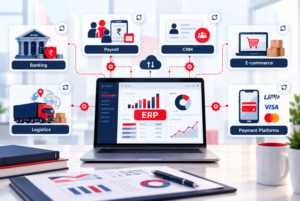
Today’s businesses use many software tools for daily tasks. Make sure your platform works well with your CRM, e-commerce sites, and logistics providers. Good accounting integrations mean less manual work, saving time for your finance team.
Indian tax, billing, marketplace, and business intelligence systems
For Indian companies, connecting with local Indian tax systems is essential. Your software must handle GST, e-invoicing, and major Indian marketplaces. Also, linking to business intelligence tools gives your leaders timely, accurate financial data.
Compare native integrations, APIs, and third-party connectors
QuickBooks uses many third-party apps to add features. SAP Business One, on the other hand, has strong API integrations for big businesses. Pick the best method based on your tech skills and data needs.
Evaluate data synchronization, ownership, and error handling
Customer, vendor, item, inventory, and financial master data
Good master data management is vital for a healthy digital setup. You need one true source for customer, vendor, and inventory data across all systems. Without clear rules, data can get mixed up, causing problems.
Integration security, monitoring, and maintenance responsibilities
Keeping data safe is critical when moving it between systems. Decide who owns the data and who checks the connections. Regular upkeep keeps your automated workflows working, even when other platforms update.
| Feature Category | QuickBooks Integration | SAP Business One Integration |
|---|---|---|
| Primary Method | Third-party App Store | Native API & SDK |
| Complexity Level | Low to Moderate | High (Enterprise) |
| Data Governance | Basic/Standard | Advanced/Customizable |
| Indian Tax Support | Via Local Connectors | Native/Deep Integration |
Step 6: Compare SAP Business One and QuickBooks pricing in India
When choosing software for your business in India, the real cost is often hidden. Many focus only on monthly fees. But quickbooks vs sap business one pricing can affect your budget in different ways. You need to look at the whole life of the software.
Break down QuickBooks vs SAP Business One pricing models
QuickBooks has a simple, ongoing cost. But as your business grows, so does your financial needs. This can lead to higher costs than you expect.
QuickBooks Online subscription tiers, users, and add-on costs
QuickBooks subscription pricing changes based on users and features. The basic plans are cheap, but you might need extra add-ons. This can increase your monthly costs.
QuickBooks Enterprise licensing, hosting, and support expenses
The Enterprise version is more powerful but costs more. You’ll need to budget for hosting and support. This ensures your team gets help when needed.
SAP Business One licenses, implementation, and partner services
SAP Business One licensing is different, with upfront costs or subscriptions. The ERP implementation cost is key. It covers setting up your business processes.
Calculate the total cost of ownership over three to five years
Deciding on software means looking at costs over three to five years. This helps avoid surprises and keeps the software working as your business grows.
Migration, customization, integrations, training, and data cleanup
Setting up the software takes a lot of work. You’ll need to move data, set up custom workflows, and train your team. This is all part of the initial cost.
Hardware, cloud hosting, upgrades, support, and internal administration
After setup, there are ongoing costs. These include hosting, upgrades, and time for system management. These costs keep your system secure and running well.
Compare cost per user against business value and process coverage
Don’t just look at the price. Consider the value you get per user. A more expensive system might save you money in the long run by automating tasks.
Identify pricing risks that may affect the final budget
Watch out for hidden risks like scope creep or extra module costs. Always have a 10-15% budget for unexpected costs or technical issues.
| Cost Category | QuickBooks | SAP Business One |
|---|---|---|
| Primary Model | Subscription-based | License or Subscription |
| Implementation | Low/Self-service | High/Partner-led |
| Scalability | Limited | High |
| Maintenance | Minimal | Requires IT/Partner |
Step 7: Test usability, implementation effort, support, and compliance
Success in digital transformation depends on more than just features and cost. It’s also about how easy the platform is to use. Your team needs to find it intuitive.
Compare day-to-day usability for finance and non-finance teams
Invoice creation, approvals, dashboards, and mobile access
Accounting software usability is key. It lets your staff do their jobs without getting stuck. Finance teams want detailed reports, while others need simple tools for everyday tasks.
- Mobile access: Make sure staff can approve invoices or check stock levels on their phones.
- Dashboards: Look for customizable views that show cash flow and sales in real-time.
- Approval workflows: The system should send out alerts to keep things moving.
Role-based permissions and user training requirements
Security comes from controlling who sees or edits data. You need to make sure the software lets you set clear roles for everyone. This stops unauthorized access to financial info.
Estimate implementation timelines and internal resource demands
Data migration, chart of accounts mapping, and workflow configuration
A good ERP implementation needs a plan for your current data. You’ll have to map your current accounts to the new system. This keeps financial reports consistent.
User acceptance testing, go-live planning, and post-launch stabilization
Don’t underestimate the time for testing. Before you go live, your team should test everything. This finds any problems in your workflows.
Evaluate Indian implementation partners and ongoing support
Partner expertise, service-level agreements, and escalation processes
Finding a good Indian SAP Business One partner is key for success. A great partner offers more than just setup. They have local knowledge and dedicated support to fix issues fast.
| Service Area | Key Metric | Expectation |
|---|---|---|
| Response Time | SLA Compliance | Under 4 hours |
| Technical Skill | Certified Staff | High |
| Support Level | Escalation Path | Defined |
Verify data security, backups, auditability, and regulatory readiness
Data security is a must for any growing business. Make sure your chosen solution has automated, encrypted backups. This protects against data loss.
Also, check if the software meets regulatory compliance for Indian tax laws, like GST. Good audit trails are key for transparency and meeting reporting standards.
Step 8: Build a practical SAP Business One comparison QuickBooks matrix
A good software comparison matrix is key to making a choice. It helps you pick the right ERP decision framework for your business. This way, you make sure your choice fits your business’s growth plans.
Compare the platforms across essential decision categories
To make a useful matrix, compare both systems to your needs. This lets you see how each platform works for your business.
Accounting and financial controls
Look at how each system handles GST, different currencies, and audits. SAP Business One has strong financial controls. QuickBooks is easy for basic accounting tasks.
Inventory, manufacturing, and supply chain management
Check the inventory tracking features. Look for batch management, serial numbers, and support for multiple warehouses. These are key for complex supply chains or light manufacturing.
Scalability, integrations, reporting, and customization
See if the software can grow with your business. Check if it has APIs for integrations and flexible reporting tools.
Pricing, implementation, usability, and support
Look at the total cost, including fees and support. It’s also important how easy the software is for your team to use.
Record strengths, limitations, and required workarounds for each product
Be honest about what’s missing. If a feature is not there, note the workaround needed. This helps you see the real impact of your choice.
Score each platform using weighted business priorities
Features are not all equal. Use a weighted software evaluation to focus on what’s most important for your success.
Assign greater weight to compliance, operational control, or scalability as needed
If you’re in a strict industry, focus on compliance. For fast growth, prioritize scalability and managing multiple entities.
Validate shortlisted capabilities through vendor demonstrations
After scoring, check your choices with a vendor demonstration. Ask to see how the software handles your specific needs. This confirms it works as expected.
| Feature Category | QuickBooks | SAP Business One |
|---|---|---|
| Financial Controls | Basic/Standard | Advanced/Enterprise |
| Inventory Depth | Limited | High/Integrated |
| Scalability | Low to Medium | High/Global |
| Implementation | Fast/Self-service | Structured/Partner-led |
Step 9: Choose the right platform and plan the transition
Choosing the right software is key for any growing business in India. You need to pick one that fits your needs and future plans. This choice affects how well your team can handle finances and daily tasks.
Select QuickBooks for straightforward accounting and limited operational complexity
The QuickBooks selection is good for businesses that want simplicity. It’s great for basic bookkeeping, tax needs, and simple invoicing. Small teams can keep finances in order without the hassle of complex systems.
Select SAP Business One for integrated, process-heavy, and scaling organizations
For fast-growing companies, SAP Business One is a strong choice. It’s perfect for managing all parts of your business together. It’s great for handling complex supply chains and multiple business units.
Benefits of SAP Business One over QuickBooks for growing operations
SAP Business One gives better data visibility and automated workflows. It helps leaders make smart decisions as the business grows. It also lets you customize it for your specific needs.
When QuickBooks remains the more practical and economical choice
QuickBooks is best for service firms or startups with simple inventory needs. It’s easy to start with and doesn’t need much training. It’s a cost-effective way to keep financial records simple.
| Feature Category | QuickBooks | SAP Business One |
|---|---|---|
| Operational Depth | Basic/Standard | Advanced/Integrated |
| Scalability | Limited | High |
| Implementation Cost | Low | Moderate to High |
| Ideal User | Small/Service Firms | Growing/Manufacturing |
Create a transition plan based on the selected solution
After choosing, make a detailed ERP transition plan. A good plan reduces downtime and keeps your team on track. It should be clear, measurable, and shared with everyone.
Project team, implementation milestones, and decision ownership
Choose a project lead to oversee the change. Set milestones like system setup, testing, and launch dates. Having clear decision makers keeps the project moving.
Data migration, opening balances, historical records, and integrations
A good accounting software migration focuses on data accuracy. Make sure to map your data correctly to the new system. Also, test integrations to ensure smooth data flow.
Training, testing, launch support, and post-implementation measurement
Provide thorough training to help your team get used to the new tools. Test everything before launching. Then, have a support system to check how well the new system is working.
Conclusion
Choosing between sap business one and quickbooks depends on your current needs and future goals. It’s about finding the right balance for your growing business. You need to think about what you need now and what you’ll need later.
QuickBooks is great for simple accounting needs. It’s easy to use and fast. Many small businesses find it perfect for their daily tasks.
But, if you have complex needs like inventory or production, SAP Business One is better. It’s a powerful tool that can handle all your business needs in one place. It’s perfect for businesses looking to grow big.
Don’t just look at the price. Think about what you really need. See how each software works with your data. Contact Us & Choose software that fits your long-term goals. This way, your business will be ready for the future.