
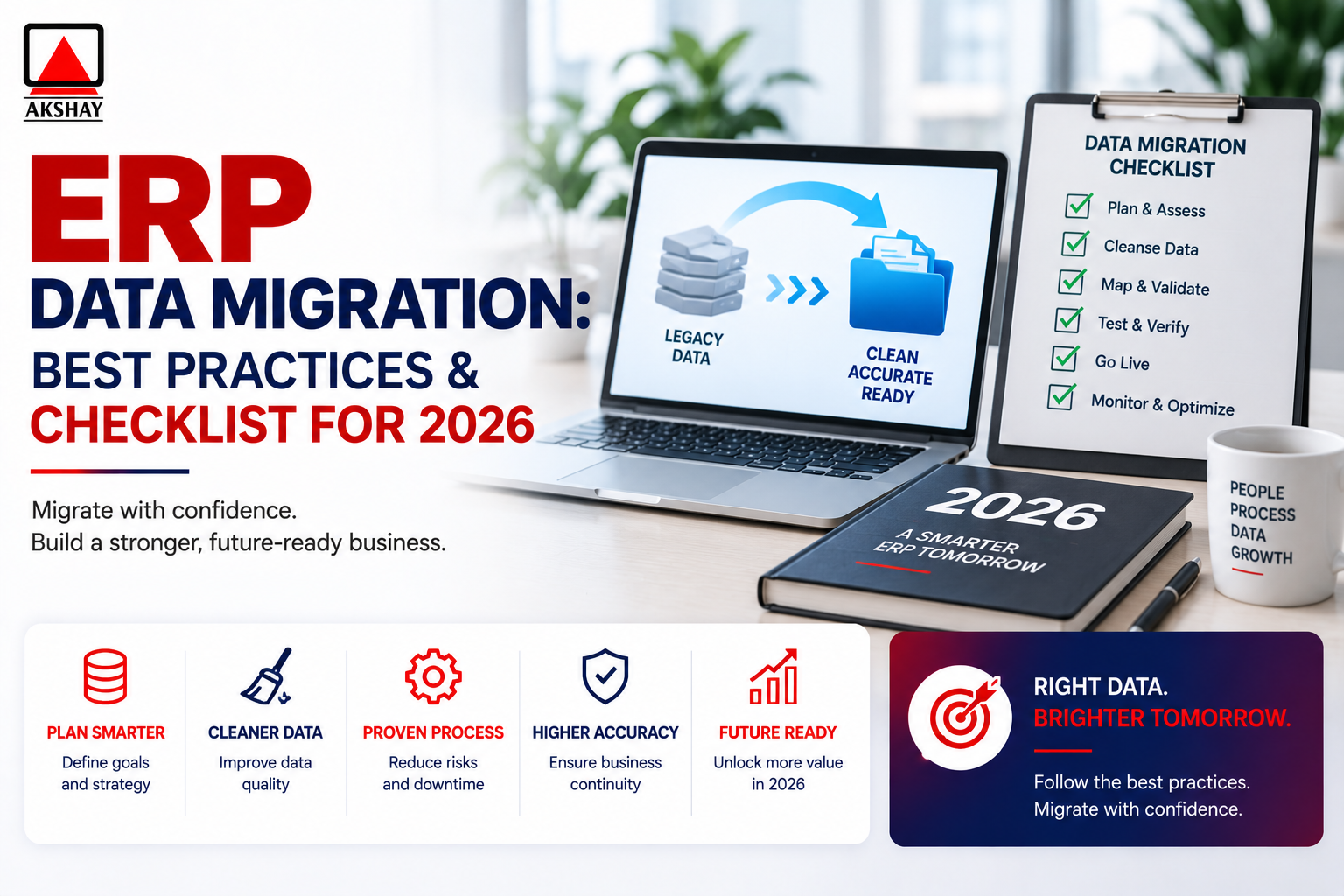
Modernizing business software is key for companies in India to stay ahead in 2026. Moving to a new system needs careful planning. This ensures your daily work stays smooth and efficient.
Having a solid ERP data migration plan helps leaders avoid big problems. It keeps your business running smoothly while you get new tools. This way, you can use the latest technology without losing your pace.
Our guide shares top ERP data migration best practices for a smooth change. We also have a detailed ERP data migration checklist. It helps your team stay on track from start to finish.
Key Takeaways
- Prioritize business continuity to prevent downtime during system updates.
- Use a structured approach to manage complex technical transitions effectively.
- Align your software strategy with the specific needs of the Indian market.
- Leverage proven checklists to maintain project oversight and accountability.
- Focus on clean information transfer to ensure long-term system performance.
Understanding ERP Data Migration
Switching to a new enterprise resource planning system is complex. It means moving data from old systems to a new one. Effective erp data migration is key to a smooth digital change.
What is ERP Data Migration?
This process is more than just moving files. It includes making sure data fits the new system. Teams must handle master data, transaction records, and logs carefully.
Without a plan, important data can get lost. Teams use special tools to move data safely. This helps the new system work well right away.
Importance of Data Migration in ERP Systems
Data quality affects your reports and decisions. Bad data means bad reports. Data accuracy keeps your business running smoothly.
A good erp data migration brings all data together. This helps everyone make better decisions. It’s important for staying ahead in the Indian market.
Key Terms in Data Migration
Knowing the right words helps teams talk clearly. It makes it easier to track progress and find problems early.
| Term | Definition | Primary Goal |
|---|---|---|
| ETL | Extract, Transform, Load | Data Integration |
| Data Mapping | Matching source to target fields | Structural Alignment |
| Data Cleansing | Removing corrupt or duplicate records | Data Quality |
| Validation | Testing data post-transfer | Accuracy Assurance |
Learning these terms helps your team manage erp data migration better. Good communication keeps everyone on the same page.
Types of ERP Data Migration
Choosing the right erp data migration approach is key to your digital journey. Companies face unique challenges when moving data. A tailored strategy is needed for long-term success.
Fresh ERP Implementation
A fresh start means moving from old ways to a new platform. This is a clean slate for businesses. Teams focus on setting up new workflows without old data.
System Upgrade Migration
Upgrading means moving to a newer version of software. This is common for companies moving from old systems to new ones. The goal is to keep things running smoothly while getting better features.
Data Transformation Migration
Data transformation changes the data structure for the new system. This involves reformatting, cleansing, and restructuring data. Good erp data migration here means using strong mapping rules to keep data safe.
| Migration Type | Primary Focus | Complexity Level |
|---|---|---|
| Fresh Implementation | Process Redesign | Moderate |
| System Upgrade | Version Compatibility | High |
| Data Transformation | Schema Alignment | Very High |
The right erp data migration choice depends on your current setup and goals. Each method has its own benefits for Indian businesses. Planning well ensures a smooth and affordable transition.
Planning Your Data Migration
Before moving your enterprise data, you need a solid plan. This plan should be based on precision and foresight. Good planning is key for a smooth erp data migration project. It helps avoid common problems during the move.
Setting Clear Objectives
It’s important to set clear goals for your project. These goals should match the 2026 business cycle. You should track data accuracy, system downtime, and user adoption rates.
With clear goals, your team can focus on what’s most important. This keeps the project moving forward, even when it gets tough.
Conducting a Data Inventory
A detailed audit of your data is a must for your erp data migration checklist. You need to know which data is important, which is not needed, and what should be kept or deleted.
By checking your data first, you avoid losing valuable business intelligence. This step also shows any problems with moving your old systems to the new one.
Identifying Stakeholders
For a project to succeed, many departments need to work together. You must find out who the key players are. This includes IT managers, department heads, and users.
Having good communication helps these stakeholders give feedback and check data quality at each step. Getting them involved early helps create a culture of accountability and transparency.
| Planning Phase | Primary Focus | Expected Outcome |
|---|---|---|
| Objective Setting | Business Alignment | Defined Success Metrics |
| Data Inventory | Asset Audit | Clean Data Map |
| Stakeholder Mapping | Team Engagement | Defined Roles |
Choosing the Right ERP Solution
Indian businesses need to focus on key points when looking at new ERP systems. The right choice is key for a smooth erp data migration that helps your business grow. Look for systems that are easy to use now and will grow with you.
Top ERP Software for Data Migration
Big names like SAP S/4HANA and Oracle NetSuite have great tools for big data moves. For smaller Indian businesses, TallyPrime and Zoho ERP are great choices.
It’s important to pick the right one for your business. Each system handles erp data migration in its own way. Make sure to check their import tools to avoid problems.
Assessing Vendor Support
Good support is key during the switch to a new system. Make sure your vendor has dedicated support teams in India. This way, they can help with any problems right away.
Also, check if the vendor offers training and help documents. Reliable support means your team can focus on work while experts handle the tech stuff.
Flexibility and Scalability Considerations
The Indian market changes fast. Your ERP system needs to be able to grow with you. A system that can’t grow will hold you back.
Look for systems that are easy to update and work with new tech. This way, your erp data migration plan will keep working well for a long time.
| ERP Solution | Best For | Scalability | Support Level |
|---|---|---|---|
| SAP S/4HANA | Large Enterprises | Very High | Global/Local |
| Oracle NetSuite | Cloud-First Firms | High | Global |
| Zoho ERP | Mid-Market | Moderate | Regional |
Data Cleansing Before Migration
Many businesses don’t know that erp data migration success depends on data quality. Moving old or wrong records to a new system just brings old problems to a new place. This step is key to make sure your new software works well from the start.
Importance of Data Quality
Good data is the base for accurate reports and smart decisions. Clean records mean your team can trust the new platform’s insights. But, bad data can cause big operational bottlenecks that slow down your business.
Fixing these erp data migration challenges early saves you from expensive downtime later. By checking every field for accuracy, you protect your investment. Clean data is not just a tech need; it’s a business must.
Techniques for Data Cleansing
Cleansing well means a careful plan to find and fix errors. Start by removing duplicate entries that build up in old systems. Make sure all fields, like addresses or currency codes, are the same everywhere.
Validation is key too. Check your records against trusted sources to make sure they’re up-to-date and useful. This step helps get rid of old records that don’t help your business anymore.
Automating the Cleansing Process
For big companies, doing it by hand is slow and can have mistakes. Special software can handle big datasets fast and accurately. These tools spot mistakes and suggest fixes, saving a lot of time.
Automation keeps your data the same during the whole migration. Using these tools helps avoid mistakes and builds a solid base for your future.
| Feature | Manual Cleansing | Automated Cleansing |
|---|---|---|
| Speed | Very Slow | High Efficiency |
| Accuracy | Prone to Error | High Precision |
| Scalability | Limited | Highly Scalable |
| Cost | Low Initial Cost | Investment Required |
Migration Strategy Development
A good strategy is like a map for your digital change. Without one, even the best plans can go wrong. A erp data migration strategy makes sure your goals and actions match up.
Selecting the Right Migration Approach
Choosing the right way to move your data depends on your business size and needs. You need to decide if you need a big change or just a small update. Careful selection helps keep your business running smoothly.
In India, many companies use a mix of fast and safe data moves. They start with the most important parts first. This keeps things running while they update their systems.
Phased vs. Big Bang Migration
Choosing between a big change all at once or a step-by-step approach is key. A big bang moves everything at once. A phased approach breaks it down into smaller parts. Here’s a table to help you decide.
| Feature | Big Bang | Phased |
|---|---|---|
| Implementation Time | Short | Long |
| Operational Risk | High | Low |
| Cost Efficiency | High | Moderate |
| Complexity | Low | High |
Risk Assessment Strategies
Finding erp data migration risks early is key to success. You should check for data format issues or old system problems. Early detection lets you fix these before the move starts.
A good plan for risks includes regular meetings and backup plans for each step. By knowing what could go wrong, you can protect your data. Spending time on this erp data migration strategy saves money and keeps your systems running.
Tools and Technologies for Data Migration
Choosing the right data migration tools is key to a smooth transition. A good erp data migration needs strong digital tools for accuracy and speed. The right tech helps keep your business running smoothly during the move.
Popular Data Migration Tools
Many top platforms help move records easily. Informatica, Talend, and SAP Data Services are known for handling big data. They have advanced features for changing old data into new formats.
These data migration tools cut down on human mistakes. They check data for errors before it’s moved. This keeps your data quality high during the erp data migration.
Cloud vs. On-Premises Solutions
Choosing between cloud and on-premises is a big decision. Clouds are scalable and cost less upfront. On-premises gives you full control over data security and rules. Here’s a quick look at the main differences.
| Feature | Cloud-Based | On-Premises |
|---|---|---|
| Deployment Speed | Fast | Slow |
| Control | Limited | Full |
| Maintenance | Vendor Managed | Internal IT Team |
| Cost Structure | Subscription | Capital Investment |
Integrating with Existing Technologies
Smooth transitions rely on good system communication. Many use middleware or APIs to connect old and new systems. This ensures data moves smoothly without stopping work.
Good integration keeps your team working while you upgrade. By matching old data fields to the new system, you avoid big problems. The right tech is essential for a safe and efficient erp data migration.
Executing the Data Migration
The execution phase is where your plan comes to life. It needs teamwork across all departments to keep the erp data migration on track. A structured approach helps reduce downtime and keeps things running smoothly.
Setting a Migration Timeline
A good project needs a realistic schedule. You should add buffer time for unexpected problems. It’s key to tell everyone about the timeline so they know when systems will be down.
Think about these things when making your schedule:
- Busy times and seasonal demand.
- When IT staff can be available 24/7.
- Time for final checks and tests.
Preparing the Migration Environment
First, set up a safe and stable test area. This area lets your team practice the erp data migration process safely. Make sure your setup is up-to-date and ready.
Here’s what you need for a good test area:
| Requirement | Purpose | Priority |
|---|---|---|
| Staging Server | Testing data loads | High |
| Network Bandwidth | Speeding up transfers | Medium |
| Security Protocols | Protecting sensitive data | Critical |
Data Validation Process
After the move, you check if everything is right. This step is non-negotiable for keeping business running. You must make sure all data is correct and works well in the new system.
Use automated scripts to find any mistakes fast. But, also do manual checks for important data. This makes sure your team can rely on the new system right away.
Post-Migration Testing
After moving to a new system, it’s important to test everything. This makes sure your business keeps running smoothly. Without this step, your business could face big problems.
Importance of Testing After Migration
Checking everything is key to keep your data safe. By testing, you can find any mistakes made during the move. This helps avoid problems in your daily work.
Testing gives everyone peace of mind. It makes sure your data fits the new system well. Finding errors early saves a lot of trouble later.
Types of Tests to Conduct
Your team should do many tests to make sure everything works right. These tests check if the data is correct and if the system is fast. Here are some tests to do:
- Functional Testing: Makes sure things like invoicing and managing stock work right.
- Performance Testing: Checks how well the system handles lots of data and users.
- Data Integrity Checks: Compares old and new data to make sure nothing is missing or wrong.
User Acceptance Testing
User Acceptance Testing (UAT) is the last step before everyone uses the new system. It involves real users doing their daily tasks with the software. This makes sure the system meets your team’s needs.
Getting feedback from different parts of your business is very helpful. Successful UAT means the system works well for everyone. This teamwork ensures a smooth transition for your whole team.
Training Employees for ERP Use
The human element is key in any erp data migration project. While tech skills are important, your team’s ability to use the new system is critical. Investing in your workforce helps keep business running smoothly.
Importance of User Training
Good training programs are key to getting the most from your new software. When employees are confident, they welcome change. Proper training cuts down on errors during erp data migration.
Teams that are well-trained spot problems faster. This keeps productivity high during the change. It makes the transition smooth for everyone.
Developing a Training Plan
A good training plan meets the needs of different roles and skill levels. Start by figuring out what each department needs. This makes sure everyone gets relevant and actionable knowledge.
Begin with basic system navigation, then move to specific workflows. Breaking down complex tasks helps avoid info overload. This way, employees can learn and remember what they need for a successful erp data migration.
Resources for Employee Training
Use many resources to fit different learning styles. Workshops, digital guides, and practice areas offer hands-on learning without risk. These tools are invaluable assets for mastering the system.
| Training Method | Primary Benefit | Best For | Implementation Cost |
|---|---|---|---|
| Live Workshops | Real-time feedback | Complex workflows | High |
| Digital Manuals | Self-paced learning | Quick references | Low |
| Sandbox Practice | Risk-free testing | Technical tasks | Medium |
| Video Tutorials | Visual demonstration | General navigation | Low |
Using these varied resources keeps your team ready for erp data migration. Support and clear communication are key to success with your new system.
Monitoring and Maintaining Data Integrity
Keeping data quality high needs ongoing effort. The initial move is done, but watching over your data is key. This ensures your erp data migration keeps giving you accurate business insights.
Regular Data Audits
Regular audits are vital to check if your data is right and up-to-date. These audits find problems early, before they mess up your work or reports. By checking records often, you make sure your system shows your business’s current state.
- Schedule quarterly reviews of master data records.
- Use automated scripts to flag duplicate or incomplete entries.
- Compare system outputs against physical inventory or financial logs.
Setting Up Data Governance Policies
Creating a clear data management plan stops chaos and keeps everyone accountable. These policies say who can change or delete data. When everyone follows the same standardized protocols, mistakes are fewer.
These rules should show how data moves from start to end. Consistency is key for a reliable system. By setting these rules, you guide your team to keep your database safe and clean.
How to Handle Data Management Issues
Even with great planning, erp data migration challenges can pop up. First, isolate the bad data to stop it from getting worse. Quick action lets your IT team fix problems without slowing down work.
Keep a log of all tech problems. This helps find patterns and fix the main cause of errors. By being vigilant and quick, you keep your system safe and help your business grow.
Looking Ahead: Trends in ERP Data Migration
The world of enterprise technology is always changing. As we look to 2026, businesses need to keep up with new ideas. This helps them stay ahead in the global market.
The Role of AI and Automation
Artificial intelligence is changing how companies deal with big data. Tools from SAP and Oracle use machine learning to spot errors early. This makes moving data faster and more precise for growing companies.
Future-Proofing Your Data Strategy
Success in the long run means being proactive with your data. Using the best practices for erp data migration keeps your systems ready for new cloud tech. Make sure your architecture can grow with your business goals for the next ten years.
Environmental Considerations in Data Migration
Today’s digital world has a big impact on the environment. Good data management cuts down on energy use by using servers and storage wisely. Choosing sustainable practices in your migration shows you care about the planet and boosts system performance.
Switching to a new platform is a big step for better operations. Keep up with these trends to protect your digital future. Talk to your tech team now to start planning your growth.