
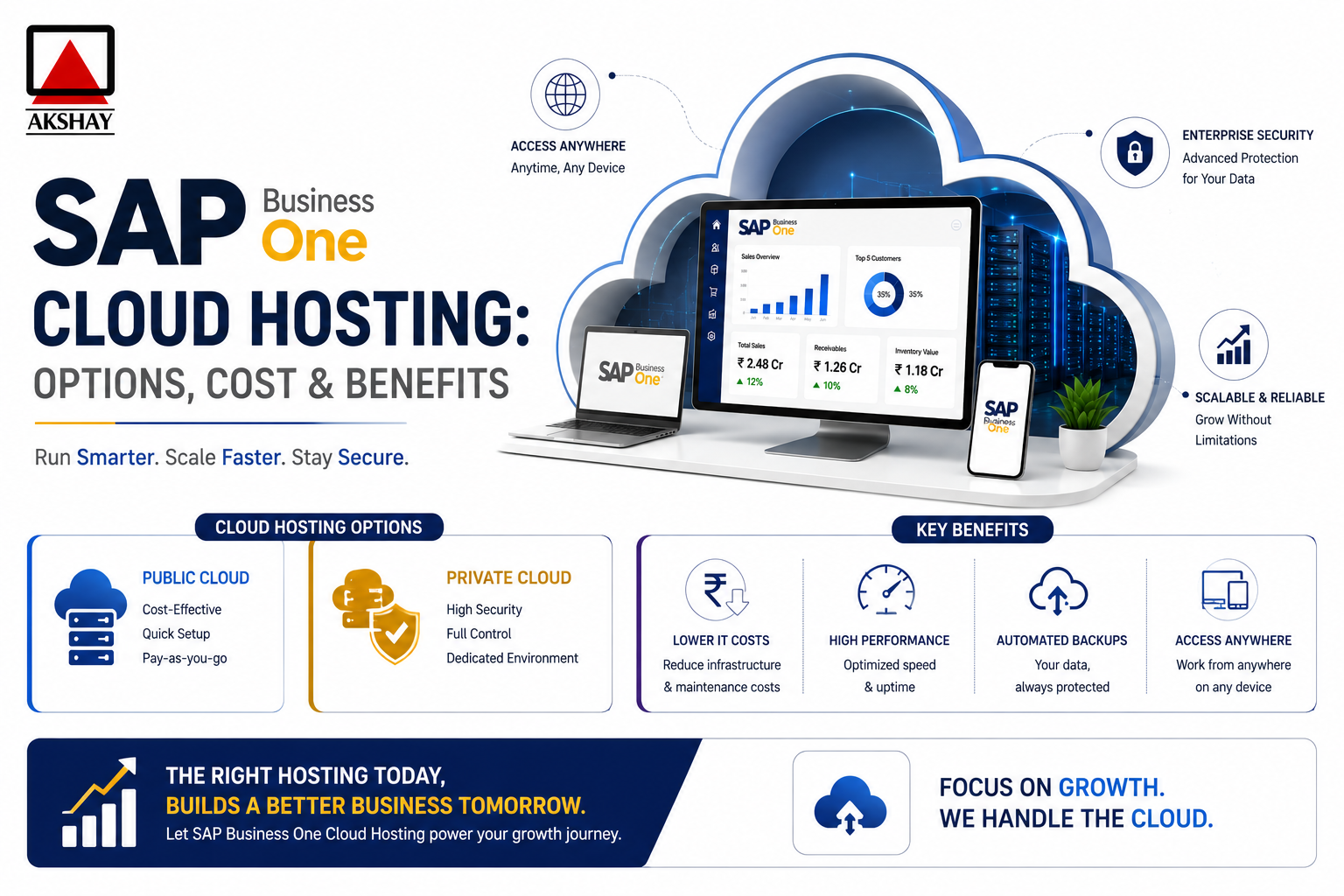
Modern businesses in India are always looking to stay ahead. Moving to sap business one cloud hosting is a big step. It helps companies update their IT setup.
Switching to a cloud-based ERP system makes daily tasks easier. Your team can access data from anywhere. This move helps your team make quick, smart choices.
Choosing this tech cuts down on hardware costs and boosts system reliability. In this guide, we’ll walk you through the digital transformation. You’ll see why it’s key for growth and better operations.
Key Takeaways
- Cloud migration makes data easy to reach for teams working from home.
- Updating your ERP system means less need for expensive local hardware.
- Smart IT changes make your business more agile and quick to decide.
- Scaling your setup is simpler in a virtual environment.
- Knowing the costs helps plan a smooth digital shift.
Understanding the Shift to Cloud ERP in India
A big change is happening in India’s business world. Companies are moving to cloud ERP India solutions. They are leaving old, fixed systems for something more flexible.
This change lets businesses grow without worrying about their tech. They can focus on growing instead of managing old hardware.
The main reasons for this change are the need for remote accessibility and saving money. Cloud solutions offer a pay-as-you-go model. This means no big upfront costs for servers and upkeep.
With this model, companies can spend more on growing and innovating. They can use their money better.
Also, SME digital transformation is getting a boost from cloud platforms. Small and medium businesses can now use the same tools as big companies. This makes it fairer for them to compete globally.
The table below shows the main differences between old systems and cloud ERP India:
| Feature | On-Premise ERP | Cloud ERP |
|---|---|---|
| Cost Structure | High Upfront CAPEX | Predictable OPEX |
| Accessibility | Office-bound | Anywhere, Anytime |
| Maintenance | Manual Updates | Automatic Updates |
| Scalability | Limited/Slow | Instant/Flexible |
The move to the cloud is a smart choice for long-term growth. More companies are making this change. This makes India’s digital market stronger and more ready for the future.
Evaluating Your Business Readiness for SAP Business One Cloud Hosting
Checking if your business is ready for sap business one cloud hosting is key. You need to make sure your team and systems can handle the change. This step helps avoid problems that can come up during big software changes.
First, check if your current software works with cloud systems. Many companies in India need to update their old systems. Doing this early saves your IT team a lot of work later.
Then, see if your IT team can manage a cloud system. Sap business one cloud hosting means less server work, but your team must know how to keep things running. Making your workflows fit with cloud systems keeps your work smooth and efficient.
Getting ready well lowers the chance of your business stopping work. Spotting any weak spots in your network or data now helps your business grow strong. Use this guide to see where you stand and what you need to work on before you start moving to the cloud.
| Readiness Category | Current Status | Action Required | Priority Level |
|---|---|---|---|
| Software Version | Legacy Version | Upgrade to Latest | High |
| Network Stability | Variable | Improve Bandwidth | High |
| IT Staff Skills | Basic | Cloud Training | Medium |
| Data Integrity | Fragmented | Data Cleansing | Critical |
Comparing Deployment Options for SAP Business One
Businesses in India need to think hard about where to host their ERP. Picking the right place is a pivotal step in your digital change. It makes sure your sap business one cloud hosting stays good and doesn’t cost too much as you grow.
Public Cloud Infrastructure Providers
Big names like AWS, Microsoft Azure, and Google Cloud offer a shared space. It’s great for quick setup without big hardware costs. You get cloud infrastructure scalability, so you can change your power needs fast.
Private Cloud Hosting Solutions
For strict data safety, a private cloud is best. This SAP B1 deployment model gives you your own space. It lets you control your security and meet strict rules, important for handling sensitive money info.
Hybrid Cloud Configurations
Many companies pick a mix of public and private cloud. This way, you keep important data safe while using the public cloud for busy apps. It gives you flexibility to handle complex tasks well.
| Deployment Model | Primary Benefit | Best For |
|---|---|---|
| Public Cloud | High Scalability | Growing SMEs |
| Private Cloud | Data Isolation | Regulated Industries |
| Hybrid Cloud | Balanced Control | Large Enterprises |
Step-by-Step Guide to Selecting a Hosting Partner
Choosing a hosting partner is more than just looking at prices. You need to check their technical skills. The right provider will make your ERP system stable and fast. By choosing managed cloud services, your team can grow your business instead of fixing tech issues.
Assessing Technical Expertise and SAP Certification
Good partners have SAP certifications for cloud and infrastructure. These show they know how to handle SAP Business One’s needs. Look for these signs of quality when choosing a partner:
- They have a good track record with SAP HANA database moves.
- They offer 24/7 support that knows SAP well.
- They have experience with managed cloud services for Indian SMEs.
Reviewing Data Center Locations and Latency in India
Being close to your users is key for fast performance. High data center latency can slow things down. Choose providers near big Indian cities like Mumbai, Chennai, or Delhi.
Being close to your server keeps things fast. Ask for a latency test to check performance during busy times. A provider with many locations is best for avoiding slow downs.
Verifying Security Protocols and Compliance Standards
Your data is very important, so security is a must. A great partner will show you how they protect your data. They should also keep data center latency low and follow local laws.
Before you sign, make sure they meet these important standards:
- ISO/IEC 27001 for info security management.
- They follow the Digital Personal Data Protection Act (DPDP).
- They do regular security checks and find vulnerabilities.
Analyzing the Cost Structure of Cloud Hosting
Managing your budget well is key for a successful SME digital transformation. When you move to the cloud, knowing the costs is important. It helps you avoid surprises and makes sure your tech fits your growth plans.
Subscription Models vs Perpetual Licensing
Old-style perpetual licensing costs a lot upfront, which can hurt small businesses. On the other hand, an SAP cloud subscription lets you pay as you go. This makes it easier to grow without breaking the bank.
- Predictable Monthly Costs: Subscription models help you budget better each month.
- Reduced Hardware Investment: You don’t need to buy expensive servers or hire IT staff.
- Automatic Updates: Your subscription often includes the latest software, saving you money on upgrades.
Hidden Costs of Cloud Migration
Cloud migration has many benefits, but it also has hidden costs. Careful budgeting is key to keep your project profitable. Often, businesses forget about the cost of training and moving data.
Don’t forget these SAP hosting costs:
- Data Egress Fees: Moving data out of the cloud can cost extra.
- Integration Complexity: Connecting to old systems might need custom work.
- Training and Change Management: Your team needs training to use the new platform well.
Calculating Total Cost of Ownership for Indian SMEs
Indian SMEs can make better choices by calculating Total Cost of Ownership (TCO). This helps them see which option is cheaper in the long run. The table below shows the main financial differences.
| Cost Category | On-Premise Model | Cloud Hosting Model |
|---|---|---|
| Initial Investment | High (Hardware/Licenses) | Low (Setup/Migration) |
| Maintenance | High (Internal IT Staff) | Low (Managed Services) |
| Scalability | Expensive/Slow | Instant/Flexible |
| Security | Manual/Internal | Automated/Managed |
By looking at these factors, you can keep your SME digital transformation on track. The right SAP cloud subscription is more than just a monthly fee. It’s about finding a partner who helps you save money over time. Strategic planning now means a stronger, more profitable business later.
Preparing Your Infrastructure for Migration
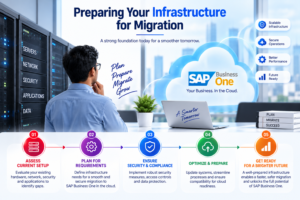
Starting your journey to SAP Business One in the cloud is more than just a switch. It’s about setting up a stable foundation for your future. This careful planning is the heart of a solid cloud migration strategy.
Data Cleansing and Preparation
First, check your databases for old or duplicate records. Cleaning your data saves space and boosts system speed. High-quality data means faster performance and more accurate reports.
Think about archiving old records. This makes migration easier and cuts down data volume. Organized data keeps your system running smoothly during the move.
Network Bandwidth Requirements
Your internet is the link to the cloud. Make sure it can handle your ERP system’s traffic. If not, you might face data center latency issues.
Test your connection speed during busy times to spot problems. If it’s slow, get a faster business line. Cutting down data center latency ensures a smooth experience for everyone.
| Infrastructure Component | Current Status | Required Action | Priority Level |
|---|---|---|---|
| Data Accuracy | Needs Audit | Remove Duplicates | High |
| Internet Bandwidth | Standard | Upgrade to Fiber | Critical |
| Hardware Compatibility | Verified | Update Drivers | Medium |
| Security Patches | Outdated | Apply Updates | High |
Executing the Migration Process
Getting your digital setup updated is the last big step. A good cloud migration strategy is your guide. It helps move your data safely to the cloud. This way, you avoid downtime and keep your team working.
Backing Up On-Premise Data
First, make a full backup of your current system. This step is essential to keep your data safe during the move. Make sure your backup has all your old data, settings, and user info.
Keep your backup in a safe, offline spot. Having a good backup lets you quickly fix any migration problems. Data integrity is key at this stage.
Configuring the Cloud Environment
After your data is safe, set up your new cloud space. You need to make it fit your business needs and how you work. This setup is vital for a smooth SAP B1 deployment that helps you every day.
Focus on these setup points:
- Resource Allocation: Give enough CPU and RAM for your busy times.
- Security Settings: Use strong access controls and firewalls to keep your data safe.
- Integration Points: Make sure all outside tools and modules work with your new setup.
Performing Data Transfer and Validation
The last step is to move your data and check it’s all good. After moving, do a detailed check to make sure everything is right. This confirms your SAP cloud subscription is ready for your team.
Run test transactions to check the system’s performance. Fix any issues right away before you go live. Careful validation keeps your business running smoothly without losing important data.
Optimizing Performance and Scalability
Keeping your cloud environment running smoothly is an ongoing effort. After setting up your system, you must manage your digital assets well. Proactive management helps your ERP system stay reliable as your business grows in India.
Monitoring Resource Utilization
It’s important to watch how your system uses memory, CPU, and storage. Regular checks help find problems before they cause trouble. This way, you can improve your SAP B1 performance optimization plan.
Here are some tips to track your system’s health:
- Look at daily logs to find when your team uses the most resources.
- Set up alerts for when memory or storage gets too high.
- Do monthly clean-ups to get rid of data that slows things down.
Scaling Resources During Peak Business Seasons
Indian businesses see ups and downs, like more activity during festivals or year-end reports. Good cloud infrastructure scalability lets you adjust resources as needed. This keeps your team running smoothly, even when it’s busy.
To keep costs down and performance up, try these:
- Use auto-scaling to add power only when needed.
- Scale down when it’s quiet to reduce costs.
- Work with your hosting partner to make a custom scaling plan for your business.
By managing resources wisely, you make sure your investment pays off. Keeping a close eye on your cloud setup means your ERP will support your growth well.
Ensuring Data Security and Regulatory Compliance
Protecting your company’s future starts with strong security and compliance from the start. Moving to a cloud ERP India means keeping your financial data safe. This builds trust and protects your brand from harm.
Implementing Robust Backup and Disaster Recovery
Good disaster recovery planning is key for a strong business. You need to keep your data safe during system failures or cyber attacks. Regular, automated backups help keep your business running.
Here are important steps for a strong recovery plan:
- Do daily automated backups to a safe, off-site place.
- Test your recovery plans often to make sure they work.
- Have a clear recovery time objective to reduce business stoppages.
- Encrypt backup files to stop unauthorized access.
Adhering to Indian Data Protection Regulations
Understanding Indian data protection laws is critical for businesses here. To meet cloud security compliance, you need to know about data residency and privacy rules. Make sure your hosting partner follows these rules to keep your business legal.
Choosing a certified provider keeps you up-to-date with laws. Transparency and documentation prove you follow the rules during audits. This makes your cloud strategy safe and reliable for growth in India.
Managing Ongoing Maintenance and Support
Success with SAP Business One needs good ongoing maintenance. After your system is up and running, focus shifts to operational excellence. Regular checks keep your business running smoothly and efficiently.
Routine Patching and Version Updates
Keeping your ERP system updated is key for security and function. Regular patches fix vulnerabilities, which is important for cloud security compliance. Quick updates protect your business data from threats.
Updates also bring new features to improve your work. Staying with the latest SAP releases means your team uses the best tools. This keeps your software running well and avoids technical problems.
Leveraging Managed Services for Technical Support
Many Indian SMEs find managing infrastructure takes away from their main goals. Managed cloud services let you focus on your business. Experts handle system administration, from server checks to database tweaks.
This partnership model helps control SAP hosting costs by reducing the need for expensive IT staff. You know certified experts are watching your system 24/7. Here’s a table showing the differences between managing yourself and using a professional service.
| Feature | Internal Management | Managed Cloud Services |
|---|---|---|
| Technical Updates | Manual and time-consuming | Automated and scheduled |
| Security Monitoring | Reactive approach | Proactive 24/7 surveillance |
| Cost Predictability | Variable and hidden | Fixed monthly subscription |
| Expertise Level | Generalist IT staff | SAP-certified specialists |
Common Challenges and How to Overcome Them
Many Indian businesses face challenges when moving to the cloud. This move can bring growth, but it comes with technical and human hurdles. Knowing these risks early helps keep your business running smoothly and growing over time.
Addressing Connectivity Issues in Remote Locations
Getting reliable internet in different parts of India is a big issue. To solve this, use SAP B1 performance optimization to focus on important data. SD-WAN solutions help spread out network traffic.
Also, think about using local caching servers to cut down on delays for remote offices. Having a backup link means your team can keep working even if the main internet goes down. These steps are key for a smooth cloud experience.
Managing User Adoption and Training
Technology works best when people use it every day. Change can be hard, but good training can help. Hands-on training makes users feel at ease with new tools.
Creating a “super-user” group for support is a good idea. It helps everyone learn together and doesn’t overload IT. Make sure to include disaster recovery planning in training, so staff knows what to do in emergencies.
| Challenge | Primary Impact | Recommended Solution |
|---|---|---|
| Network Latency | Slow System Response | SD-WAN & Local Caching |
| Low User Adoption | Reduced ROI | Role-based Training |
| Data Availability | Business Interruption | Automated Backup Protocols |
| Security Concerns | Compliance Risks | Regular Security Audits |
Conclusion
Moving to the cloud is a big step for any growing business in India. It makes you agile in a fast digital market. Plus, it keeps your costs steady.
Success also means keeping your data safe. Make sure your cloud is up to date with Indian data laws. This protects your company’s secrets.
Just having tech isn’t enough. You need a skilled team to use it well. SAP B1 user training helps your team do their best. It cuts down mistakes and boosts work across departments.
Start your digital change today by talking to your IT team. A solid base now means your business can handle future hurdles. Your journey to better efficiency and growth begins with these smart moves.