
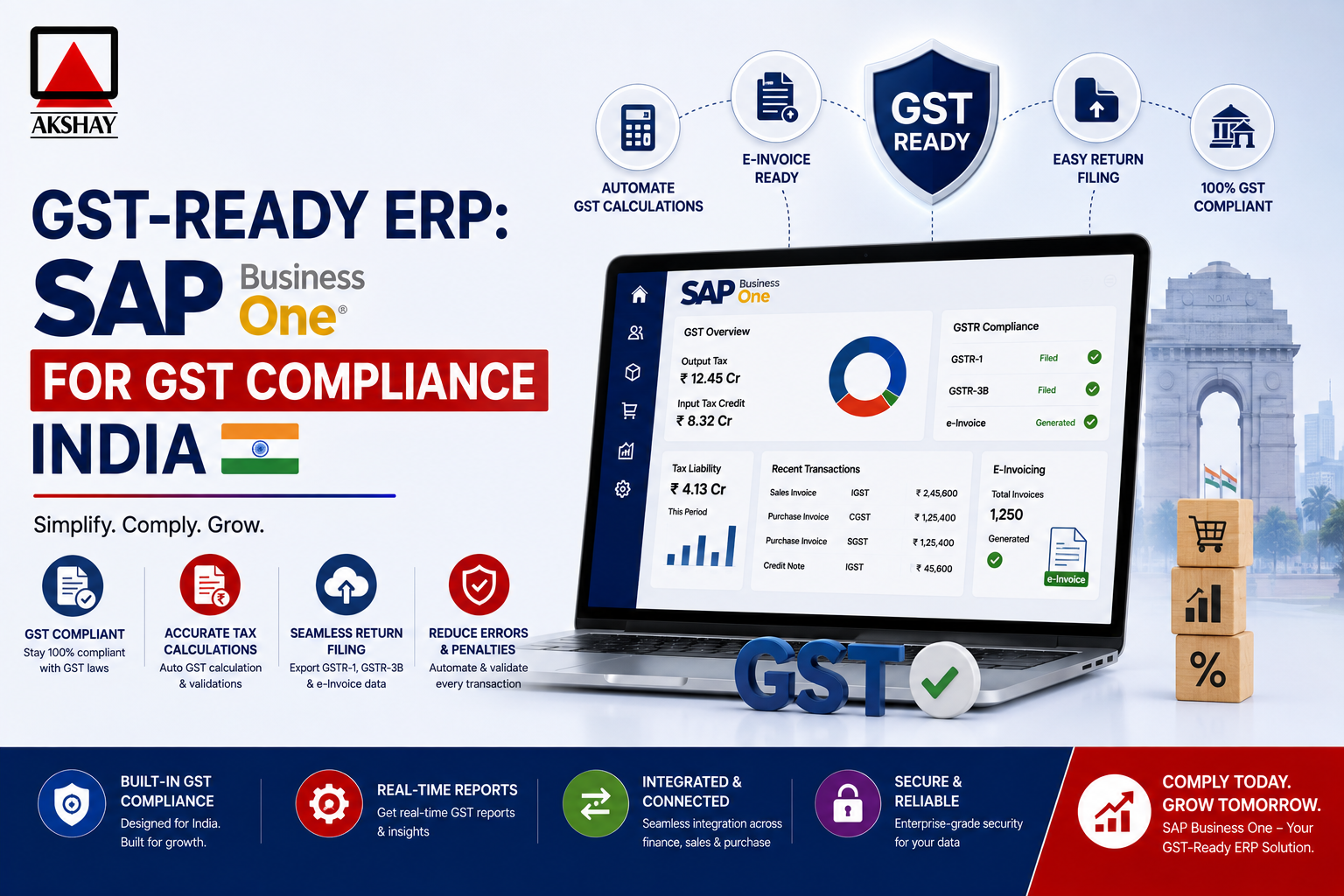
India’s tax system is complex. Businesses need to be precise and forward-thinking. Keeping financial records accurate is now a critical regulatory necessity.
A strong GST-ready ERP is key for your business. It makes sure all transactions follow tax rules and cuts down on mistakes. With advanced software, companies can make their reports clear and simple.
This guide will show you how to make SAP Business One GST Compliance work for you. We’ll give you steps to help your team understand India’s tax rules. By following these tips, your business will stay on top of tax changes with confidence and efficiency.
Key Takeaways
- Understand the vital role of automated tax systems in modern Indian business.
- Learn how to maintain accurate financial records through digital integration.
- Discover strategies to minimize errors during complex tax filings.
- Ensure your organization remains fully aligned with local regulatory standards.
- Leverage advanced software to improve overall operational transparency.
Understanding the GST Framework in SAP Business One
The Indian GST framework changes how businesses handle money. It makes taxes simpler when moving goods between states. Using a GST-ready ERP helps your company track taxes right at the sale.
Core Principles of Indian GST within ERP Systems
The system must know the difference between local and long-distance sales. It figures out the right tax based on where goods are sold and bought. This precision is key for keeping financial records right and following local laws.
The table below shows the main taxes managed in the system for easy financial reports:
| Tax Type | Applicability | Collection Authority |
|---|---|---|
| CGST | Intra-state supply | Central Government |
| SGST | Intra-state supply | State Government |
| IGST | Inter-state supply | Integrated/Central |
How SAP Business One Adapts to Evolving GST Regulations
India’s tax rules change often, needing software that can quickly adapt. SAP Business One is made to update easily without big changes. This GST-ready ERP lets admins change tax settings as rules change.
By using the Indian GST framework, companies can set up tax rules automatically. This helps avoid mistakes and keeps businesses safe from audits. Staying current with these tools gives a big edge in today’s fast-changing market.
Prerequisites for SAP Business One GST Compliance
Getting ready is the first step to smooth tax compliance in your ERP. Before setting up tax settings, make sure your setup is ready for complex rules. Proper preparation prevents costly errors in your daily work.
System Version Requirements and Patch Updates
Your software needs to match the latest rules to work right. Check if your version has the newest tax patches from the vendor. Regular updates are essential to keep your SAP Business One GST Compliance up to date.
Look at the support portal to see if your patch level is good for Indian tax reporting. An old version can cause problems or fail to report. Always back up before updating your production environment.
Activating the Localization for India
The system needs special settings for Indian taxes. Turning on the right SAP B1 localization lets you use the needed fields and reports for local authorities. This is critical for automating your tax workflows well.
After turning it on, the system changes to include tax ID and state codes. This makes sure your business follows Indian accounting standards.
Verifying Company Details and GSTIN Registration
Right master data is key for good reports. Double-check your company address, state code, and GSTIN registration for errors. Incorrect data entry can cause filing problems and fines.
Make sure each branch or location has its right registration number in the system. Clean data from the start makes audits easier and improves transparency. Use the table below to check your readiness before you do more.
| Requirement Category | Action Item | Priority Level |
|---|---|---|
| System Version | Verify latest patch update | High |
| Localization | Enable India package | Critical |
| Master Data | Validate GSTIN registration | Critical |
| Company Info | Confirm state code mapping | Medium |
Configuring Tax Jurisdictions and GST Codes
Learning about CGST SGST IGST configuration is key for smooth GST compliance in India. You need to set up your system’s tax engine right. This ensures all transactions follow local laws and cuts down on mistakes.
Defining Tax Types: CGST, SGST, and IGST
In India, knowing the difference between local and cross-state deals is vital. You must set up different tax types to get the right rates automatically. Proper classification is the base of your tax plan.
- CGST: Central Goods and Services Tax for local deals.
- SGST: State Goods and Services Tax for local deals.
- IGST: Integrated Goods and Services Tax for deals across states.
Setting Up Tax Formulas and Determination Rules
After setting tax types, you need to make formulas for the right rates based on where the deal is. These rules are like the brain of your financial data. When you make a document, the system checks where the business partner is.
This makes sure the CGST SGST IGST configuration works right for all sales and buys. By setting these rules, you avoid picking taxes by hand. This makes your work flow better and lowers the chance of wrong tax use during busy times.
Mapping Tax Codes to General Ledger Accounts
The last step is to connect your tax codes to the right General Ledger (GL) accounts. This is key for financial reports and audits. It makes sure your financial statements show your tax duties right.
When you link these codes, the system puts tax amounts in the right ledger during invoice making. Financial clarity comes when every tax entry is linked to its source. Always check that your GL account mapping fits your current accounting to keep all data complete.
Setting Up Business Partners for GST Transactions
Having the right business partner data is key for easy tax compliance in SAP Business One. Keeping records up to date helps match every transaction with tax laws. This makes GSTIN registration checks during audits easier.
Configuring Vendor Master Data for GST
To keep your buying process in line with tax rules, update vendor data with tax info. Each vendor needs the right tax type and status for correct tax on invoices.
Being consistent is important. Make sure the vendor’s tax ID matches your system’s rules to avoid mistakes.
Managing Customer GSTIN and State Codes
Customer records need careful checking, more so for sales across states. You must have the GSTIN registration for all taxable customers. This ensures the right tax rates are applied based on the sale’s location.
The system uses state codes to tell if a sale is within or outside a state. Keeping your customer location database up to date helps with IGST or CGST/SGST calculations.
Handling Unregistered Dealers and Composition Schemes
Not all business partners have a standard tax ID. You need special settings for those in composition schemes or without a tax ID.
- Unregistered Dealers: Mark their tax status to use the Reverse Charge Mechanism when needed.
- Composition Dealers: Set the system to block input tax credit, as they can’t issue tax invoices.
- Validation: Regularly check if your partners’ GSTIN registration is current in the government portal.
By correctly categorizing these partners, you avoid tax losses and keep your financial reports fully transparent. Setting this up now saves a lot of time later.
Managing Item Master Data for GST Classification
Getting your tax reporting right starts with classifying your items correctly. In the GST system of India, each product or service needs a specific tax class. This ensures you pay the right amount of tax. Proper data hygiene at the item master level helps avoid mistakes when you send out invoices.
Assigning HSN and SAC Codes to Inventory Items
The Harmonized System of Nomenclature (HSN) and Services Accounting Code (SAC) help figure out the tax rate for your business. You need to put these HSN SAC codes on every item in SAP Business One. This keeps you in line with government rules.
- HSN Codes: Needed for all physical goods to find the right tax rate.
- SAC Codes: Used for service-based deals.
- Validation: Make sure codes are up to date with the GST portal.
Defining Tax Categories for Goods and Services
After assigning the right codes, link your items to the correct tax categories. This makes sure the system uses the correct tax formula for sales and purchases. Defining these categories early helps avoid manual errors and tax leaks.
Here’s a structure to organize your inventory well:
| Category Type | Primary Use | Tax Impact |
|---|---|---|
| Exempted | Essential goods | 0% GST |
| Standard Rated | General inventory | 5%, 12%, 18%, or 28% |
| Zero Rated | Exported goods | 0% with ITC |
Bulk Updating Tax Attributes via Data Transfer Workbench
Handling big product lists by hand is slow and error-prone. The Data Transfer Workbench (DTW) lets you update item master data in bulk. You can import lots of HSN SAC codes and tax categories at once.
This method keeps your database consistent. Always check your data in a test area before updating your live system. This keeps your data safe and accurate.
Executing GST-Compliant Sales and Purchase Processes
Streamlining your daily sales and purchase workflows is key. It ensures every document meets strict standards. By using automated tax logic, businesses save a lot of time on manual data entry.
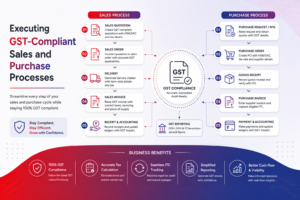
This method of GST invoice generation cuts down on errors. It keeps your financial records ready for audits at all times.
Creating GST-Ready Sales Invoices
When you create a sales document, the system picks the right tax rates. It does this based on the customer’s location and the item’s type. This seamless integration means CGST, SGST, or IGST is applied correctly without manual help.
- Select the customer and verify the GSTIN details.
- Add items to the document to trigger automatic tax determination.
- Review the tax summary before finalizing the document for GST invoice generation.
Processing Purchase Invoices with Tax Calculations
Managing incoming invoices needs the same precision to claim the right input tax credits. The system checks vendor tax details against master data to avoid errors during posting.
After you enter purchase details, the ERP figures out the taxes. This automated calculation shows your tax liability clearly. It makes sure your buying cycle follows Indian laws.
Managing Credit and Debit Notes for GST Adjustments
Businesses often deal with returns, discounts, or price changes. Proper GST invoice generation for these is key. It keeps your ledger balances and tax reports accurate.
When you issue a credit or debit note, the system links it to the original transaction. This traceability is vital for account reconciliation. It ensures all adjustments are right in your filings.
Handling Reverse Charge Mechanism and Input Tax Credit
Understanding tax self-assessment is key to keeping finances healthy in India. Businesses must set up the Reverse Charge Mechanism right. This is for service areas where the buyer pays tax. Doing this right avoids fines and keeps your records correct.
Configuring RCM for Specific Service Categories
To use the Reverse Charge Mechanism well, you need to pick certain tax codes. This means linking service providers to the right tax area. Your system should then figure out the tax owed when you get an invoice.
- Find out which services need RCM under current rules.
- Make special tax groups for these transactions.
- Automate accounting entries for tax owed and credit claim.
Tracking Input Tax Credit Eligibility
To get the most from your Input Tax Credit, watch your spending closely. Check your buying records often. This makes sure you claim all tax payments on time.
Mark items or services that qualify for credit. Keeping clean master data helps your ERP sort out taxes from other costs. This is key for better cash flow and lower taxes for your company.
Reconciling ITC with GSTR-2B Data
Matching your books with government records is important. You need to check your Input Tax Credit claims against GSTR-2B data often.
This check finds problems early. Your team can fix them before filing returns. Regular checks keep your business ready for audits and avoid tax mistakes.
Generating GST Reports and Statutory Returns
Getting data out right is key to a smooth GST process. Your ERP can turn raw data into accurate statutory filings. This cuts down on mistakes and keeps your business in line with tax laws.
Utilizing the GST Report Generation Tool
The reporting module is a central spot for tax documents. It lets users sort data by date, tax type, and who you’re dealing with. Consistency is key for handling lots of invoices.
- Real-time tracking of tax liabilities.
- Automated reconciliation of ledger entries.
- Customizable date ranges for monthly or quarterly reviews.
Preparing Data for GSTR-1 and GSTR-3B Filing
Getting ready for filing is critical. For GSTR-1 filing, the system puts all outward supply details together. This makes sure every invoice is matched up right with the GSTIN of the recipient.
For GSTR-3B preparation, you need to see your input tax credits and total tax liability clearly. The ERP gives you a single view of these numbers. Double-checking these totals helps during the busy tax season.
Exporting Data for GST Portal Integration
After checking your data, the next step is GST portal integration. The system lets you export reports in formats like JSON or CSV. These formats work well with the government portal. This makes uploading data quick and easy.
Troubleshooting Common GST Configuration Errors
When your financial data flow hits a snag, it’s key to know how to fix setup errors. Even with a meticulous setup, technical issues can pop up in your SAP Business One environment. A systematic approach helps avoid small problems from becoming big delays.
Resolving Mismatched Tax Calculations
Tax calculation errors often come from wrong tax code assignments or old tax formulas. If your system shows a tax amount that doesn’t match, check the Tax Determination Rules. Make sure they match the goods or services you’re selling. Double-checking the tax rate against the latest government notice is a must.
Make sure tax codes are right for the G/L accounts in your system. If the tax code is active but the calculation is wrong, look at the Effective Date settings. This ensures tax rates are correct for the transaction time. Keeping an eye on these settings stops errors from hurting your profits.
Fixing GSTIN Validation Failures
GSTIN validation errors usually happen when customer or vendor data has wrong state codes or bad IDs. The system uses these unique identifiers to figure out the right tax area for each deal. If you get a validation error, check that the state code in the business partner data matches the GSTIN given by the entity.
Regularly checking your master data helps avoid these blocks when you’re invoicing. Make sure the GSTIN is the right 15-character length and format needed by Indian tax authorities. Keeping this info up to date is key for audit-ready records.
Addressing Posting Period and Ledger Mapping Issues
Posting period errors happen when a transaction date doesn’t fit the fiscal calendar in SAP Business One. If you hit a block, check the Posting Period status to make sure it’s open for the transaction date. Also, double-check that your ledger mapping correctly links tax accounts to the right financial statements to avoid gaps.
Right ledger mapping makes sure every tax entry goes to the correct report. If your trial balance shows discrepancies, look into the G/L Account Determination settings for tax transactions. Keeping these links right is key for accurate financial reports and following the rules.
| Error Category | Primary Cause | Resolution Strategy |
|---|---|---|
| Tax Calculation | Incorrect Formula | Update Tax Determination Rules |
| GSTIN Validation | Invalid State Code | Verify Master Data Accuracy |
| Posting Period | Closed Fiscal Window | Reopen Period in Administration |
| Ledger Mapping | Missing G/L Link | Configure Account Determination |
Best Practices for Maintaining Ongoing Compliance
Keeping tax accuracy up requires more than just setting things up once. It needs constant watchfulness. To keep your SAP Business One GST Compliance strong, see your ERP as a living thing. It must grow with India’s tax rules.
Scheduling Regular System Audits
Doing a GST audit often is key. It checks if your data matches current tax laws. These audits spot issues before they become big problems.
Check your tax rules and master data every three months. This keeps your audit trail clean. It also makes sure your financial reports are always accurate and ready for checks.
Staying Updated with SAP Note Releases
India’s tax rules change often. You need to update your software quickly. The best way to stay current is by watching and applying SAP Note updates regularly.
These updates fix important issues like new tax rates or formats. Not updating fast can cause data problems during your monthly filings.
Training Staff on GST Workflow Changes
Good technology needs smart users. Training your team well helps them handle new GST workflow changes smoothly.
When your team knows the latest steps, they avoid mistakes. Training boosts your SAP Business One GST Compliance efforts and cuts down on downtime.
| Action Item | Frequency | Primary Goal |
|---|---|---|
| Internal GST Audit | Quarterly | Identify data discrepancies |
| SAP Note Review | Monthly | Apply regulatory patches |
| Staff Training | Bi-Annually | Improve workflow accuracy |
| Master Data Cleanup | Annually | Validate GSTIN and HSN |
Conclusion
Keeping up with GST compliance in SAP Business One is a big job. It needs careful work and knowing how to use the system well. Your business will stand out by using SAP Business One’s strong features to handle tough tax rules.
This guide shows you how to make tax work easier and avoid problems. Keeping an eye on things and updating often is key to dealing with India’s tax world.
By managing your SAP Business One well, your financial info will be right and ready for audits. Talk to your SAP partner to check your settings. Doing this now helps avoid future tax issues.
Make sure your finance team knows these new steps. Share your experiences to help others get better at tax reporting. Working hard to do things right helps your business grow in the digital world.