
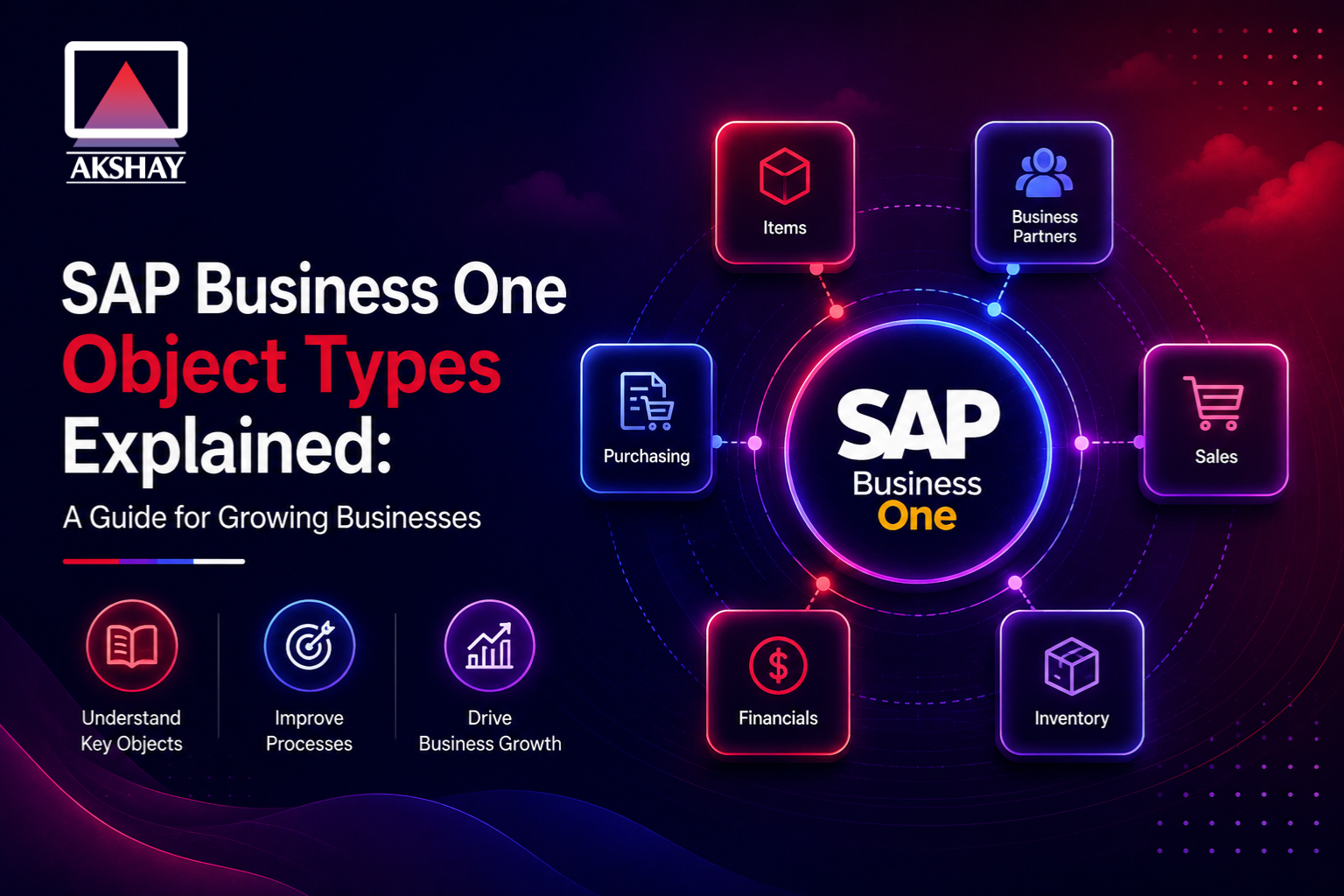
Modern businesses often find it hard to match their software with their unique ways of working. Learning about SAP Business One object types is key to solving this problem. These elements are the foundation of your resource planning setup.
Understanding these components is vital for developers and owners who want to tailor their digital setup. Knowing how data pieces work together lets you control your system’s structure. This knowledge helps your system grow with your company’s needs.
When your software matches your daily tasks, things get more efficient. Strategic customization lets your team automate routine tasks and focus on important growth areas. Using these technical standards helps your business grow confidently and accurately.
Key Takeaways
- Object structures serve as the fundamental building blocks for ERP customization.
- Developers use these entities to create tailored workflows for specific company needs.
- Mastering system architecture leads to improved operational efficiency and automation.
- Clear data mapping ensures that software aligns perfectly with daily business processes.
- Strategic implementation of these components supports long-term scalability for growing firms.
Understanding the Role of SAP Business One Object Types
Knowing how SAP handles data is key for Indian SME digital transformation. Using standard object types helps businesses stay organized and grow smoothly.
Why Object Types Matter for Indian SMEs
For growing Indian companies, automating workflows is essential. Object types offer a clear structure for working with data. This makes it easier for developers to create custom tools without getting lost in the system’s details.
Adopting these standards lowers the chance of data errors. It also makes sure all transactions follow SAP’s strict rules.
The Relationship Between Database Tables and Objects
Many think developers work directly with SAP B1 database tables. But, the system uses an object layer for data safety and integrity.
The database holds raw data, but the object layer checks it. This ensures your SAP B1 database tables stay correct, even when handling lots of data.
| Feature | Database Tables | SAP Business Objects |
| Primary Function | Raw Data Storage | Business Logic Execution |
| Access Method | SQL Queries | DI API / Service Layer |
| Data Validation | Minimal | Strict Business Rules |
| Complexity | High (Technical) | Low (Functional) |
Navigating the SAP Business One Software Development Kit
The SAP Business One Software Development Kit is key for custom projects. It lets teams add new features to the ERP. When doing SAP Business One development, it’s important to keep updates in mind.
Prerequisites for Developers and System Administrators
Developers must check their setup before starting. They need server access to set up the toolkit. Also, the .NET framework must be right for your setup.
System admins should check user permissions. Security is key when dealing with financial data. Make sure all libraries are there and your machine can talk to the database.
Connecting to the DI API
The SAP B1 DI API connects your app to the ERP database. A good connection is the first step for any task. Developers need to start with the Company object and the right login info.
Always check the connection before doing anything. Good error handling during login keeps your app running. With a good connection, your app can start moving data in and out.
- Verify server connectivity via the Service Manager.
- Ensure the DI API version matches the installed client version.
- Use secure credentials for database authentication.
- Implement robust logging for all connection attempts.
Core Concepts of sap business one object types
Understanding SAP Business One’s architecture is key. It organizes data into specific structures. This makes your business processes consistent and scalable. Proper classification is essential for any growing business.
Distinguishing Between Master Data and Transactional Objects
Master data management SAP deals with static info that defines your business. This includes Business Partners or Items. These records rarely change and are the base for daily activities.
Transactional objects SAP B1 are about the dynamic events of your day. This includes Sales Orders, Invoices, and Purchase Orders. Master data gives the “who” and “what,” while transactional objects show the “when” and “how much.”
How the DI API Interacts with Object Types
The SAP B1 DI API connects custom apps to the ERP database. It uses object classifications for precise CRUD operations. This ensures business logic and validation rules are followed during data entry.
The table below shows the main differences between object categories. It helps plan your integration strategy:
| Object Category | Primary Purpose | Frequency of Change |
| Master Data | Entity Definition | Low |
| Transactional | Event Recording | High |
| System/Setup | Configuration | Very Low |
The Importance of Object Codes in System Queries
Every object has a unique identifier called SAP B1 object codes. These codes are key for precise queries or API functions. Using the right code ensures correct data interaction.
Accuracy is vital when using these codes. Wrong codes can cause data issues or failed transactions. Always check your object codes against the official documentation.
Setting Up Your Development Environment for Object Manipulation
Getting your workstation ready is key for SAP Business One development. A good setup makes sure your code works well with the ERP system. This reduces downtime and sets a solid base for future projects.
Configuring Visual Studio for SAP Business One Integration
First, make sure your project links to the SAP SDK libraries. Visual Studio SAP integration uses the DI API to talk to business objects. Without these links, your app won’t work with SAP B1 models.
Here’s how to set up your project:
- Open your project properties and go to the “References” tab.
- Add the SAPbobsCOM library to your project.
- Make sure “Embed Interop Types” is set to “False” for compatibility.
- Check that your target framework matches the SAP B1 client version.
Establishing Secure Connections to the Company Database
After setting up your project, focus on SAP B1 company database connection security. A secure link needs the right login details and a ready connection object. Security is key when dealing with business data, so use encrypted channels.
When connecting, make sure your code handles login errors well. Keep database server info and login details in a secure file, not in your code. This keeps your system safe and makes managing different environments easier.
Secure connections offer big benefits:
- They stop unauthorized data changes.
- They help your system stay stable during busy times.
- They make it easier to track API transactions.
Step One: Identifying the Correct Object Type for Your Business Process
Choosing the right object type is key to keeping your custom solutions stable and fully compatible with SAP. Before coding, figure out which internal structure fits your business needs. This step helps avoid costly mistakes and ensures your integration is top-notch.
Using the Object Type Reference Table
The SAP B1 object type reference is your guide for development. It lists all objects, from basic data to complex documents. Use it to find the unique ID for the entity you want to work with.
Make sure to bookmark this resource for all your projects. It helps you avoid mistakes by using the correct object codes. Always check that your local documentation is up-to-date with your software version.
Mapping Business Requirements to Standard SAP Objects
Linking your business logic to the software’s data structure is key. Look at your workflow to see if it fits with standard objects like Business Partners or Sales Orders. If your process has unique data, think about how to extend standard objects.
When mapping, consider these points for a healthy system:
- Data Hierarchy: Does your process rely on header-level or row-level data?
- Object Relationships: How does your chosen object interact with existing master data?
- Validation Rules: Will your custom logic conflict with mandatory fields in the standard object?
Aligning your needs with the platform’s capabilities makes for a robust and scalable solution. This approach reduces technical debt and makes maintenance easier for your IT team.
Step Two: Accessing Master Data Objects in SAP Business One
Getting data right starts with how you work with master data in SAP Business One. The DI API helps keep info the same everywhere. This is key for Master data management SAP in growing Indian businesses.
Retrieving Business Partner Information
The SAP B1 business partner API makes it easy to get customer and vendor info. Use the Business Partner Code for the right details. This cuts down on mistakes and makes your work faster.
- Use the GetByKey method for quick record retrieval.
- Filter results using the DoQuery method for complex searches.
- Update contact persons and addresses directly through the object properties.
Managing Item Master Data via Object Types
Good inventory control needs precise item master updates. Accessing these objects lets you change prices, descriptions, and more in real-time. Maintaining high data quality is easier with automatic updates.
Updating Inventory Records Programmatically
Use the SAP B1 inventory management API to update warehouse data. This keeps stock levels up to date without delay. Automated updates stop problems during busy times.
Always check the object status before making changes. This step avoids mistakes and keeps your inventory reliable. Consistency is the key to a smooth supply chain.
Step Three: Managing Transactional Objects for Sales and Purchasing
Transactional objects are key for handling orders and buying workflows. They let developers work with SAP Business One’s core business logic. This ensures accurate tracking of goods and services.
By using transactional objects SAP B1, companies can ditch manual data entry. This makes processes automated and error-free.
Creating Sales Orders Using the Documents Object
The Documents object is great for managing sales. It helps create orders automatically, thanks to SAP B1 sales order automation. This frees up sales teams to focus on customers.
Handling Purchase Orders and Goods Receipt POs
Efficient procurement needs smooth SAP B1 purchase order integration. The DI API automates purchase orders and Goods Receipt POs. This keeps your inventory accurate and your supply chain running.
Ensuring Data Consistency Across Linked Documents
Keeping data consistent between documents is key for financial reports. When linking a purchase order to a goods receipt, the system checks for exact matches. This data consistency avoids errors in accounts payable and inventory.
| Document Type | Object Code | Primary Function |
| Sales Order | 17 | Customer demand tracking |
| Purchase Order | 22 | Vendor procurement |
| Goods Receipt PO | 20 | Inventory intake |
Step Four: Implementing User-Defined Objects for Custom Requirements
SAP B1 User-Defined Objects are great for special needs. They let you store data that doesn’t fit in usual places. This helps Indian SMEs stay ahead while keeping things simple.
Defining UDOs in the SAP Business One Client
Start in the SAP Business One client with Customization Tools. First, make User-Defined Tables (UDTs) for your data. Then, use the Objects Registration Wizard to set up your object.
Decide if your object is for master data or transactions. Choosing the right type keeps your data safe and reliable. This is key for keeping everything in order.
Registering and Accessing UDOs via the DI API
Once your object is set up, you need to work with it programmatically. Developers use the DI API for CRUD operations on SAP B1 User-Defined Objects. They mainly use GeneralService and GeneralData to connect custom logic to the database.
To get to your data, start with the service and its unique code. This access lets you create custom tools that work with your UDOs. Learning this can make your ERP do more for your business.
Using SAP B1 User-Defined Objects makes your software grow with your company. They’re perfect for tracking special items or managing unique contracts. These tools offer the flexibility needed for today’s business needs.
Best Practices for Data Integrity When Using Object Types
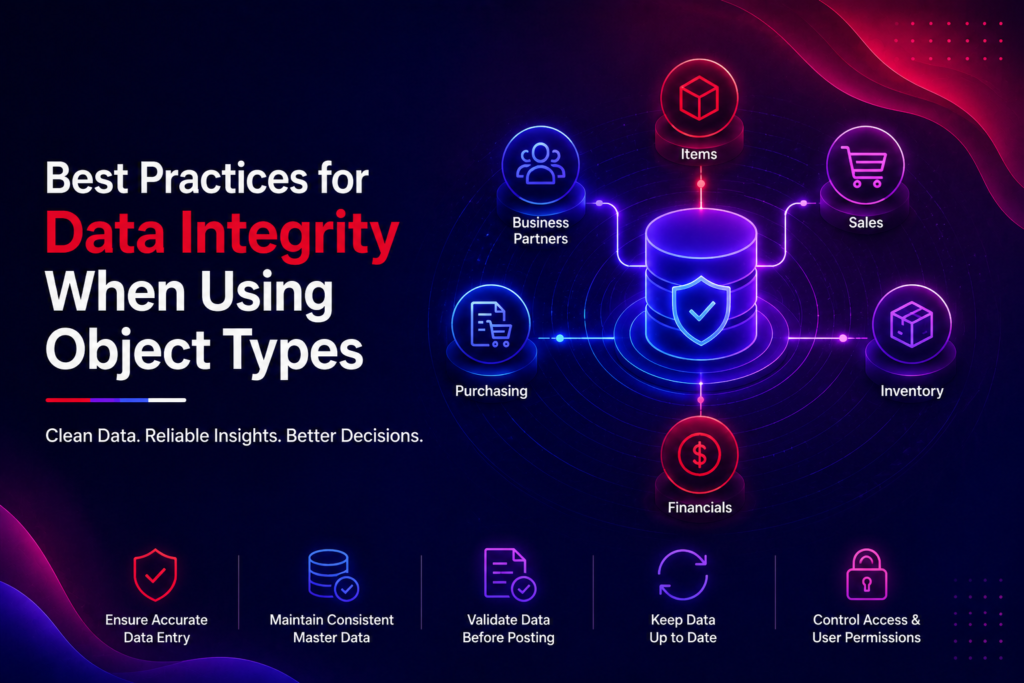
Automating object manipulation is key to success. Keeping your database clean and accurate is essential for Indian SMEs. They need real-time reports and quick decisions. By following set rules, your workflows stay stable and reliable.
Implementing Transactional Rollbacks
Errors happen in software development, but they shouldn’t harm your database. A SAP B1 transactional rollback lets you undo changes if something goes wrong. This stops partial updates that cause trouble.
Always use a transaction block for DI API operations. If an error happens, the system rolls back to the previous state. This is a key part of SAP B1 data integrity best practices for developers.
Validating Data Before Object Submission
It’s better to prevent data issues than fix them later. Always check your data before sending it to SAP Business One. This step lowers the chance of errors and rejected transactions.
Here are some tips for better validation:
- Make sure all required fields have valid data before adding new records.
- Confirm that linked master data, like Business Partner codes, is correct.
- Apply custom rules to follow specific business needs.
By following these SAP B1 data integrity best practices, you keep your system safe from bad data. A good validation and SAP B1 transactional rollback plan make your automation resilient and reliable as your business grows.
Common Challenges and Troubleshooting Object Type Errors
Working with object types can lead to unexpected problems. These issues can stop important business tasks. Proactive monitoring helps keep your system running smoothly.
Debugging Common DI API Exceptions
The SAP B1 DI API connects your code to the database. If something goes wrong, it shows an error code and message. It’s important for developers to catch these messages to find the problem fast.
To fix Debugging SAP B1 DI API issues, log every request and response. This helps find where things go wrong. Here are some steps to help you troubleshoot better:
- Always check the LastError property right after updating or adding an object.
- Use a try-catch block to handle unexpected exceptions during runtime.
- Check all required fields against the metadata before sending the request to the server.
Resolving Locking Issues in Multi-User Environments
In busy Indian business settings, many users access the same records at once. This can cause SAP B1 multi-user locking errors. These happen when the system stops a write operation to keep data consistent.
To avoid these problems, make sure your code releases object references after each transaction. Keeping an object in memory too long can lock a table. This stops other users from working. Efficient resource management is key for a good user experience.
If you keep getting locking issues, check if your app is doing too many read-write cycles. A short retry with a brief delay can solve some problems. Always make sure your app respects the software’s native locking mechanisms to keep data safe.
Scaling Your Operations with Advanced Object Automation
Growing businesses in India face a big problem as they grow. Manual processes slow them down. They need smart, automated workflows to handle data well. The DI API helps teams avoid repetitive tasks and focus on growing.
Automating Recurring Tasks with Scheduled Jobs
SAP B1 process automation lets your system do routine tasks on its own. You can set up jobs to update objects like invoices or inventory levels. This keeps data right and cuts down on mistakes.
Efficiency is key for using these automated routines. Your team can work on important tasks when they’re busy. Here are some benefits of automating tasks:
- Increased accuracy in financial reports and inventory.
- Reduced costs by needing less manual work.
- Improved consistency in all data entries.
Integrating Third-Party Applications with SAP Objects
A modern digital world needs smooth communication between your ERP and other software. SAP B1 third-party integration lets you link your CRM, e-commerce, or logistics to your main business objects. This makes a single, real-time data source for your whole company.
Creating a flexible system depends on how well your apps work with SAP objects. Secure API endpoints make sure updates in your web store match your sales orders or stock levels. This makes your business quick and competitive in a fast-changing market.
Conclusion
Managing data in SAP Business One is key to digital success. Knowing object types helps your team automate tasks and boost system speed.
Good coding and testing are the base for a reliable system. Clean code and strict checks help avoid problems. This keeps your ERP stable as your business grows in India.
Sticking to these standards leads to lasting success. Using these strategies well makes your software investment worth it. Start improving your business setup today.
Get in touch with our IT team or SAP experts to check your object setup. Always keep learning and updating to stay ahead. Start your journey to better ERP management with these basics.