
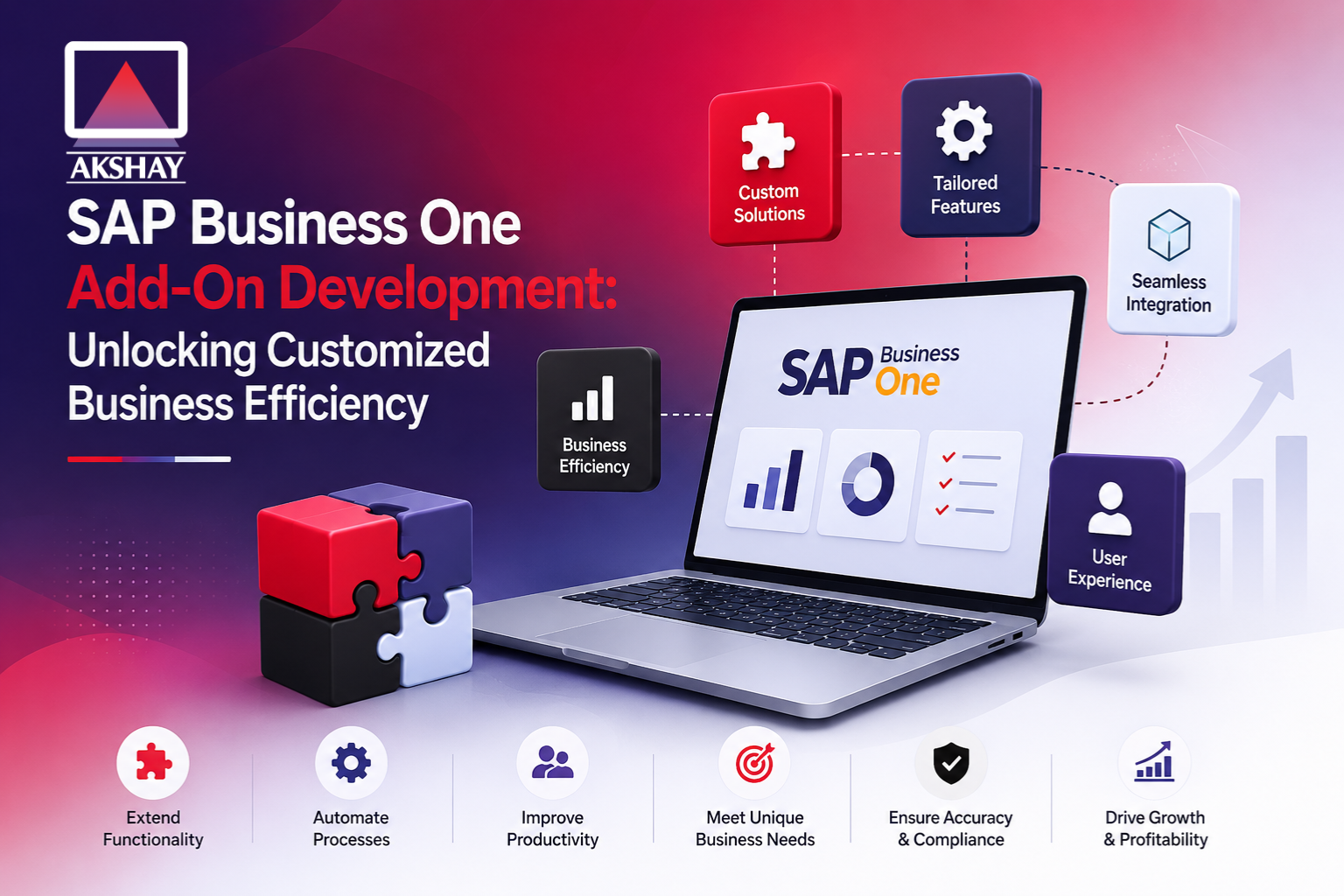
Modern businesses in India face a big challenge in SAP Business One Add-On Development. Standard ERP systems are good but often don’t meet local needs. That’s why sap business one add on development is key for growth.
Creating custom software extensions helps fill the gap. Customization is now a must to stay competitive. These tools help automate tasks and make data more accurate.
This guide is for IT managers and developers wanting to build scalable extensions. We’ll dive into the technical details to boost your system’s performance. Follow these steps to boost your company’s productivity and success with better technology.
Key Takeaways
- Custom extensions help align ERP software with specific Indian market requirements.
- Tailored solutions bridge the gap between standard features and unique operational needs.
- Strategic software building enhances overall company productivity and efficiency.
- Scalable code ensures your technical infrastructure grows alongside your enterprise.
- Mastering these tools provides a significant competitive edge in the digital landscape.
The Strategic Value of Customizing SAP Business One
An ERP system’s true power is in matching your business’s unique needs. While global software is a good start, ERP customization India fills the gap. It makes sure the software fits your specific needs.
Aligning ERP Functionality with Unique Indian Business Processes
Every business has its own set of rules and ways of working. A good Indian business process ERP must understand these to follow rules and run smoothly.
Customization lets businesses add local tax rules and reports to their system. This way, the software helps your business grow in the local market.
Driving Operational Efficiency Through Automation
Manual data entry can cause mistakes and slow down decisions. SAP Business One automation makes these tasks faster and more accurate. It needs less human help.
Automating routine tasks lets your team work on important projects. This makes your business more efficient and accurate in its data.
| Feature Category | Standard ERP | Customized SAP B1 |
| Workflow Speed | Moderate | High |
| Data Accuracy | Manual Dependent | Automated |
| Local Compliance | Generic | Localized |
| User Adoption | Standardized | Optimized |
Choosing ERP customization India means you’re ready for the future. With SAP Business One automation, your Indian business process ERP will grow with you.
Prerequisites for SAP Business One Add-On Development
Before starting, you need to know the basics for sap business one add on development. A clear plan helps your extensions work well in complex Indian business settings.
Essential Technical Skills and Programming Languages
Developers must know C# or VB.NET well. These languages are key for making strong add-ons that work with SAP.
Knowing Object-Oriented Programming (OOP) is also important. It helps write clean, organized code. Plus, knowing Relational Database Management Systems (RDBMS) like Microsoft SQL Server or SAP HANA is key for handling data. These skills are the foundation of sap business one add on development.
Understanding the SAP Business One Architecture
It’s important to understand the system’s architecture. This framework shows how data moves between the database and the app layer. It’s key for keeping data safe.
Knowing how the system handles requests helps build efficient and scalable extensions. Mastering this architecture lets you make smooth integrations that follow the platform’s logic. This technical knowledge is what makes a good sap business one add on development project.
Setting Up Your Development Environment
A good setup is key for all your projects. It makes your Visual Studio SAP development smooth and without mistakes. This is true from start to finish.
Installing Visual Studio and Required SDK Components
First, get a version of Microsoft Visual Studio that works for you. Make sure you pick the right .NET desktop development workloads. This is important for your coding needs.
Then, get the SAP Business One Software Development Kit (SDK). It has what you need to make robust extensions for your clients in India.
Configuring the SAP Business One Client for Debugging
Setting up the SAP Business One client right is key to finding problems early. Turn on debugging mode in the client settings. This lets your IDE connect to the running process.
Learning SAP B1 debugging techniques can save you a lot of time. Make sure your user permissions let you debug from outside. This stops you from getting access denied when you run your code.
Connecting to the DI API and UI API
The Data Interface (DI) API and User Interface (UI) API are your main entry points. To connect securely, start with the Company object. Use valid credentials and server details.
With a good connection, you can work with business objects or change form elements. Knowing how to use these APIs well is essential. It’s a key skill for SAP B1 debugging techniques and fast Visual Studio SAP development.
| Component | Primary Function | Development Role |
| DI API | Data Manipulation | Backend Logic |
| UI API | Form Customization | User Interaction |
| Visual Studio | Code Compilation | Environment Hub |
| SDK Samples | Reference Code | Learning Tool |
Understanding the SAP Business One Software Development Kit
Starting to build extensions for your ERP means diving into the SAP B1 SDK tutorial framework. This toolkit is key for developers. It helps them meet specific needs by adding to standard software features.
By learning these tools, you can make your system fit the unique needs of the Indian market.
Overview of the Data Interface API
The Data Interface API, or DI API, is the heart of DI API integration. It lets your custom code talk directly to the database. This keeps data changes in line with business rules.
Reliability is a big plus here. The DI API handles complex tasks safely. It makes sure your operations run well, keeping data safe.
Leveraging the User Interface API for Custom Forms
For better user experience, UI API development is key. It lets you change existing windows or create new SAP B1 custom forms. You can add features like buttons and menus to make tasks easier.
Creating user-friendly layouts makes it easier for people to use your system. Custom interfaces help staff focus on their main tasks. This is vital for keeping productivity high in busy work settings.
Utilizing Service Layer for Web-Based Extensions
The SAP B1 Service Layer is all about modern connectivity. It uses OData to share business objects as web services. This is great for cloud or mobile apps.
Developers can now make extensions that work outside the desktop client. Web-based integration is flexible for remote teams and digital changes. Using this tech keeps your business ready for growth.
Step-by-Step Guide to SAP Business One Add-On Development
Creating a custom add-on is a series of steps. It turns business needs into working software. By following a set process, developers make sure their solutions work well and can grow. This sap business one add on development helps Indian businesses meet their unique needs.
Step 1: Defining the Business Requirement and Scope
First, you need to clearly state the business problem you want to solve. A clear scope keeps the project focused. It ensures the solution adds real value to users. You should know who needs the solution and what workflows need automation.
Step 2: Creating the Project Structure in Visual Studio
After setting the requirements, start your Visual Studio SAP development. Begin by making a new project with the right template from the SDK. This SAP B1 SDK tutorial method makes sure your project has the right libraries and namespaces.
- Choose the right .NET Framework version for your SAP B1 setup.
- Add SAPbobsCOM and SAPbouiCOM DLLs as references.
- Set up your project folders to keep UI and business logic separate.
Step 3: Establishing the Connection to the Company Object
The Company object is key for your add-on. It’s how your code talks to the SAP database. Making a secure and reliable connection is a big step in your SAP B1 SDK tutorial.
You need to start with the SBO_Application object to work with the client. Good error handling here helps your add-on handle problems smoothly.
Step 4: Developing the Core Functionality and Logic
With the connection set up, you can start on the business logic. This part of Visual Studio SAP development is where you write code for data processing and updates. Aim for clean, modular code that’s easy to keep up with as your business grows.
Step 5: Handling Events and User Interactions
A good add-on responds well to user actions in the SAP interface. You’ll need to handle menu clicks, item events, and form data changes. This makes your sap business one add on development project a useful tool for your team’s daily work.
Designing User Interfaces with Screen Painter
The Screen Painter SAP B1 tool lets developers make professional layouts. These layouts look like they’re part of the SAP software. This way, your team stays productive without learning new ways to navigate.
Creating Custom Forms and Menus
When making SAP B1 custom forms, aim to improve user experience. Place important fields in easy-to-reach spots. This makes data entry faster and reduces mistakes.
Adding custom menus helps organize tools in the SAP environment. This keeps your extensions easy to find but doesn’t clutter the space. It’s important for creating solutions that users like using every day.
Binding Data to UI Elements
Binding data makes sure user inputs are saved correctly in the database. When you connect a text box or dropdown menu to a field, the system does the work for you. This seamless integration shows in top-notch UI API development.
Developers need to watch data types and validation rules closely. This prevents data problems and keeps your SAP B1 custom forms reliable. Using Screen Painter SAP B1 well means your app stays stable as your data grows.
| UI Element | Primary Function | Best Use Case |
| Matrix | Displaying rows of data | Invoices and Sales Orders |
| Combo Box | Selecting predefined values | Status updates or categories |
| Edit Text | Capturing user input | Names, codes, and descriptions |
| Button | Triggering logic | Saving or processing records |
Implementing Business Logic with the DI API
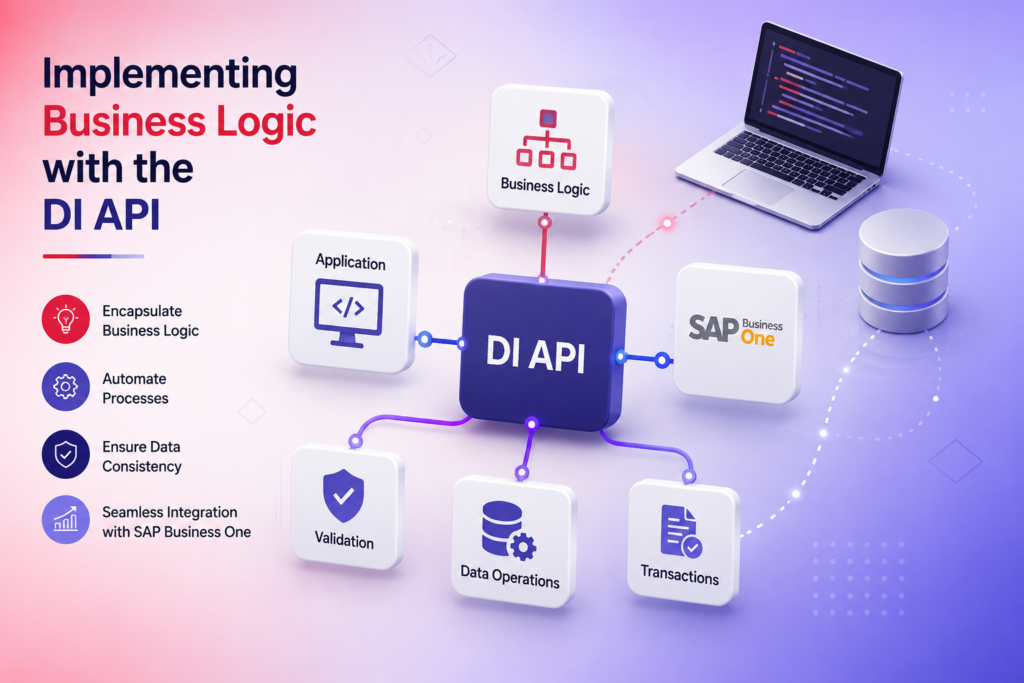
Developing SAP Business One needs you to work with its core data layer. DI API integration lets developers add custom logic. This logic keeps the database safe while meeting business needs.
Interacting with Master Data and Transactional Objects
The Data Interface (DI) API is key for working with business objects. You handle things like Business Partners, Items, and Sales Orders. Every action must follow the ERP’s standard validation rules.
Keeping data consistency is critical. Use standard object methods to keep your add-on stable:
- Add: Create new records with valid data.
- Update: Safely change existing transactional objects.
- Remove: Delete records only when allowed by business rules.
- GetByKey: Get specific data for real-time use.
Good DI API integration makes sure your code checks data like the standard SAP client. This stops data problems and keeps your business running well, even when it’s busy.
Executing Complex Queries and Stored Procedures
For big tasks or special reports, standard methods might not be enough. Running direct SQL queries or stored procedures is needed for better performance.
The Recordset object helps run complex queries. This is great for custom financial reports or big updates. It’s faster than using standard methods.
But, always use DI API integration for changes to keep business logic safe. Mixing direct database access with API safety makes your add-on fast and reliable. It handles big loads easily.
Debugging and Testing Your Custom Add-On
Quality is key for any SAP Business One project. It makes sure your tools work well for your business. Consistent testing finds problems before they cause trouble.
Using Breakpoints and Error Handling Techniques
SAP B1 debugging techniques let you see how the app works while it’s running. You can stop it to check values and how things flow. This helps find where things might go wrong.
It’s also important to handle errors well. Use try-catch blocks to catch and handle exceptions. This keeps the app running smoothly and tells users what went wrong.
Performing User Acceptance Testing in a Sandbox Environment
After initial checks, test in a safe space. SAP B1 sandbox testing lets you try things out without affecting real data. It’s important to make sure your add-on works with other parts of the system.
Get feedback from important people to make sure it meets their needs. Testing in a sandbox shows how it handles big data and complex tasks. This helps make sure it works well when you use it for real.
| Testing Phase | Primary Objective | Key Tool |
| Unit Testing | Verify individual code modules | Visual Studio Debugger |
| Integration Testing | Check API data flow | SAP B1 DI API |
| User Acceptance | Validate business logic | Sandbox Environment |
Packaging and Deploying Add-Ons for Indian Enterprises
Indian businesses need strong plans to keep their software working well. When you work on ERP customization India, how you finish the project is key. A smooth delivery process means less downtime and better integration with current workflows.
Creating the Add-On Installation Package
First, you need to put your code into a package that SAP can use. This package must meet SAP’s rules for seamless integration with other databases. A clear SAP B1 deployment guide helps you avoid setup mistakes.
Your package should have DLL files, scripts, and metadata. This makes it easy for system admins to install the add-on. This prep is important for keeping your business running smoothly.
Managing Add-On Registration and Deployment via Extension Manager
After your package is ready, the SAP B1 extension manager is your main tool. It lets admins register the add-on, assign it to users, and handle updates. This makes your solution easily accessible for IT teams everywhere.
Using the extension manager also makes it easier to apply patches or new features. This way, every part of your Indian business uses the latest, stable software. This streamlined approach makes your business run smoothly all the time.
Best Practices for Maintaining Custom SAP Solutions
Your custom SAP development thrives with ongoing care. Success comes from following SAP B1 maintenance best practices. This keeps your system running smoothly. Treating your code as a living thing keeps your business agile and efficient.
Ensuring Compatibility with SAP Business One Version Upgrades
SAP updates can affect your custom code. So, SAP B1 version upgrade compatibility is key for IT teams. Always test updates in a sandbox first. This checks for any issues with your custom add-ons.
Proactive monitoring of SAP updates is vital. It lets your team prepare for changes in the DI API or Service Layer. This way, you avoid costly problems in your daily work. Make sure your third-party libraries work with the new SAP version.
Documenting Code and Maintaining Version Control
Following SAP B1 coding standards helps avoid technical debt. Good documentation makes it easy for any developer to understand your code. This speeds up troubleshooting and makes it more reliable.
Using a version control system like Git is a must. It helps your team track changes and go back to a stable version if needed. This keeps your codebase clean and ready for growth. Here’s a table with key strategies for keeping your SAP environment in top shape.
| Maintenance Activity | Frequency | Primary Benefit |
| Code Review | Monthly | Ensures adherence to standards |
| Sandbox Testing | Pre-Upgrade | Prevents production downtime |
| Documentation Update | Per Release | Reduces knowledge silos |
| Version Control Audit | Quarterly | Maintains code integrity |
Overcoming Common Challenges in SAP Development
Even the best add-ons face performance and security issues. Developers need to be ready for these problems. This way, custom tools can keep up with business growth.
Managing Performance Bottlenecks in Large Datasets
Big data can slow down systems. To fix this, use SAP B1 performance optimization methods. This helps avoid slow times during busy hours.
Writing simple SQL queries and avoiding loops is key. This saves server resources. The SAP B1 Service Layer also helps manage data well. It makes systems more scalable for web and mobile apps.
Here are some tips for a fast system:
- Use indexed database views to speed up data retrieval.
- Limit the number of records fetched in a single API call.
- Cache frequently accessed data to reduce database hits.
Addressing Security and Data Integrity Concerns
Keeping business data safe is critical. SAP B1 data integrity needs strict rules for data entry. Without these, scripts could mess up data or records.
Good SAP Business One automation includes strong error handling. This lets admins track changes and find problems fast. Always limit what your add-ons can do.
Focus on security and speed to earn user trust. A well-kept system boosts daily work and protects your ERP’s value. Regular testing and code checks are the best way to avoid surprises.
Conclusion
Learning sap business one add on development is key for businesses in India. It helps them make their digital setup better. This process turns basic ERP software into something that fits their local needs perfectly.
Developers who focus on clean code and strong architecture add great value. Keeping your systems updated is also important. This way, your custom tools stay reliable as your business grows.
Every piece of code makes your business more flexible and quick to respond. We encourage you to use these strategies in your work. This will help your business grow in meaningful ways.
Your dedication to quality sap business one add on development will pay off. You’ll see improvements in how fast your business works and how accurate your data is. Begin creating your custom extensions now. This will give you an edge in the changing Indian market.