
Finding the right SAP accounting package is key for any modern Indian business. Choosing the best internal systems is the first step to long-term growth and success.
Using strong financial accounting software lets teams track every rupee carefully. It makes daily work easier and keeps all records accurate for the tax office.
Effective SAP financial management gives a full view of your company’s financial health. This tool helps managers make informed decisions with live data, not old paper files.
Choosing the right software bundle means looking at its growth capabilities. This guide covers the main points to check when upgrading to maximise your productivity.
It’s important to see how these tools fit with your current setup. We’ll explore how to find a solution that supports seamless operations and follows local rules.
Key Takeaways
- Prioritise scalability to ensure the system grows alongside your business.
- Assess how well the tool can integrate with your current legacy systems.
- Verify that the software complies with localised Indian tax regulations.
- Utilise real-time reporting to assist in making swift decisions.
- Evaluate the user interface to reduce training time for your staff.
- Optimise your budget by selecting modules that fit your specific requirements.
Understanding SAP’s Financial Management Ecosystem
It’s key to get SAP’s financial management system for better finance work. SAP’s tools help manage money data well. This lets businesses make smart choices.
SAP’s system has many tools for finance work. This includes accounting, planning, and analysis. These tools help make finance work smoother, cut costs, and boost efficiency.
What SAP Accounting Solutions Offer
SAP’s accounting tools are strong for managing money data. They have features like:
- Real-time financial reports and analytics
- Automated accounting tasks
- Rules for following laws
- Easy data sharing with other SAP modules
These help keep financial records right, cut down on mistakes, and make finance clearer.
The Evolution of SAP Financial Software
SAP’s finance software has changed a lot. This is because of new tech and business needs. SAP now offers cloud-based solutions like SAP S/4HANA. This makes finance work more flexible and scalable.
New tech like AI and machine learning are now part of SAP. This helps businesses understand their money better and make better choices.
Why SAP Dominates Enterprise Accounting in India
SAP is top for finance work in India. It’s because SAP offers:
- Flexible and scalable finance solutions
- Rules for Indian laws
- Easy data sharing with other SAP modules
- Good support and upkeep services
Choosing SAP helps Indian businesses grow. They get a trusted finance platform for their growth plans.
Assessing Your Organisation’s Accounting Requirements
Knowing what your organisation needs for accounting is key to picking the right SAP solution. This step is important to make sure the SAP package fits your business. It helps improve how you manage money and work.
Identify Your Business Size and Complexity
The size and how complex your business is affect the SAP package you need. Small to medium-sized enterprises (SMEs) might want a simpler solution. Bigger companies might need something more detailed.
Think about how many people work for you, your yearly sales, and how complicated your money dealings are. These points help figure out the right SAP solution for your business.
List Your Critical Financial Processes
It’s important to know which financial tasks are most important for your SAP package. Key tasks usually include handling money you owe and money you’re owed, managing the general ledger, tracking assets, and making financial reports.
- Accounts payable and receivable management
- General ledger and financial reporting
- Asset accounting and management
- Cash management and forecasting
Determine Your Integration Needs
Your SAP package must work well with your current systems, like CRM, supply chain, and HR. Looking at integration needs means checking if your current setup can work with SAP.
Think about the data formats your systems use and what APIs or middleware you need for easy integration.
Establish Your Budget Parameters
Having a clear budget is key to choosing the right SAP package. Don’t just think about the upfront costs. Also, consider ongoing expenses like maintenance, support, and customisation fees.
It’s also important to look at the return on investment (ROI) timeline. Make sure the SAP package you choose will be worth it for your business in the long run.
Comparing Available SAP Accounting Package Solutions
SAP has many accounting packages for different business sizes and types. This means businesses can pick the best fit for their needs and goals.
Overview of SAP Accounting Solutions
SAP has several key accounting solutions. SAP S/4HANA Finance is for big companies. SAP Business One is for small to medium businesses. SAP Business ByDesign is for growing businesses. The SAP ERP Financial Accounting Module is for detailed financial management.
SAP S/4HANA Finance for Large Enterprises
SAP S/4HANA Finance is for big companies. It has advanced financial tools and fast processing. It’s great for companies with complex finances and lots of transactions.
SAP Business One for Small to Medium Enterprises
SAP Business One is for small to medium businesses. It has a full ERP solution with strong accounting features. It grows with your business.
SAP Business ByDesign for Growing Businesses
SAP Business ByDesign is a cloud ERP for growing businesses. It has flexible financial tools. It’s perfect for businesses that change and grow.
SAP ERP Financial Accounting Module
The SAP ERP Financial Accounting Module is part of the SAP ERP system. It offers detailed financial management. It’s for businesses wanting a strong and integrated financial solution.
| SAP Solution | Ideal Business Size | Key Features | Deployment |
| SAP S/4HANA Finance | Large Enterprises | Advanced financial capabilities, real-time processing | On-premise, Cloud |
| SAP Business One | Small to Medium Enterprises | Comprehensive ERP, scalable | On-premise, Cloud |
| SAP Business ByDesign | Growing Businesses | Flexible financial management, cloud-based | Cloud |
| SAP ERP Financial Accounting Module | Various | Comprehensive financial management | On-premise |
By comparing these SAP accounting packages, businesses can choose the best one. They should think about their size, needs, and how they want to use it.
Evaluating Core Accounting Features and Capabilities
Choosing the right SAP accounting package is key. You need to check if it fits your financial needs well.
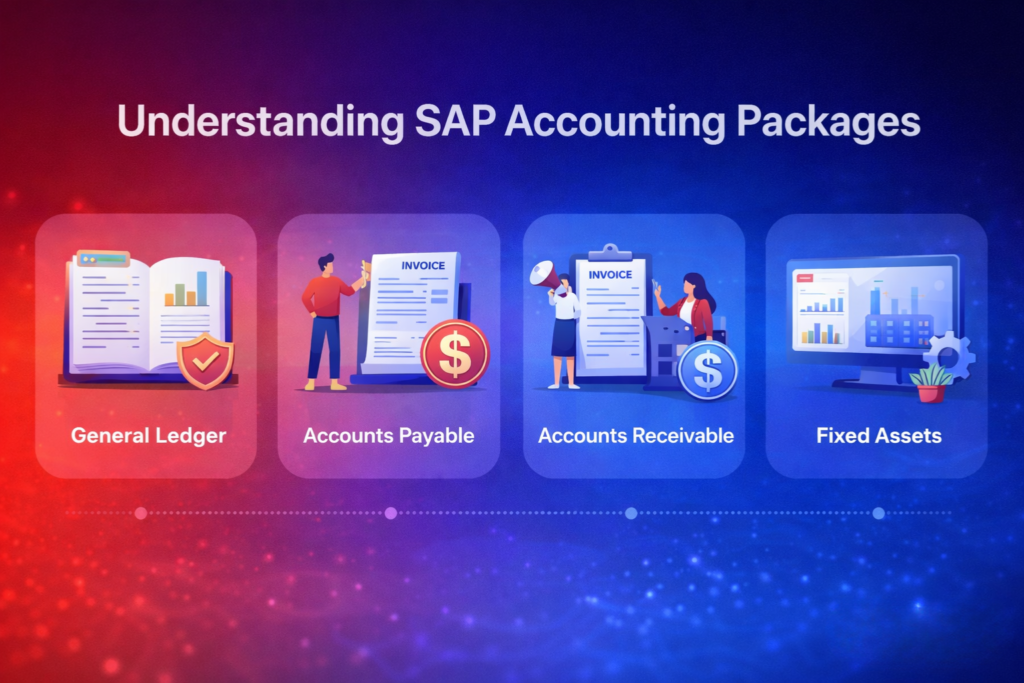
General Ledger and Account Management
The general ledger is at the heart of any accounting system. It holds all financial transactions. A good SAP package should have a strong general ledger.
It should support multi-dimensional reporting and real-time financial analysis. It also needs to make account management easy. This includes automatic account setting and flexible hierarchies.
Accounts Payable and Receivable Functions
Managing accounts payable and receivable is vital for cash flow. SAP solutions should automate invoicing, payment processing, and credit management. Features like electronic invoicing and automated matching make these tasks smoother.
Asset Accounting and Management
Asset accounting helps manage fixed assets well. The SAP package should handle depreciation calculation, asset classification, and comprehensive reporting. It should also integrate with other modules for a full view of assets.
Bank Accounting and Cash Management
Bank accounting and cash management are key for liquidity. SAP solutions should have automated bank reconciliation, cash forecasting, and liquidity management. These tools help manage cash flow, reduce risks, and boost financial health.
Assessing Scalability and Future Growth
Choosing the right SAP accounting package is key. You need to check if it can grow with your business. A good solution will adapt to your needs, helping your finances grow smoothly.
Understanding User Capacity and Licensing Models
Scalability starts with knowing your user needs and licensing options. SAP offers different ways to license, like user-based or concurrent. Make sure these fit your current and future needs.
Licensing models affect your budget. Named user licenses might save money if your user numbers don’t change. But, if your needs shift, concurrent licenses could be better. Knowing this helps avoid extra costs and ensures your system grows with you.
Evaluating Module Expansion Possibilities
Looking at how easily you can add new modules is also important. As your business grows, you might need more features. SAP S/4HANA Finance has many modules to help with planning, accounting, and reporting.
Check if your SAP solution can easily add new modules. Also, see if these modules are part of SAP or need outside help. This will help you plan for future growth and understand any costs or challenges.
Cloud versus On-Premise Scalability Options
The way you deploy your SAP package affects its scalability. Cloud options are often more flexible and easier to scale. They don’t require big investments in hardware.
- Cloud Benefits: Scalability, flexibility, less IT work, and lower costs at first.
- On-Premise Considerations: More upfront costs, more control, but might not scale as easily.
When choosing between cloud and on-premise, think about your specific needs. Cloud might offer the flexibility you need. But, consider data security, IT setup, and growth plans too. It’s important to balance these factors for the best choice.
Analysing Total Cost of Ownership
Looking at the total cost of ownership is key when picking the right SAP accounting solution. You need to think about all the costs involved in using and keeping an SAP accounting package.
When you look at SAP accounting packages, knowing the total cost is important. It’s not just the first cost. It’s also the ongoing costs that can affect your business’s money health.
Initial Licensing and Implementation Costs
The first cost of an SAP accounting package includes the license fees and setup costs. The license fees depend on how many users, how big the setup is, and what features you need. Setup costs cover the costs of hardware, software, and help from experts.
Key factors influencing initial costs:
- Number of users
- Scale of deployment
- Required features and functionalities
- Consultancy and implementation services
Ongoing Maintenance Expenses
After setting it up, you have to think about the ongoing costs. These are for updates, patches, and support services. Keeping the system up to date is important. It keeps it safe, follows rules, and works well.
Maintenance expenses to consider:
- Annual maintenance fees
- System updates and patches
- Technical support services
Training and Support Costs
Training and support are key for using an SAP accounting package well. You need to think about the costs of training, user support, and guides.
Training and support considerations:
- Initial training for end-users
- Ongoing support services
- Documentation and resource materials
Evaluating Return on Investment Timeline
Looking at the return on investment (ROI) timeline is important. It helps you see when the benefits of the SAP accounting package will be more than the costs. You need to look at the money saved, better efficiency, and better decision-making.
| Cost Component | Description | Estimated Cost |
| Initial Licensing Fees | Fees associated with purchasing the SAP accounting package | ₹500,000 – ₹2,000,000 |
| Implementation Costs | Costs related to setting up the system | ₹800,000 – ₹3,000,000 |
| Ongoing Maintenance | Annual costs for updates, patches, and support | ₹150,000 – ₹500,000 per annum |
| Training and Support | Costs associated with training and ongoing support | ₹100,000 – ₹300,000 |
Ensuring Compliance with Indian Regulatory Requirements
Indian businesses face a complex set of rules to stay legal. They need a financial system that can handle these rules well. This includes managing GST compliance, following Indian accounting standards, and meeting statutory reporting requirements. They also need to handle tax deduction at source well.
GST Compliance and Reporting Capabilities
The Goods and Services Tax (GST) has changed India’s tax system a lot. A good SAP accounting package must handle GST easily. Look for features like:
- Automated GST calculation and invoicing
- GST return filing and reconciliation
- Input Tax Credit (ITC) management
- Compliance reporting as per GST regulations
Indian Accounting Standards Support
Following Indian Accounting Standards (Ind AS) is a must for Indian companies. The SAP accounting solution should support Ind AS. This means it should help prepare financial statements correctly.
- Support for Ind AS compliant financial reporting
- Automated conversion of financial statements
- Disclosure requirements as per Ind AS
Statutory Reporting Requirements
Statutory reporting is key for financial compliance in India. The SAP accounting package should make reports for Indian rules. This includes:
- Balance sheet and profit & loss account preparation
- Cash flow statement generation
- Notes to accounts and other statutory disclosures
Tax Deduction at Source Management
Tax Deduction at Source (TDS) is vital for tax compliance in India. The SAP accounting solution should manage TDS well. This includes:
- TDS calculation and deduction
- TDS return filing and certificate generation
- Compliance with TDS regulations and amendments
By picking a SAP accounting package that meets these rules, businesses can avoid legal trouble. They can then focus on their main work.
Examining Integration Capabilities with Existing Systems
Looking at how an SAP accounting package fits with your systems is key. You must see how it works with your current tech. This ensures a smooth move and top performance.
To do this right, follow a clear plan.
Map Your Current Technology Infrastructure
First, map out your tech setup. List all systems, software, and hardware the SAP package will link with.
Key things to map are:
- Existing ERP systems
- CRM software
- Other financial tools
- Database systems
Verify API and Middleware Compatibility
Then, check if the SAP package’s API and middleware work with yours. This makes sure data moves well and systems work together.
Things to think about are:
- API for data sharing
- Middle solutions for linking
- Support for different data types
Test Data Migration Processes
Last, test moving your data to the new SAP package. Make sure it goes smoothly and accurately.
Testing should cover:
- Data mapping and change
- Checking data for accuracy
- Ensuring data stays the same
| Integration Aspect | SAP S/4HANA Finance | SAP Business One | SAP Business ByDesign |
| API Compatibility | High | Medium | High |
| Middleware Support | Yes | Limited | Yes |
| Data Migration Ease | Complex | Moderate | Streamlined |
Planning Your SAP Accounting Package Implementation
Having a good plan is key to getting the most out of an SAP accounting package. A well-thought-out plan makes the process smooth and meets your financial goals.
Assemble Your Implementation Team
The team you choose is very important for a successful SAP accounting package implementation. They should have skills in tech, finance, and project management. You’ll need an implementation project manager, SAP technical consultants, and financial process experts.
Look for team members who know SAP, understand your finance processes, and can handle change well.
Create a Realistic Timeline
Creating a realistic timeline is essential for a smooth SAP accounting package implementation. Set clear start and end dates and milestones in between. The timeline should match your financial processes, implementation scope, and available resources.
A good timeline helps manage expectations and resources, keeping the project on track.
Establish Milestones and Checkpoints
To track your SAP accounting package implementation, set milestones and checkpoints. These mark progress and help correct any issues early on.
Milestones could be system configuration, user training, and the go-live date. Regular checks let the team see how they’re doing, fix problems fast, and adjust as needed.
Prepare for Change Management
Introducing an SAP accounting package means big changes in finance. So, planning for change management is key.
Explain why the change is happening, the benefits of the new system, and train users well. Good change management reduces disruption and helps your organisation use the new SAP system fully.
| Implementation Step | Key Activities | Responsible Team Members |
| Assemble Implementation Team | Identify required skills, select team members | Project Sponsor, HR |
| Create Realistic Timeline | Define project scope, estimate task duration | Project Manager, SAP Consultants |
| Establish Milestones and Checkpoints | Identify key milestones, schedule regular reviews | Project Manager, Team Leads |
| Prepare for Change Management | Develop change management plan, conduct training | Change Management Lead, Trainers |
Selecting the Right Implementation Partner
Finding the right partner for your SAP accounting solution is key. They should make the transition smooth, offer valuable insights, and help you reach your financial goals.
Evaluating SAP Partner Credentials
When looking for a partner, check their credentials. Make sure they have SAP certification and a good track record with SAP accounting packages. They should know your SAP solution well, like SAP S/4HANA Finance or SAP Business One.
Look for these credentials:
- SAP Partner Edge certifications
- Experience with similar businesses or industries
- A strong team with skilled SAP consultants
Checking India-Specific Experience and Localisation
If you’re in India, find a partner with local knowledge. They should know Indian tax laws and accounting standards well.
A partner with India experience can help you:
- Navigate local tax regulations
- Ensure compliance with statutory reporting requirements
- Implement solutions tailored to the Indian market
| Localisation Aspect | Importance | Partner’s Role |
| GST Compliance | High | Ensure accurate GST reporting and compliance |
| Indian Accounting Standards | High | Implement accounting practices compliant with Indian standards |
| Statutory Reporting | High | Facilitate timely and accurate statutory reports |
Reviewing Customer Testimonials and Case Studies
Looking at customer testimonials and case studies is a great way to see if a partner is right for you. They show success stories, client satisfaction, and how they handle problems.
When you look at testimonials and case studies, find:
- Success stories from similar businesses
- Feedback on the partner’s professionalism and expertise
- Examples of how they overcame implementation challenges
Common Mistakes to Avoid During Selection and Implementation
To make a smooth switch to an SAP accounting solution, knowing common errors is key. Choosing and setting up an SAP accounting package is very important. It can greatly affect how well your organisation manages its finances.
Staying clear of common mistakes means understanding the challenges and taking steps to avoid them. Here are some main areas to pay attention to:
Underestimating Customisation Requirements
Many organisations make the mistake of not realising how much customisation they need for their SAP accounting package. Every business has its own financial ways and needs.
- Assess your business needs well to figure out how much customisation you need.
- Work with SAP consultants or experienced partners to make the solution fit your organisation’s needs.
- Plan for flexibility in your SAP solution for future changes in your business.
Overlooking User Training Needs
Good user training is key for using a new accounting system well. Without proper training, users might find it hard to use the system fully. This can lead to less efficiency and mistakes.
Important things to think about for user training are:
- Make a detailed training plan that covers everything about the SAP accounting package.
- Give hands-on training to make sure users feel comfortable with the new system.
- Provide ongoing support to help with any questions or problems after the first training.
Ignoring Post-Implementation Support
Support after setting up your SAP accounting solution is very important for its long-term success. Not paying attention to this can cause ongoing problems and a drop in system performance.
- Make a support plan that includes regular checks and quick fixing of problems.
- Keep an eye on system performance all the time to find and fix issues early.
- Keep your SAP solution up to date with the latest updates for best performance and safety.
Conclusion
Choosing the right SAP accounting package is key for businesses in India. It helps them manage their finances better. By knowing what your business needs, you can pick the best SAP solution for your goals.
Implementing SAP accounting package needs careful planning. You must consider your business size and complexity. Also, list your financial processes and decide on integration needs.
It’s important to look at the total cost and make sure it meets Indian laws. This way, you avoid problems later on.
Don’t make common mistakes like not thinking about customisation or training. These mistakes can hurt your business. Good financial management helps your business grow.
With the right SAP package and a good plan, Indian businesses can manage their finances well. This leads to better efficiency and smarter decisions.